How do I set a period rate?
Easily set a seasonal rate for holidays with customised prices and periods, including options for minimum stay lengths and check-in days.
Step by step · 13 steps
-
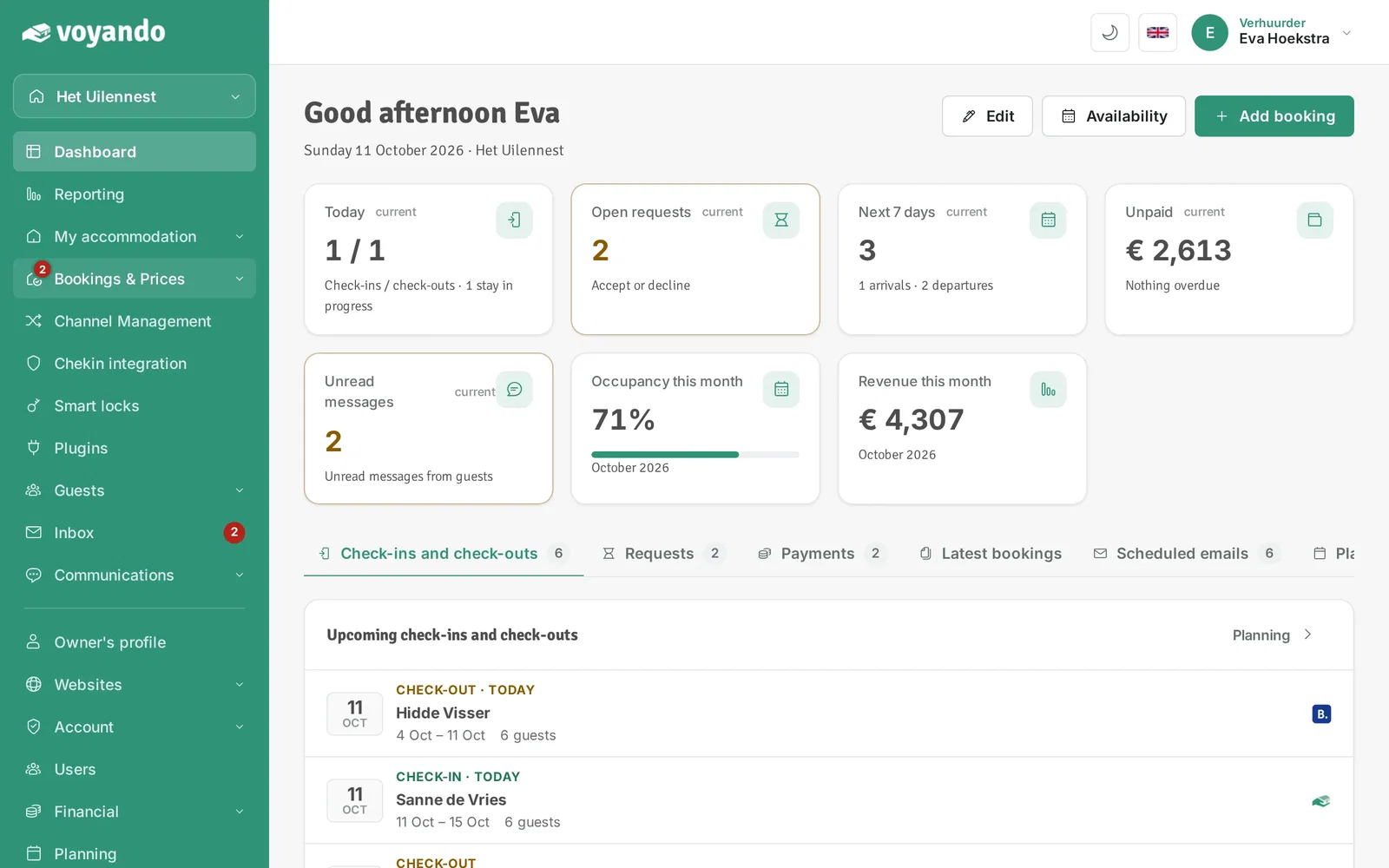
Step 1: Go to your dashboard.

-
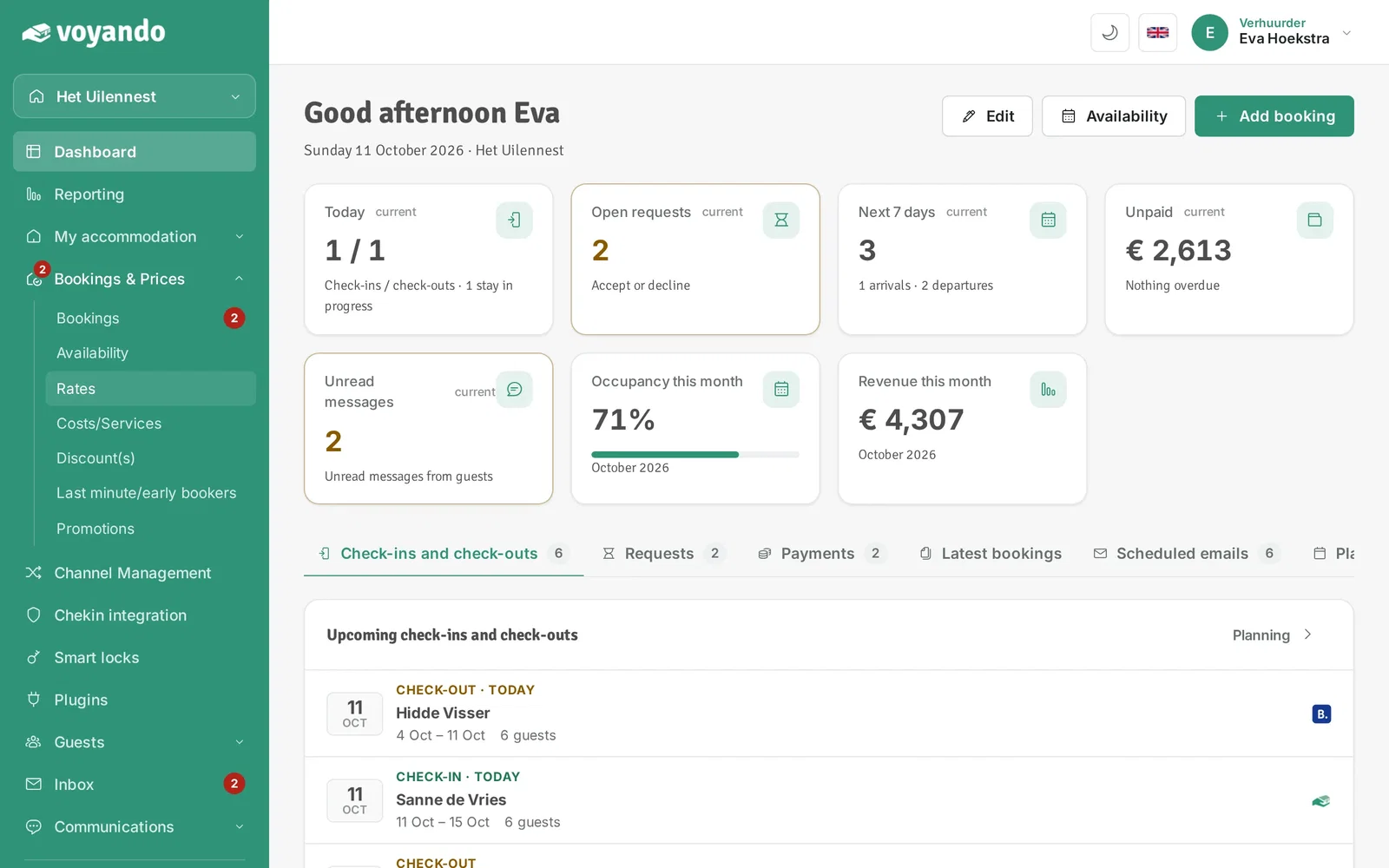
Step 2: Click Bookings & Prices in the menu.
-
Step 3: Click Rates.
-
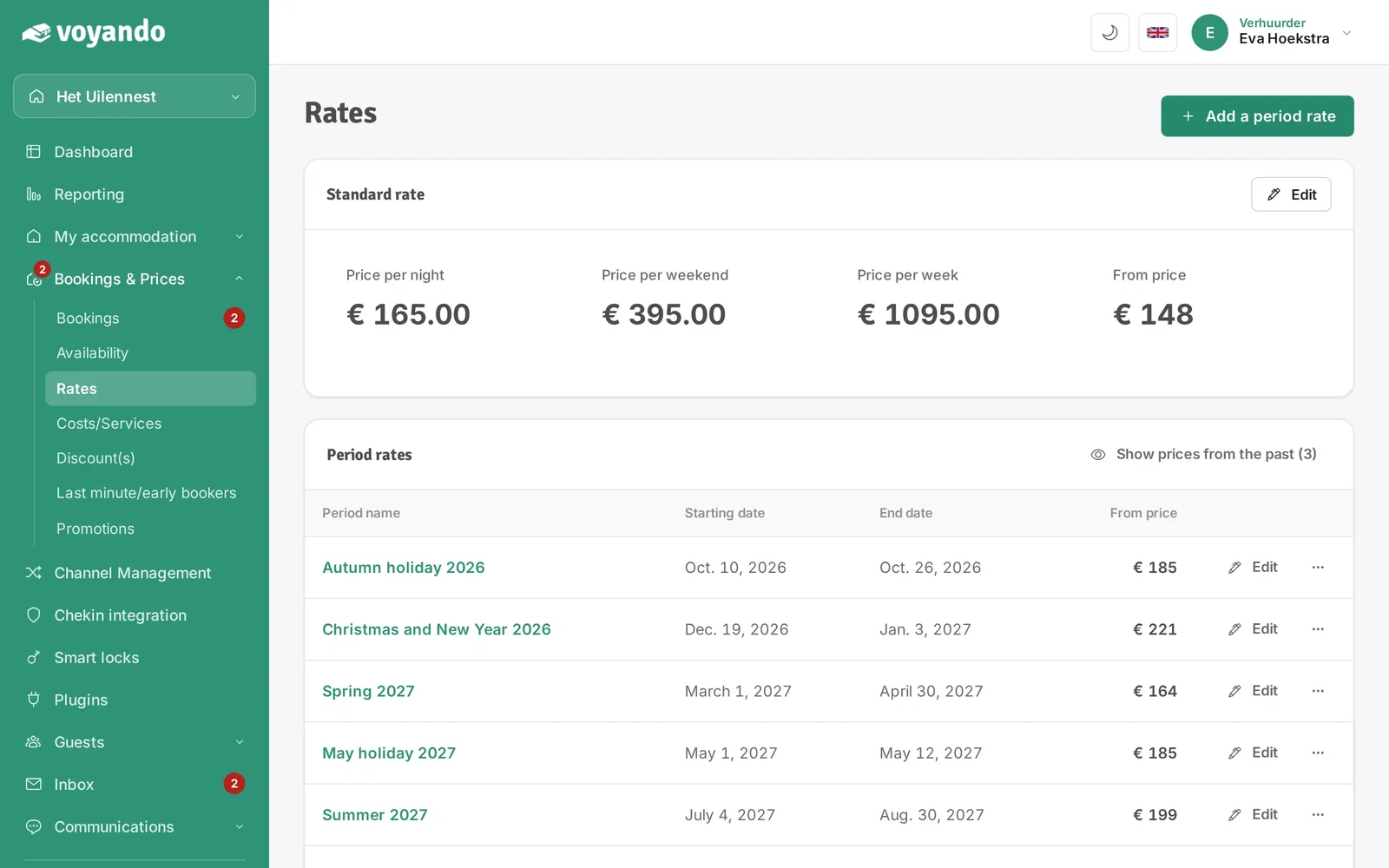
Step 4: Tip: the school holidays are listed at the bottom. With Create period rate you create a rate for such a holiday in one go.

-
Step 5: Click Period rate add.
-
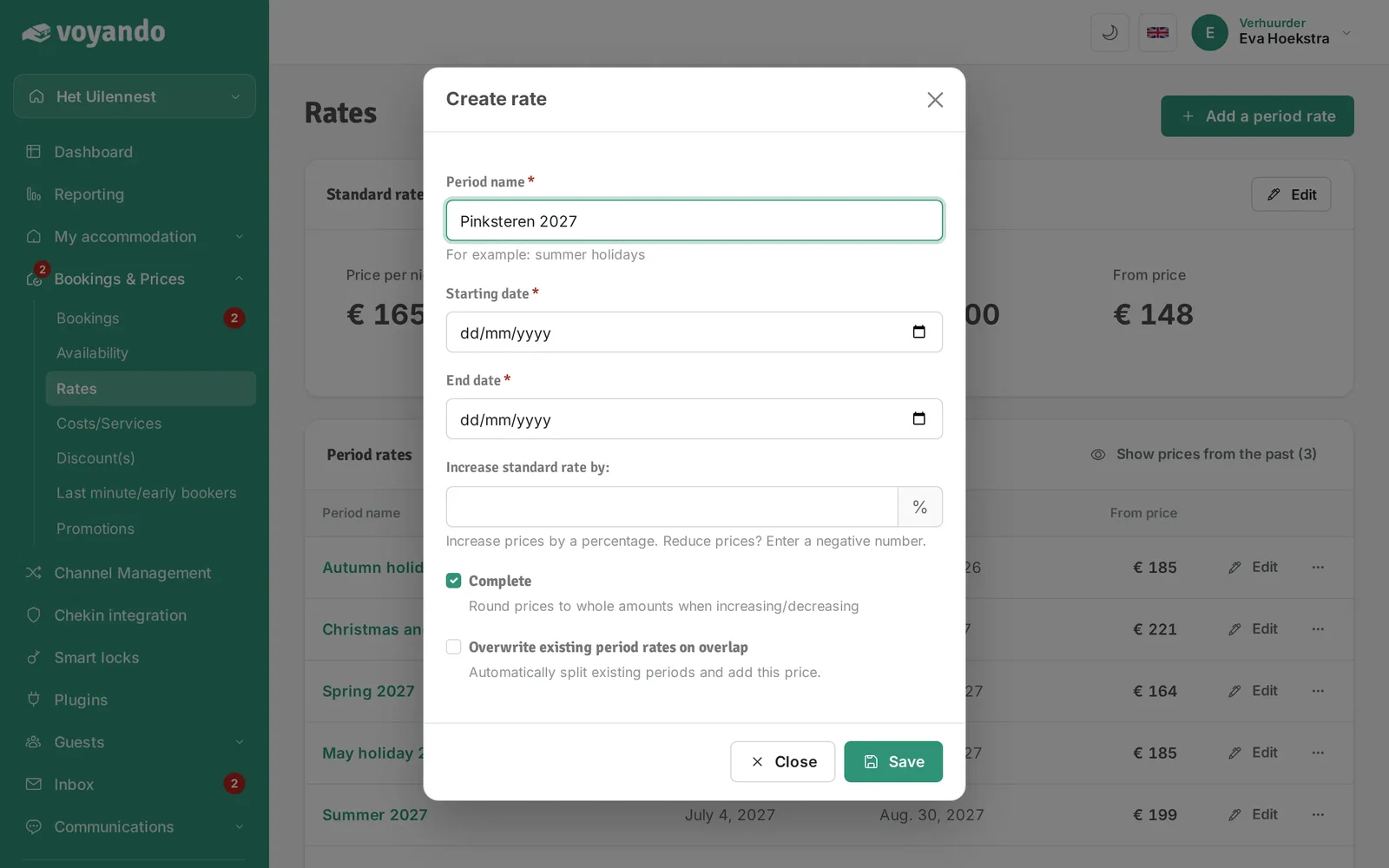
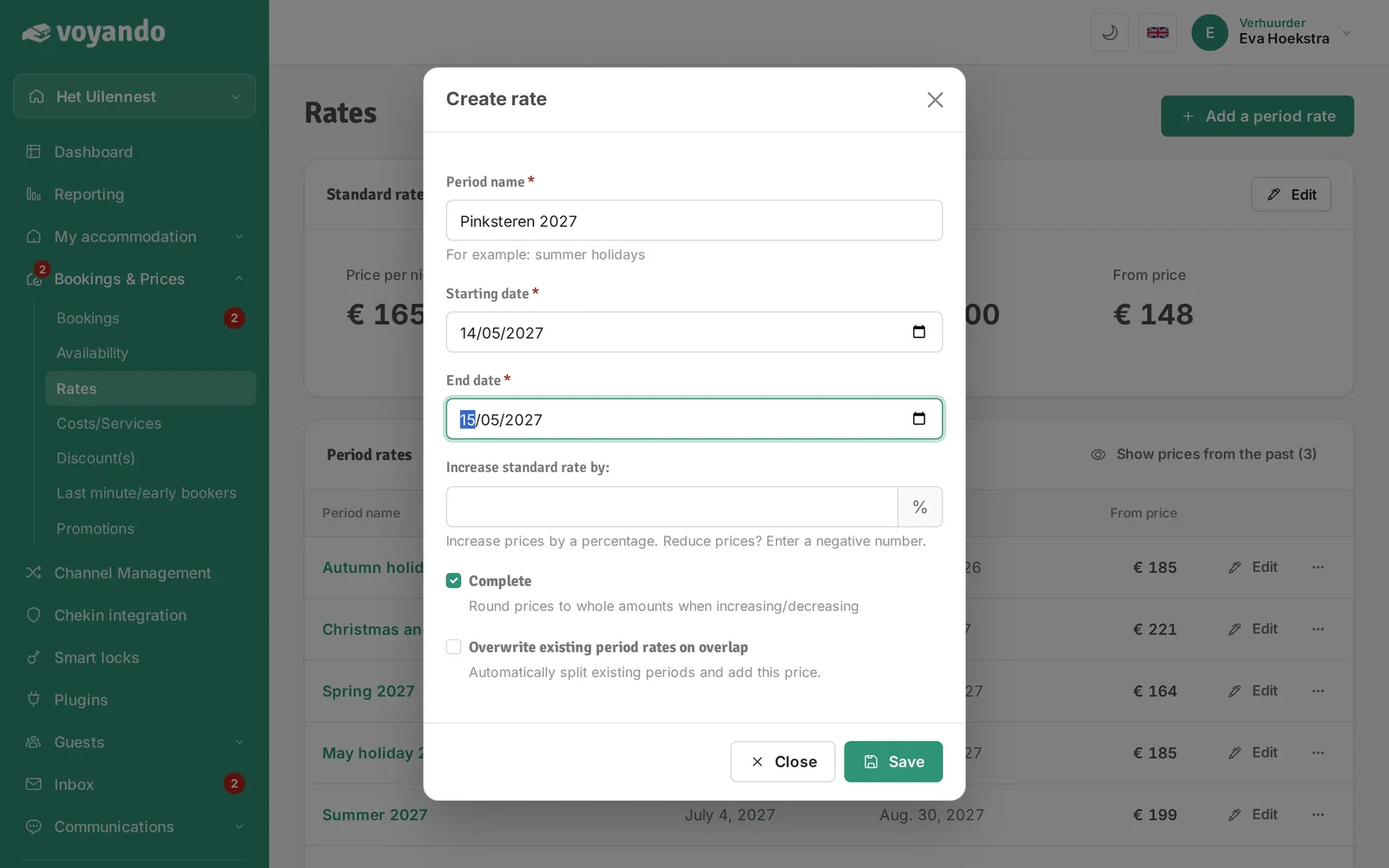
Step 6: Give the period a name.
-
Step 7: Choose the Starting date of the period rate.
-
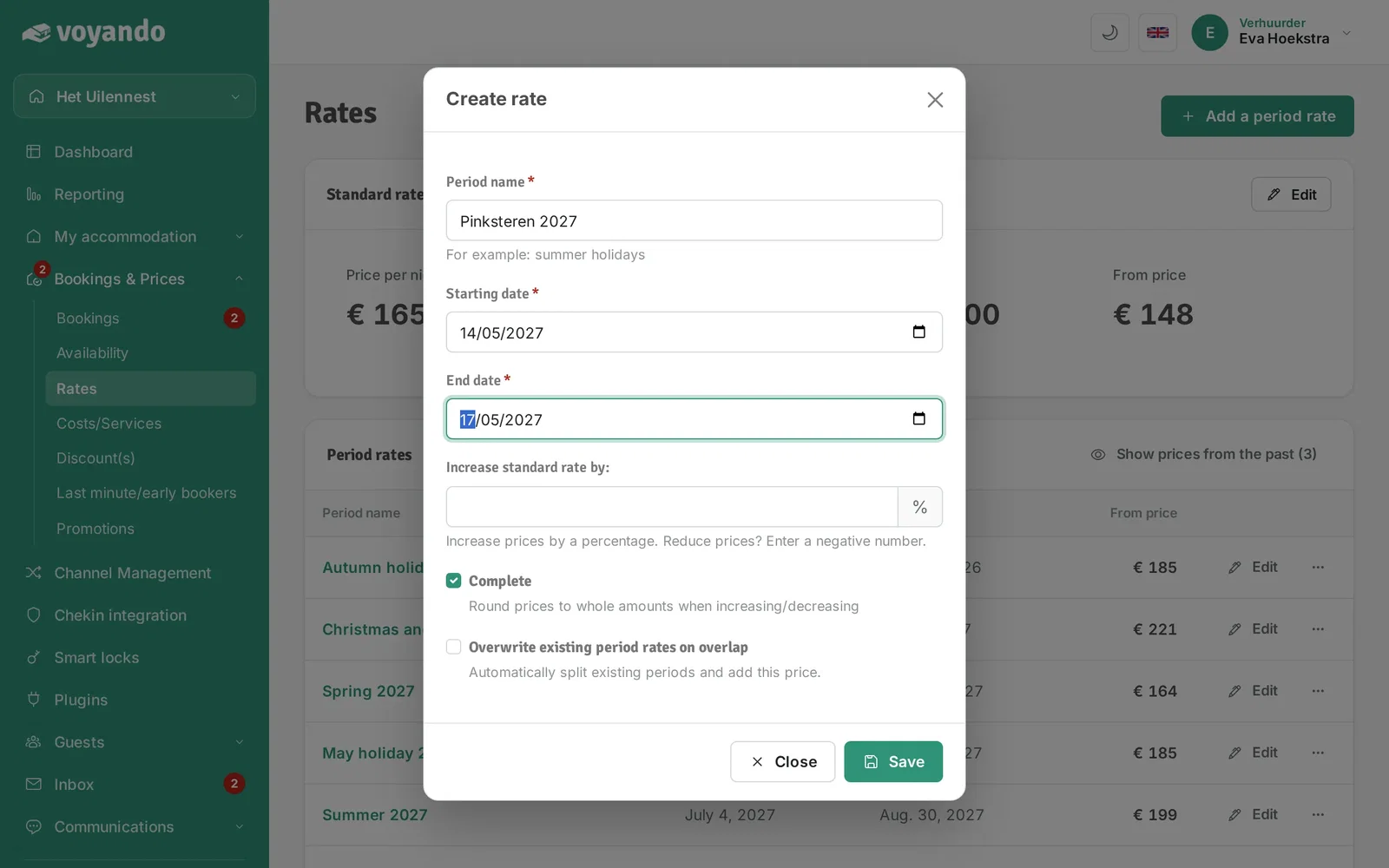
Step 8: Choose the End date of the period rate.
-
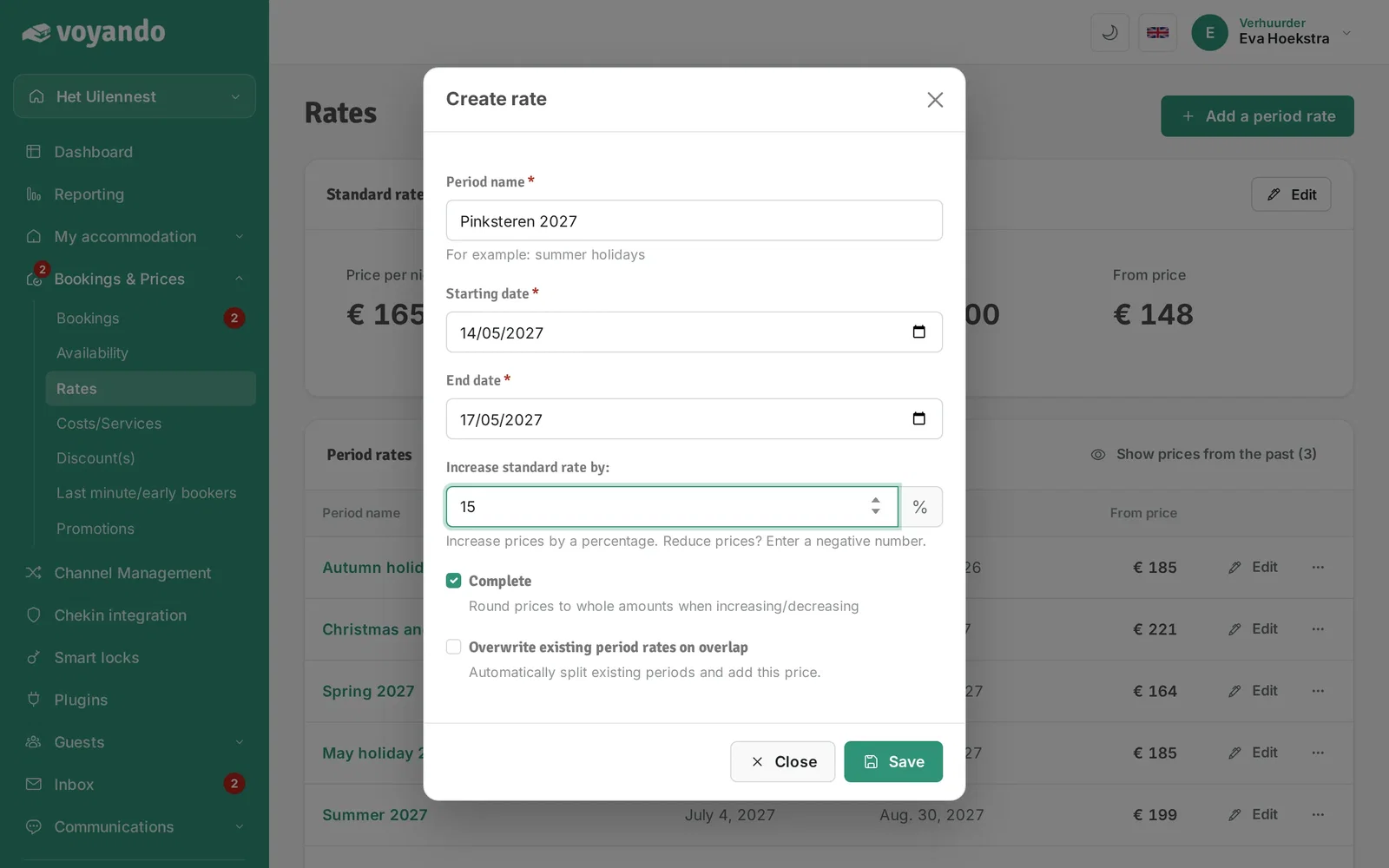
Step 9: Enter the percentage by which your standard rate goes up. Lowering the price? Enter a negative number.

-
Step 10: Keep Complete ticked to round the prices to whole amounts.

-
Step 11: Click Save.

-
Step 12: Tip: want to fine-tune the period rate, such as length of stay and check-in days? Close this window...
-
Step 13: ...and click Edit next to your period rate.




