How do I add my own photos?
Simply add your own photos, edit them and provide a description in each language to ensure your accommodation looks professional.
Step by step · 9 steps
-
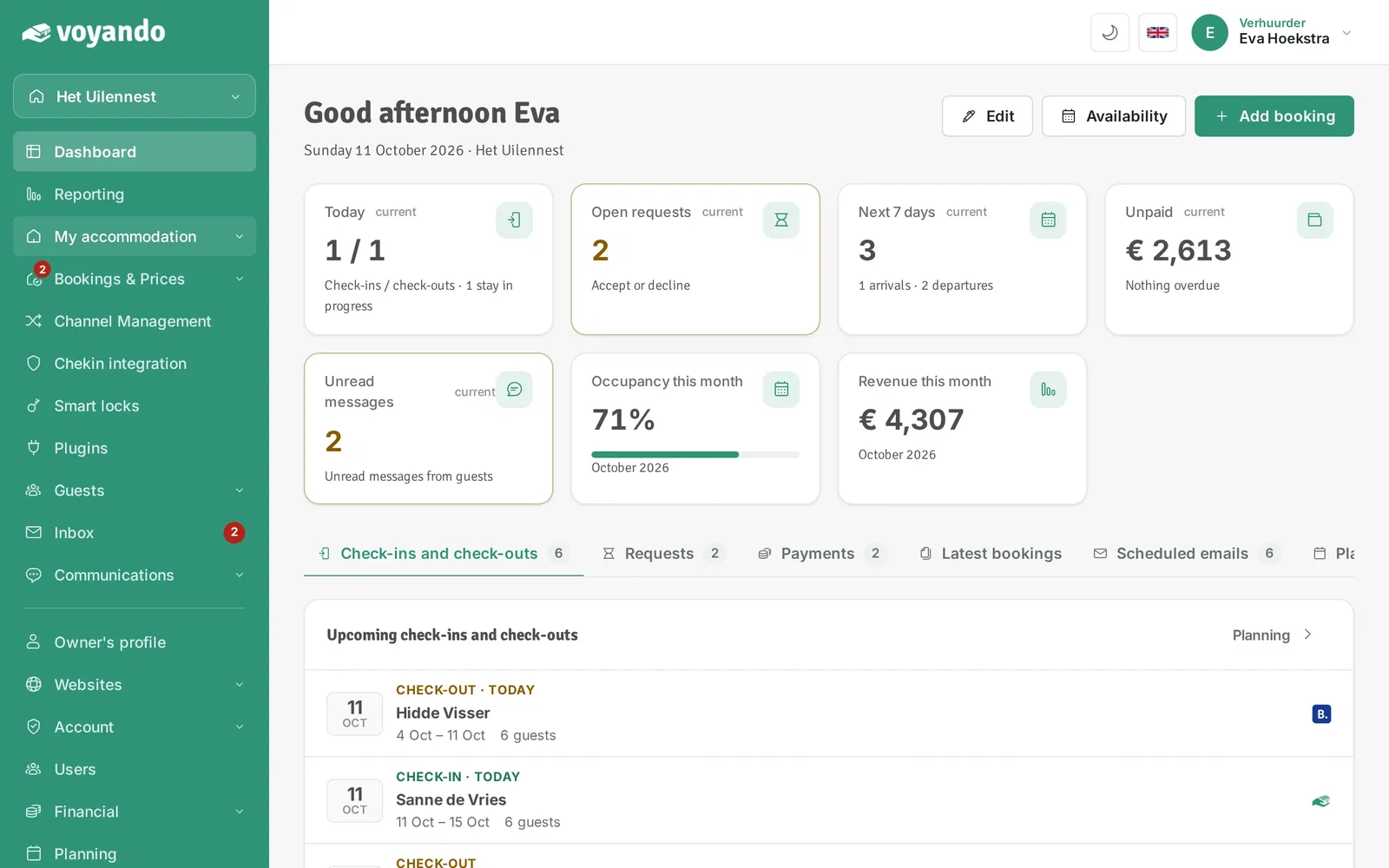
Step 1: Go to your dashboard.

-
Step 2: Click My accommodation in the menu.
-
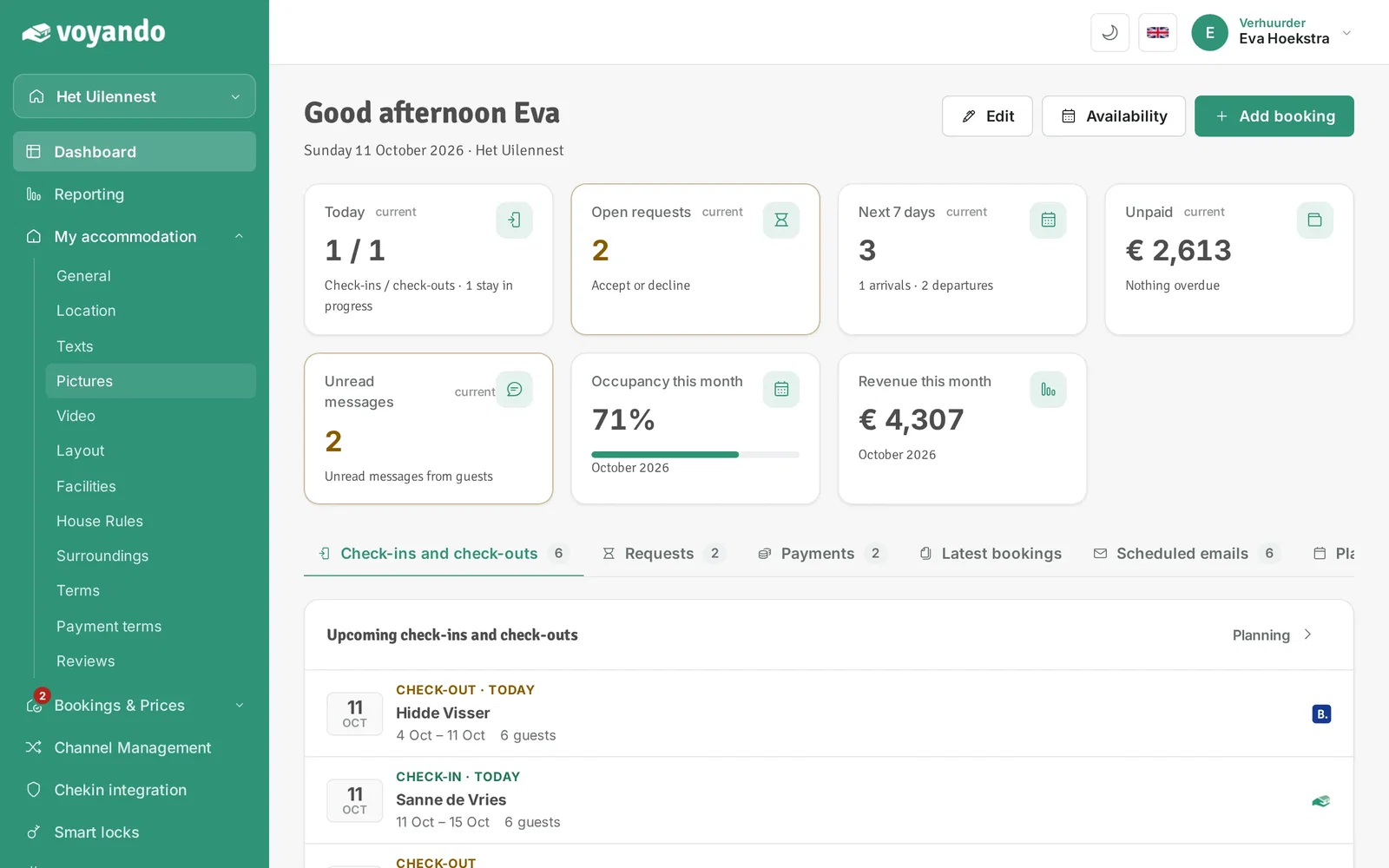
Step 3: Click Pictures.
-
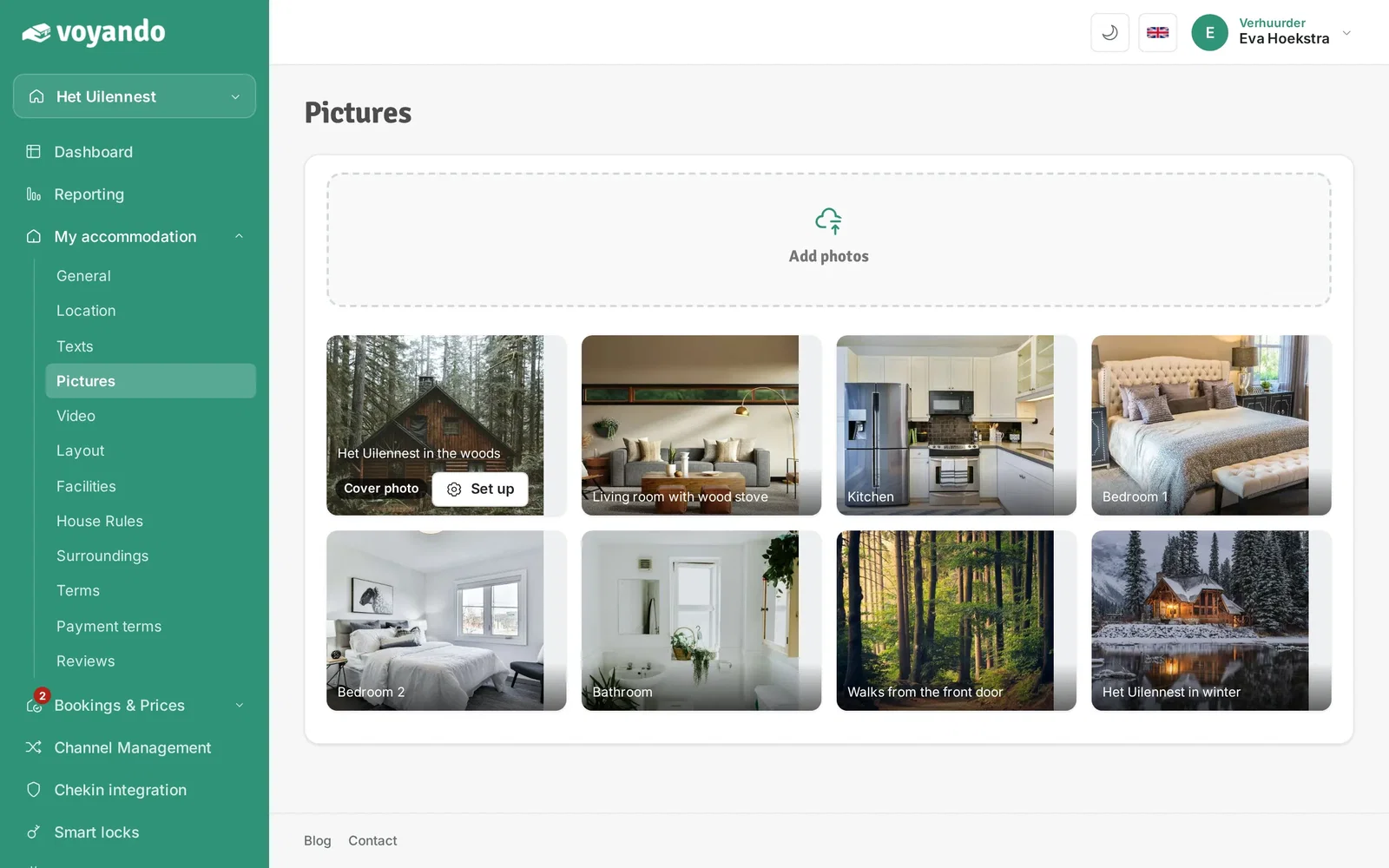
Step 4: Click Add photos and choose the photos on your device. Then click Save.
-
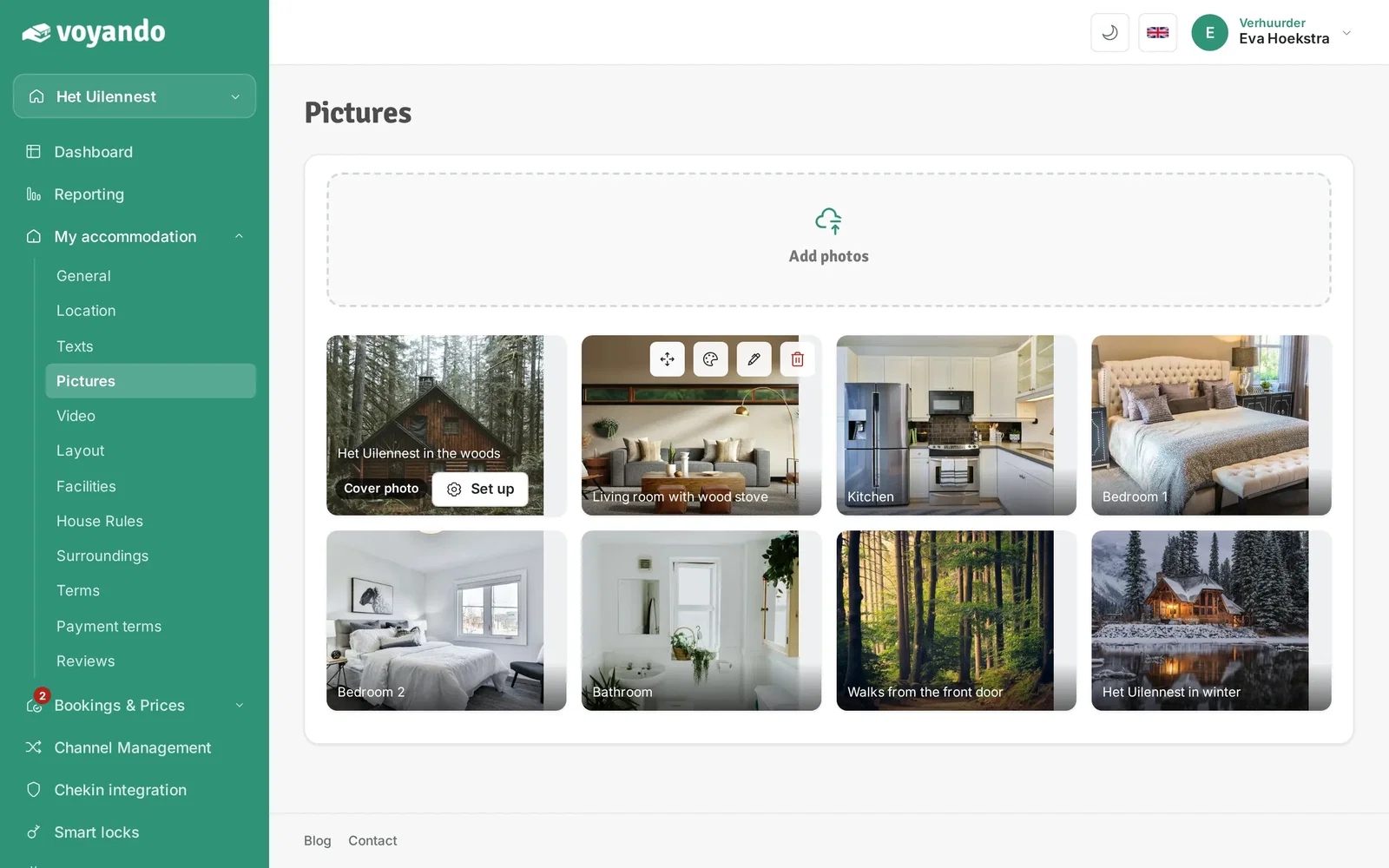
Step 5: The photos are now in the gallery. Hover over a photo to see its buttons. Use the arrows icon to drag the photo to another spot and the palette to edit it (crop, rotate, colours).
-
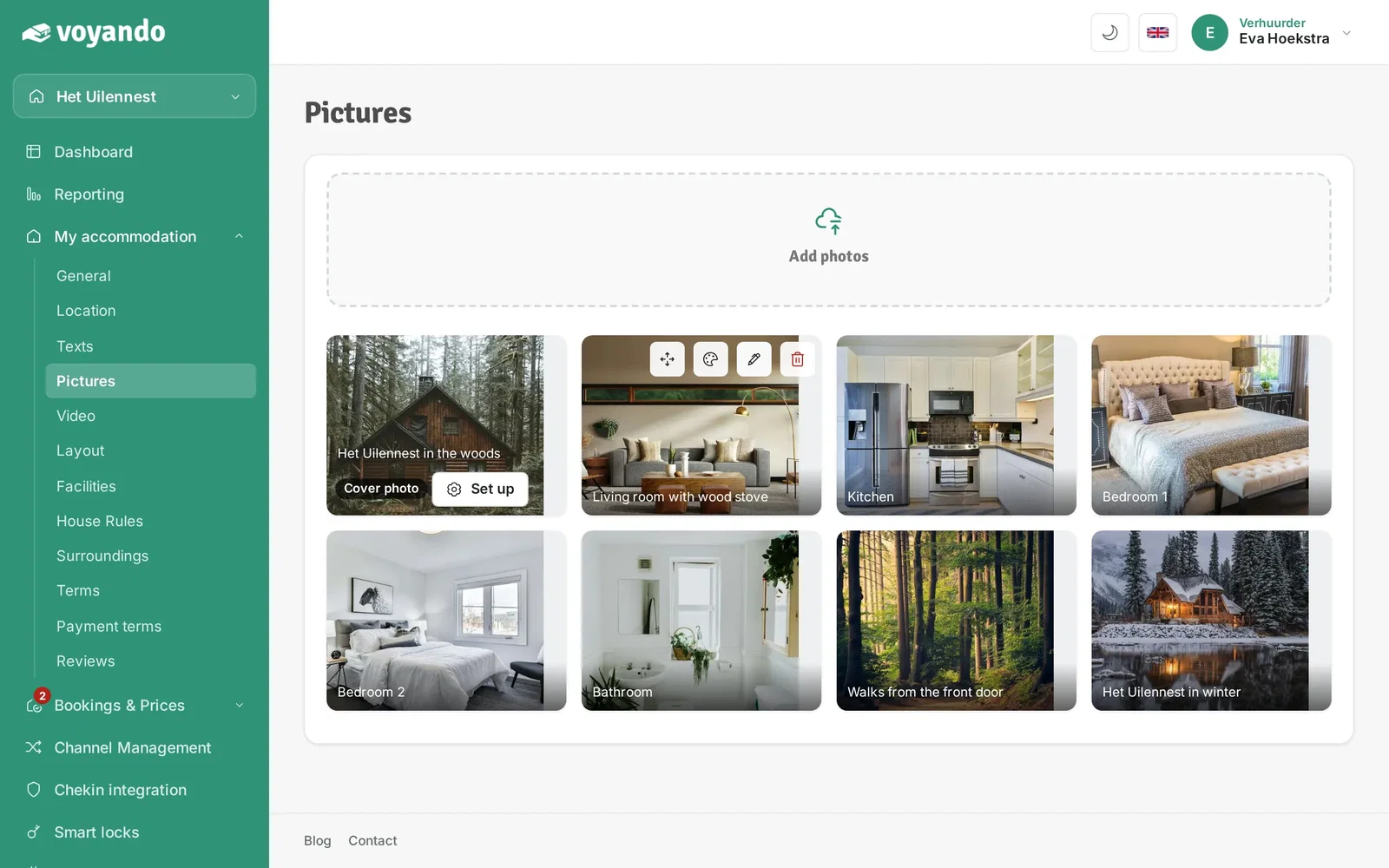
Step 6: Click the pencil to add a description.
-
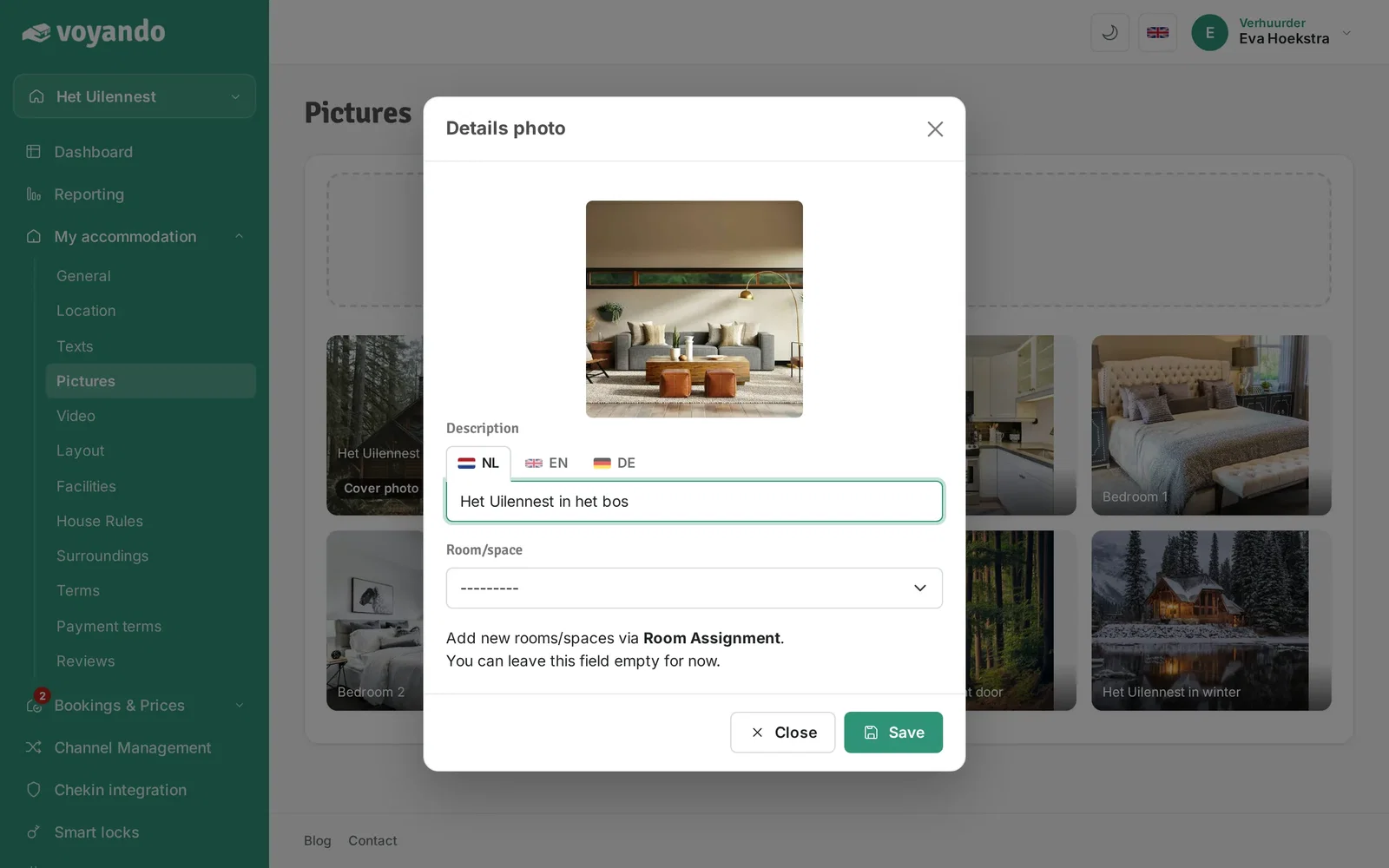
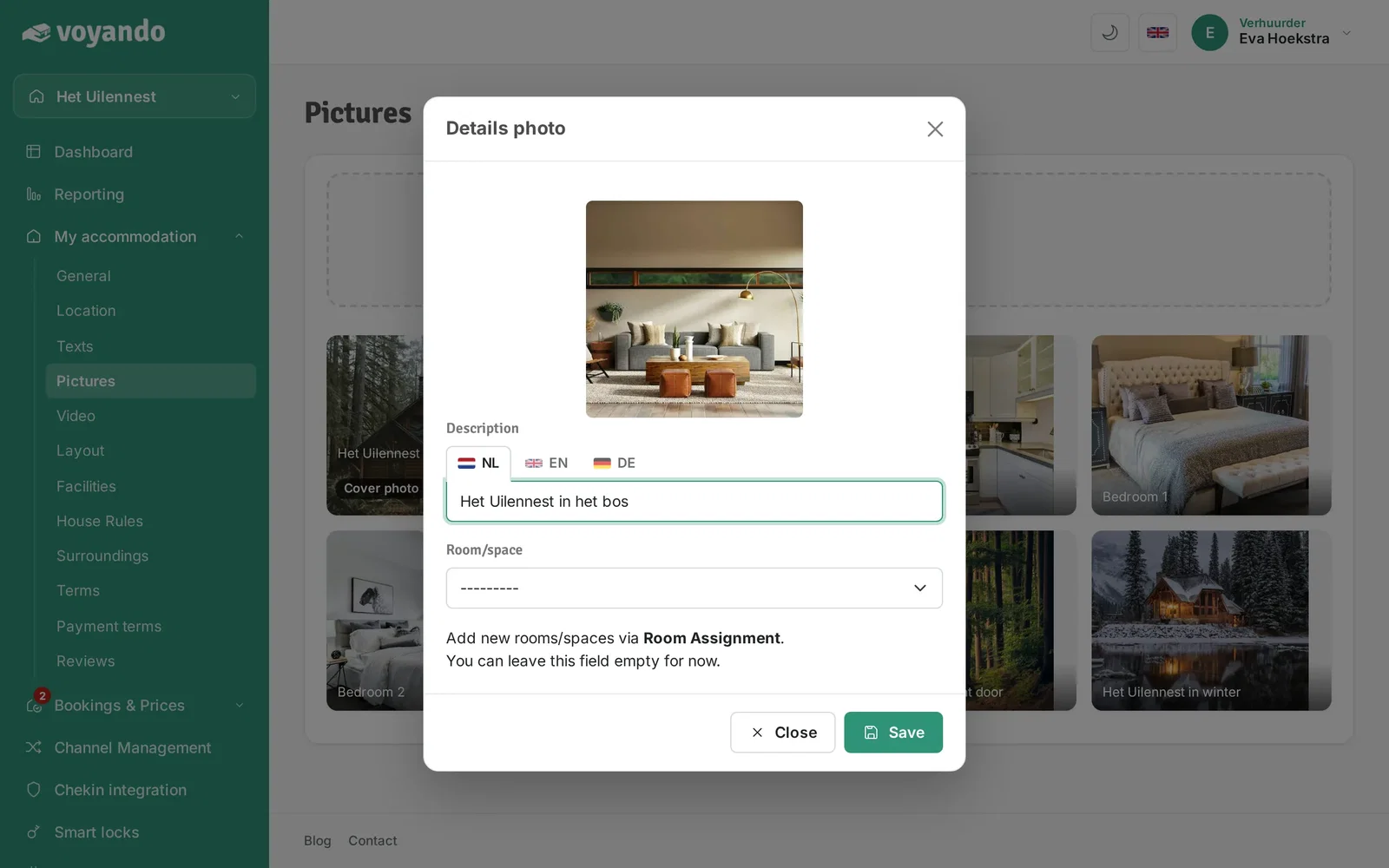
Step 7: Give the photo a description. If you offer several languages, fill in the other language tabs too.
-
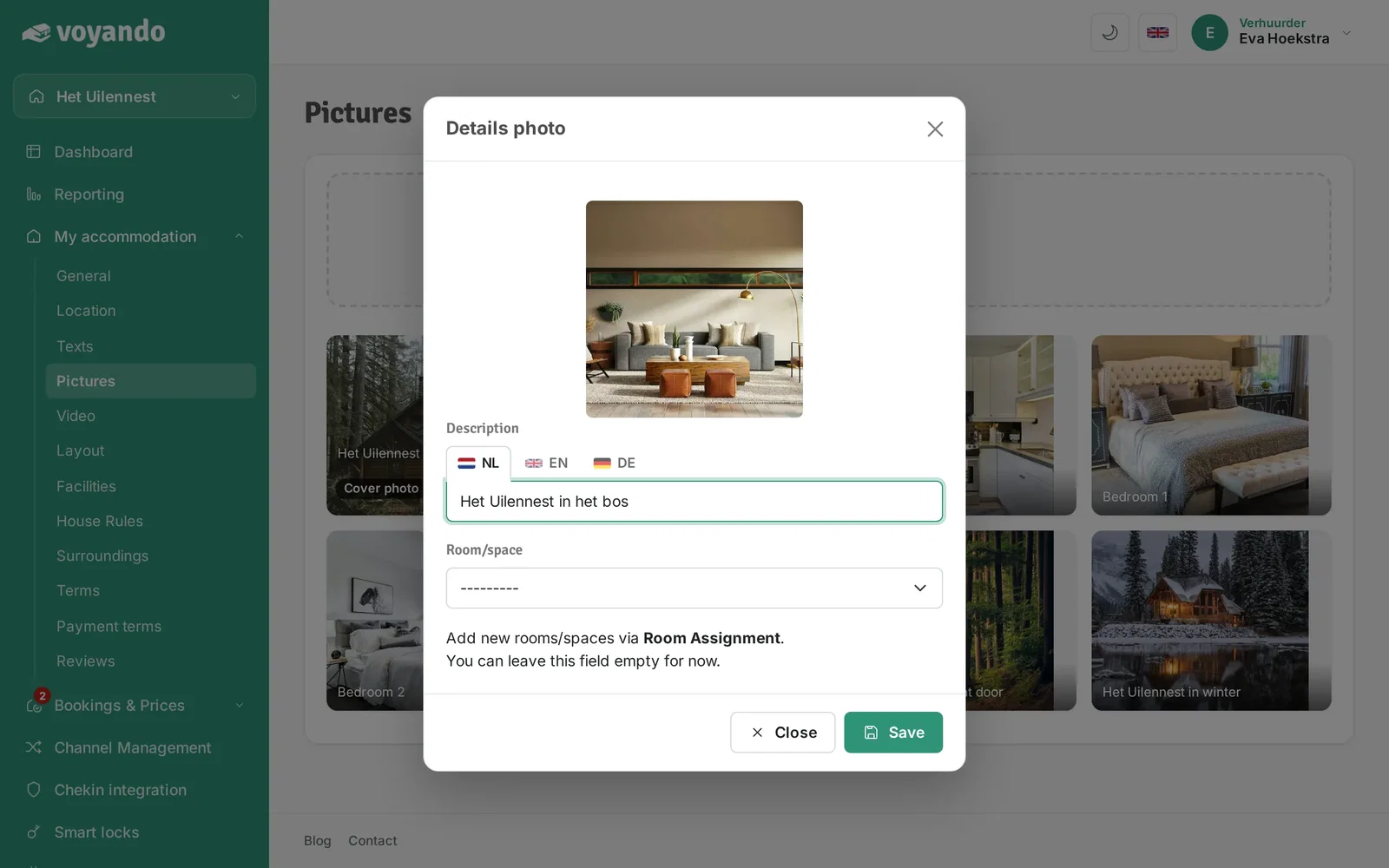
Step 8: Optionally choose the room the photo belongs to.
-
Step 9: Click Save.