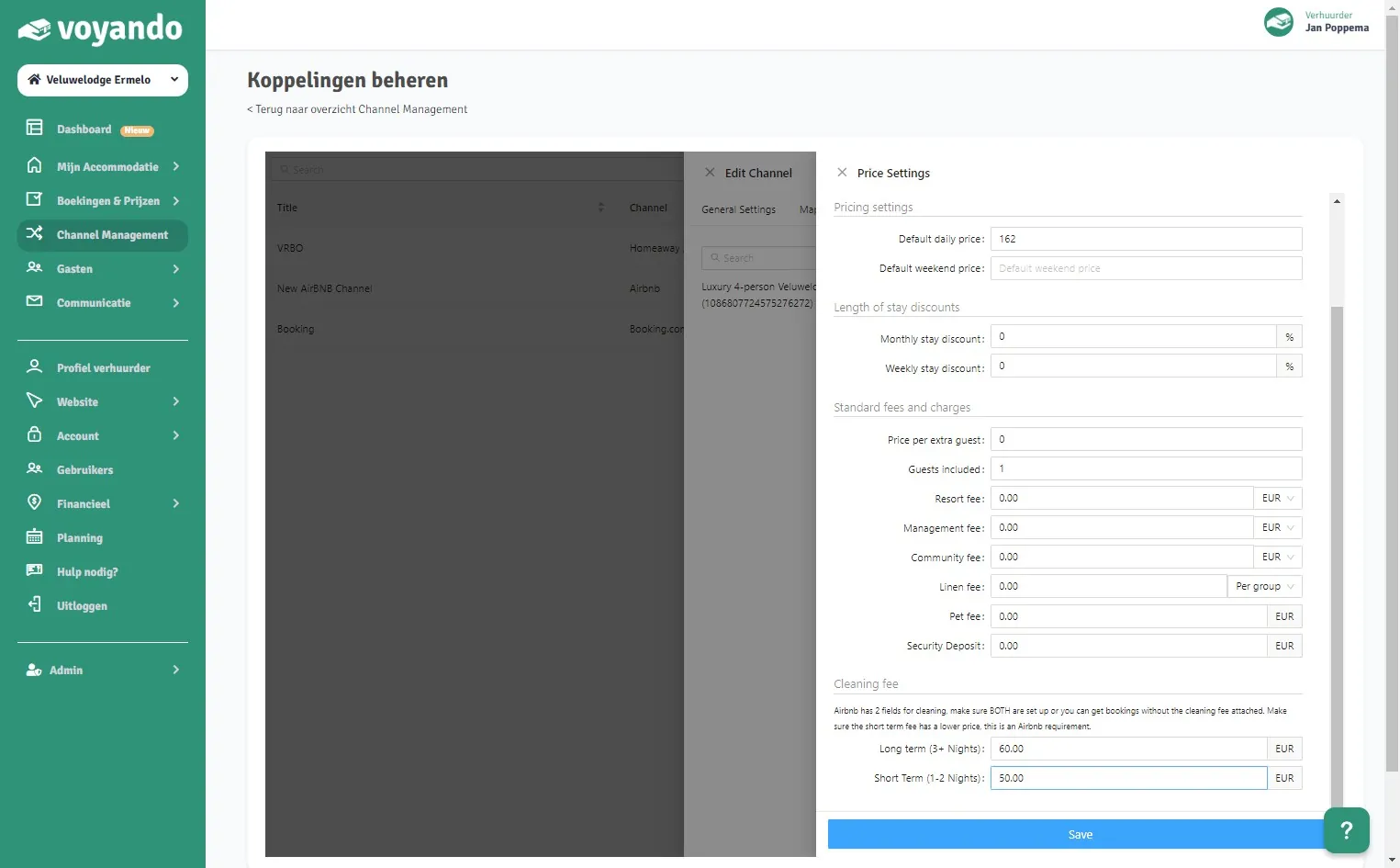
How do I change the cleaning fees on Airbnb?
Adjust the cleaning charges for short and long stays via Channel Management in your Voyando dashboard and save the changes.
Step by step · 11 steps
-
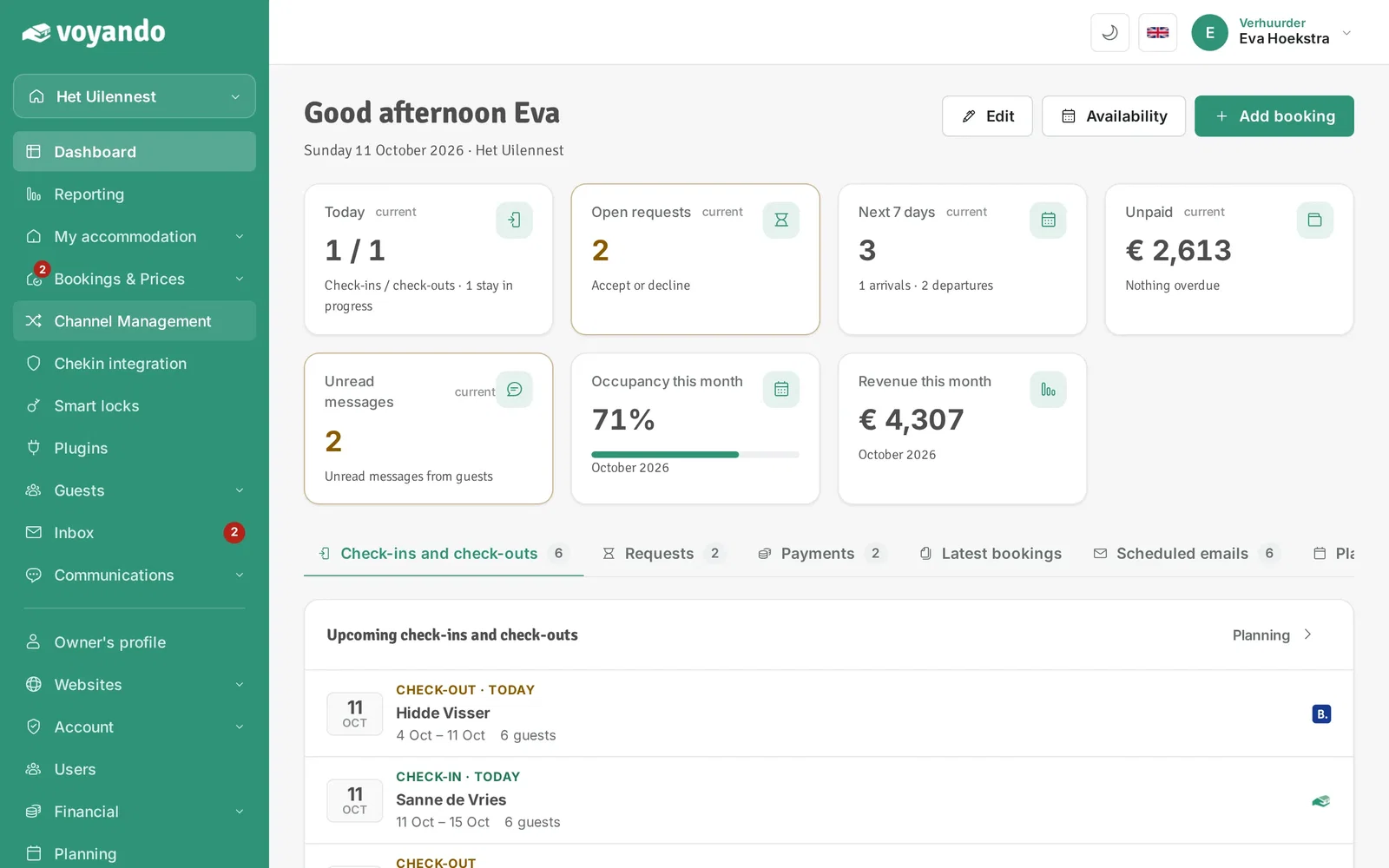
Step 1: Go to your dashboard.

-
Step 2: Click Channel Management in the menu.
-
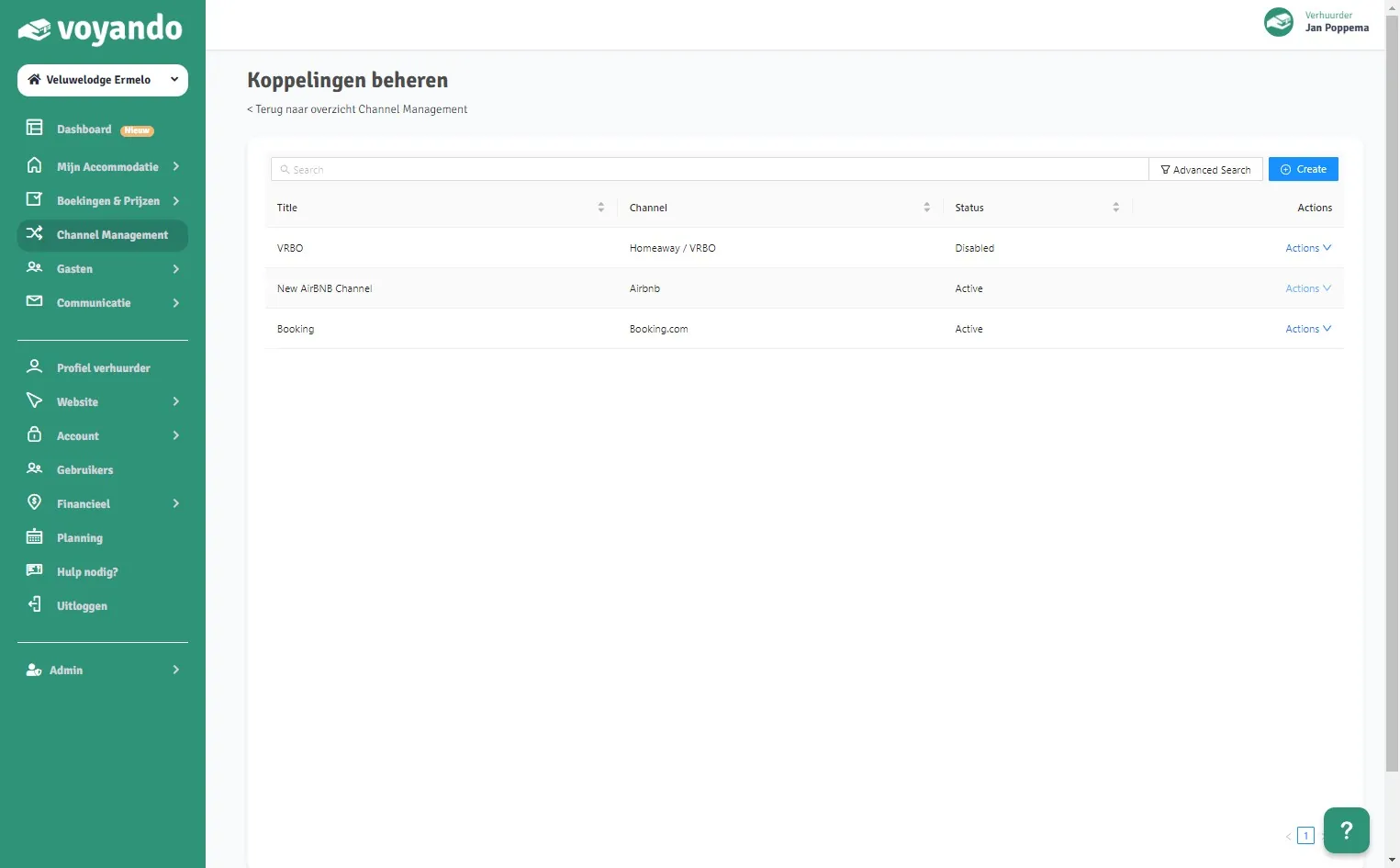
Step 3: Click Activate/manage connections.

-
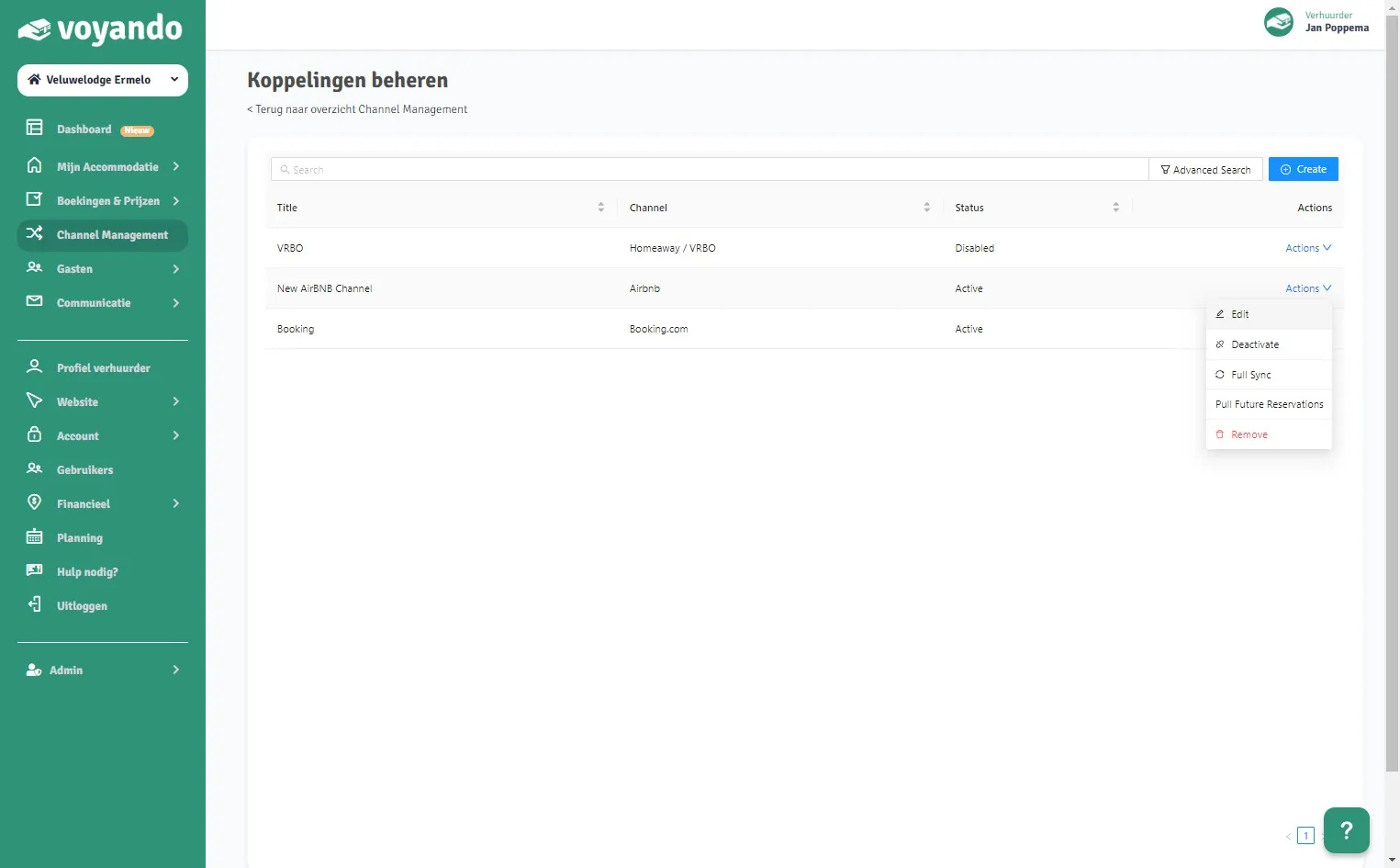
Step 4: Click Actions next to the Airbnb connection.
-
Step 5: Click Edit.
-
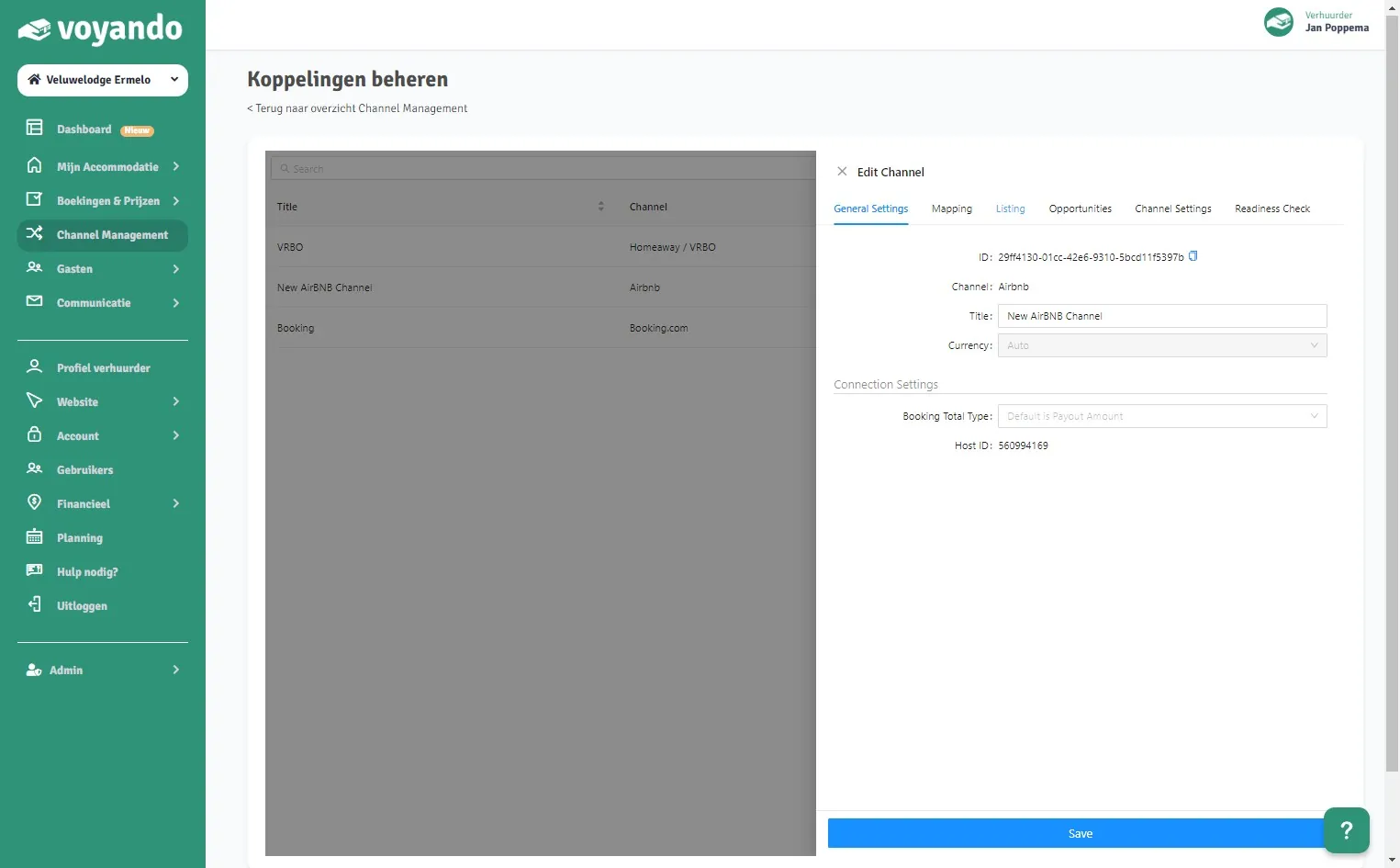
Step 6: Click Listing.
-
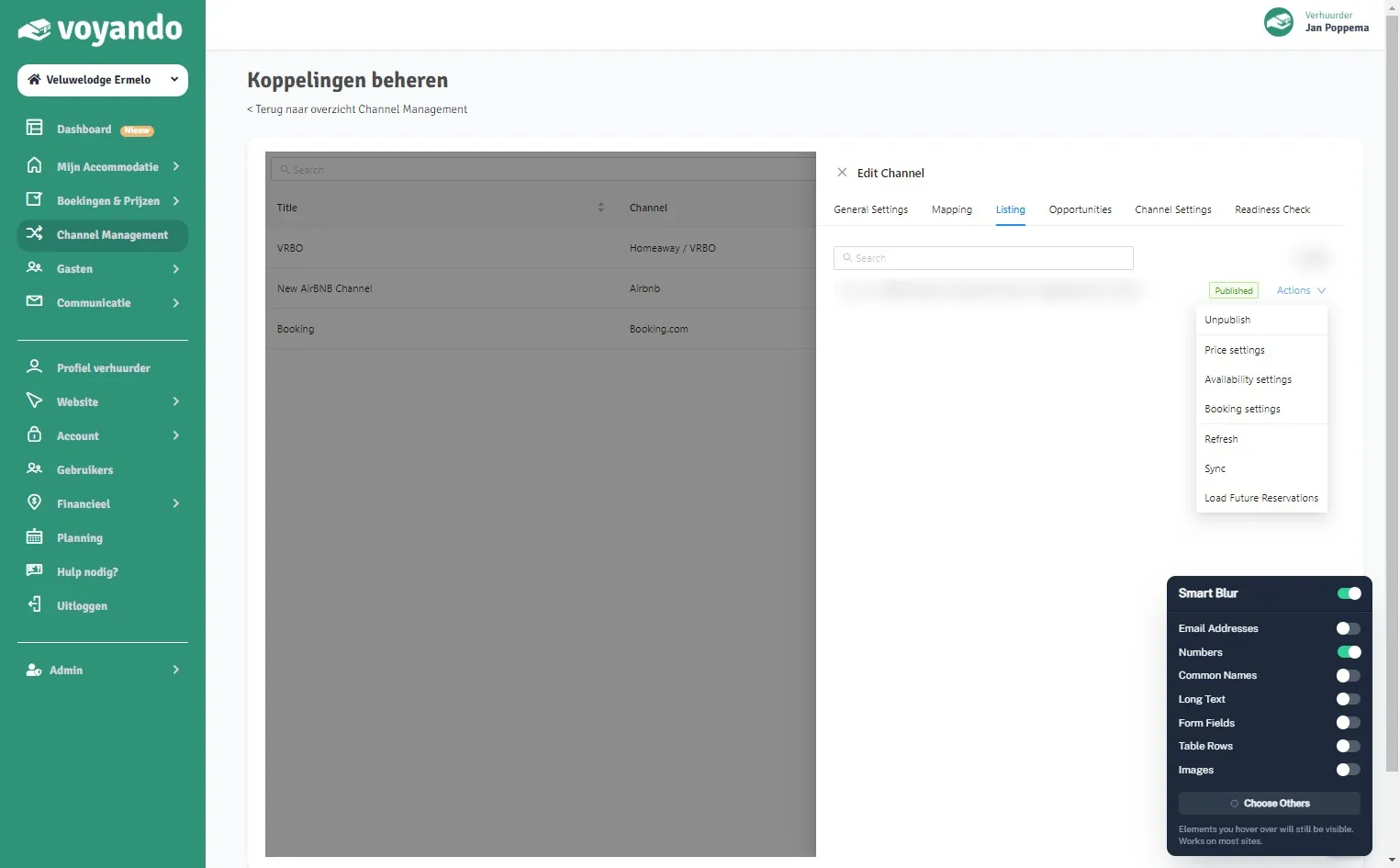
Step 7: Click Actions next to the listing.
-
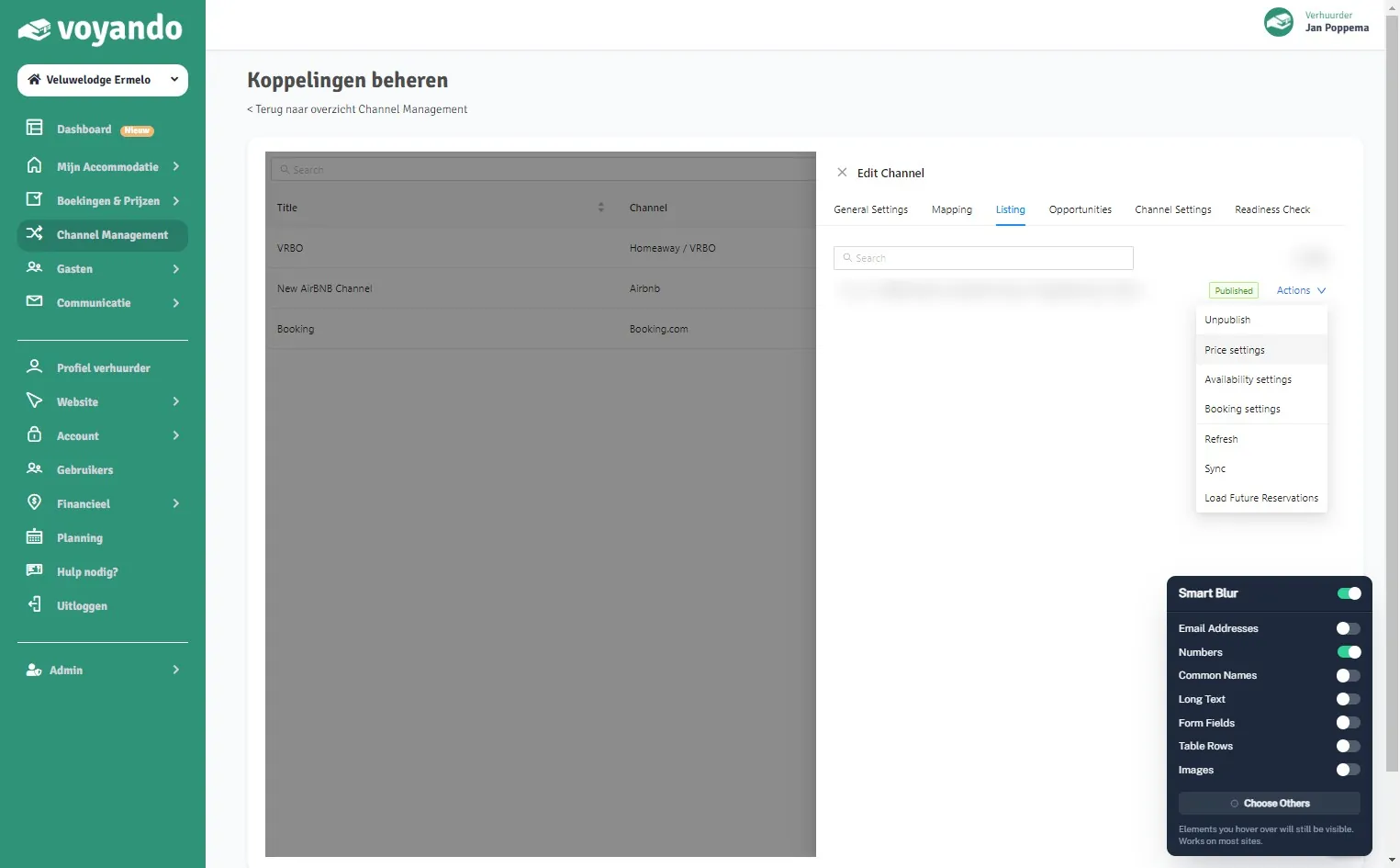
Step 8: Click Price settings.
-
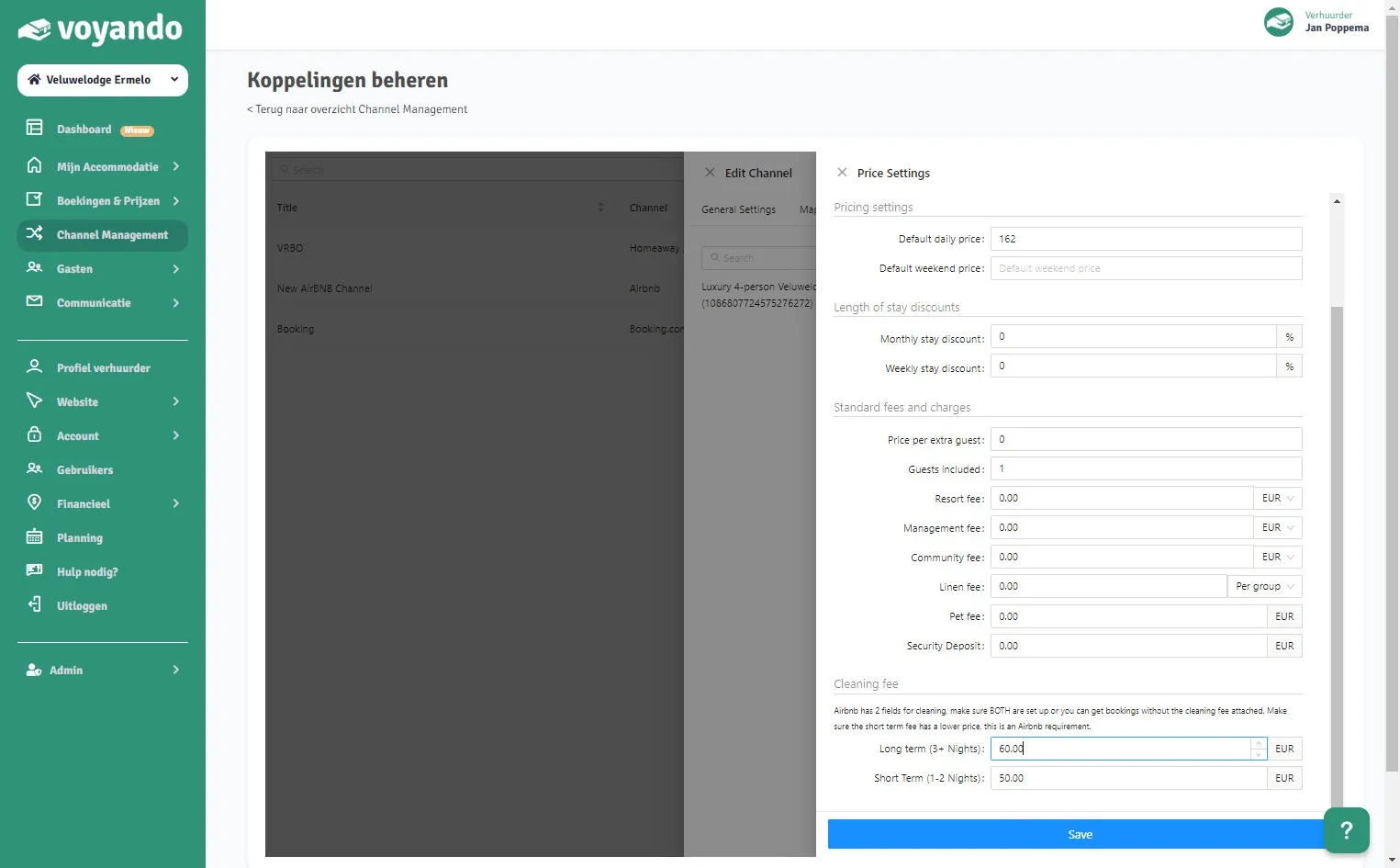
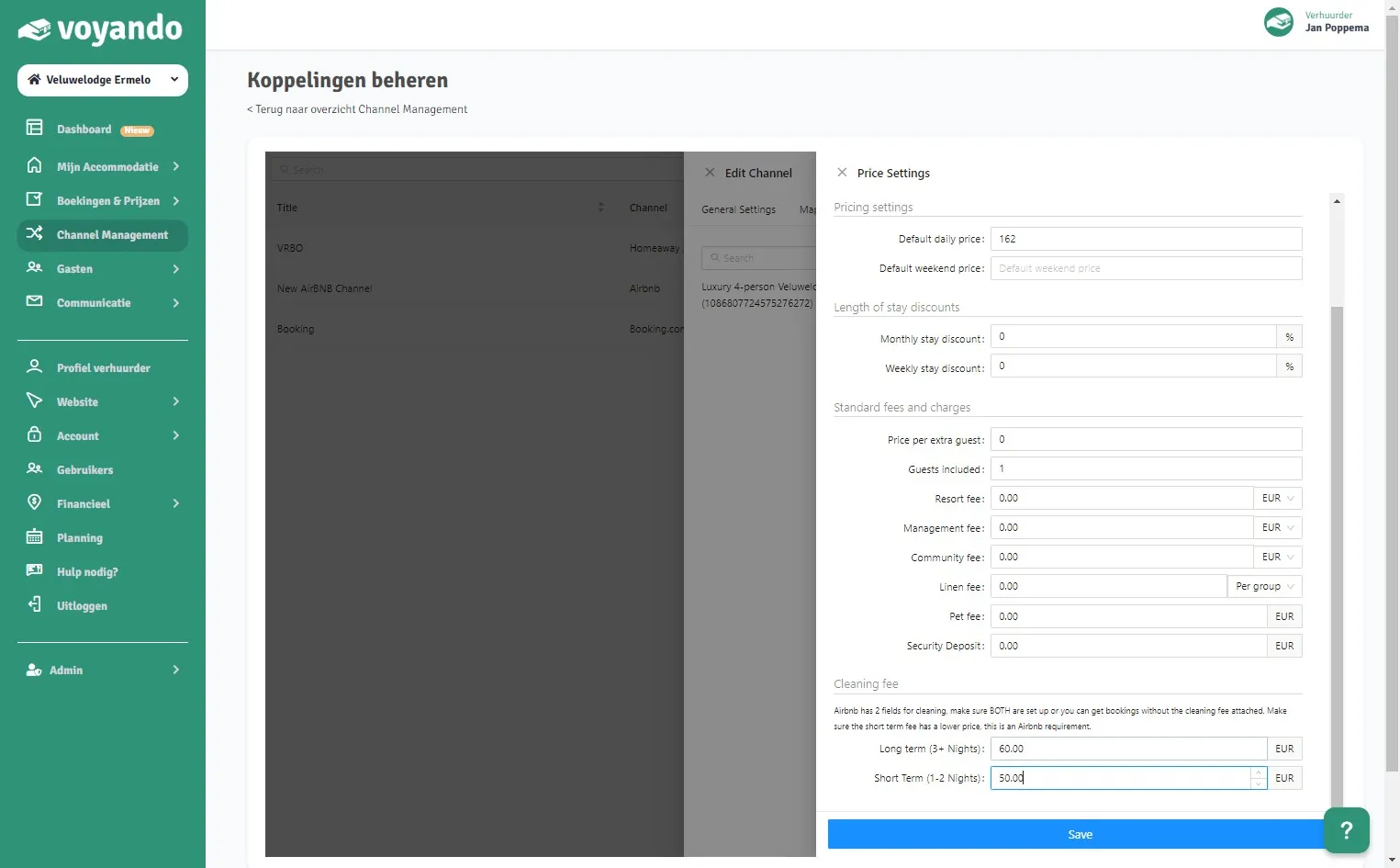
Step 9: Under Long term (3+ Nights), enter the cleaning fee for stays of 3 nights or more.
-
Step 10: Under Short Term (1-2 Nights), enter the cleaning fee for 1 or 2 nights. It must be at least 1 cent lower than the long-stay fee.
-
Step 11: Click Save.