How do I synchronise my calendar with an external platform via an iCal/calendar link?
Synchronise your calendar with an external platform via an iCal link and keep your availability up to date in Voyando at all times.
Step by step · 13 steps
-
Step 1: Go to your dashboard.

-
Step 2: Click Bookings & Prices in the menu.
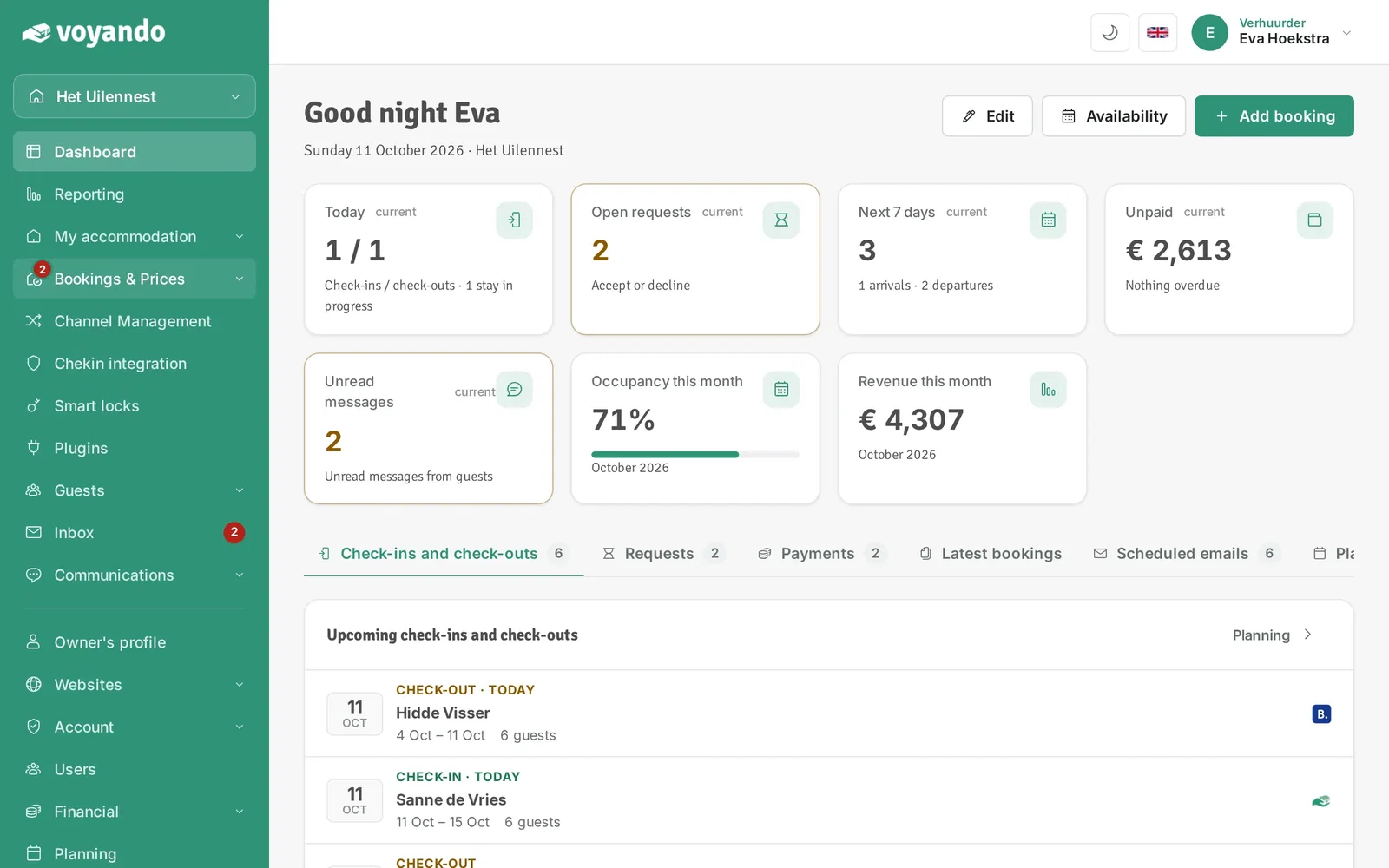
-
Step 3: Click Availability.
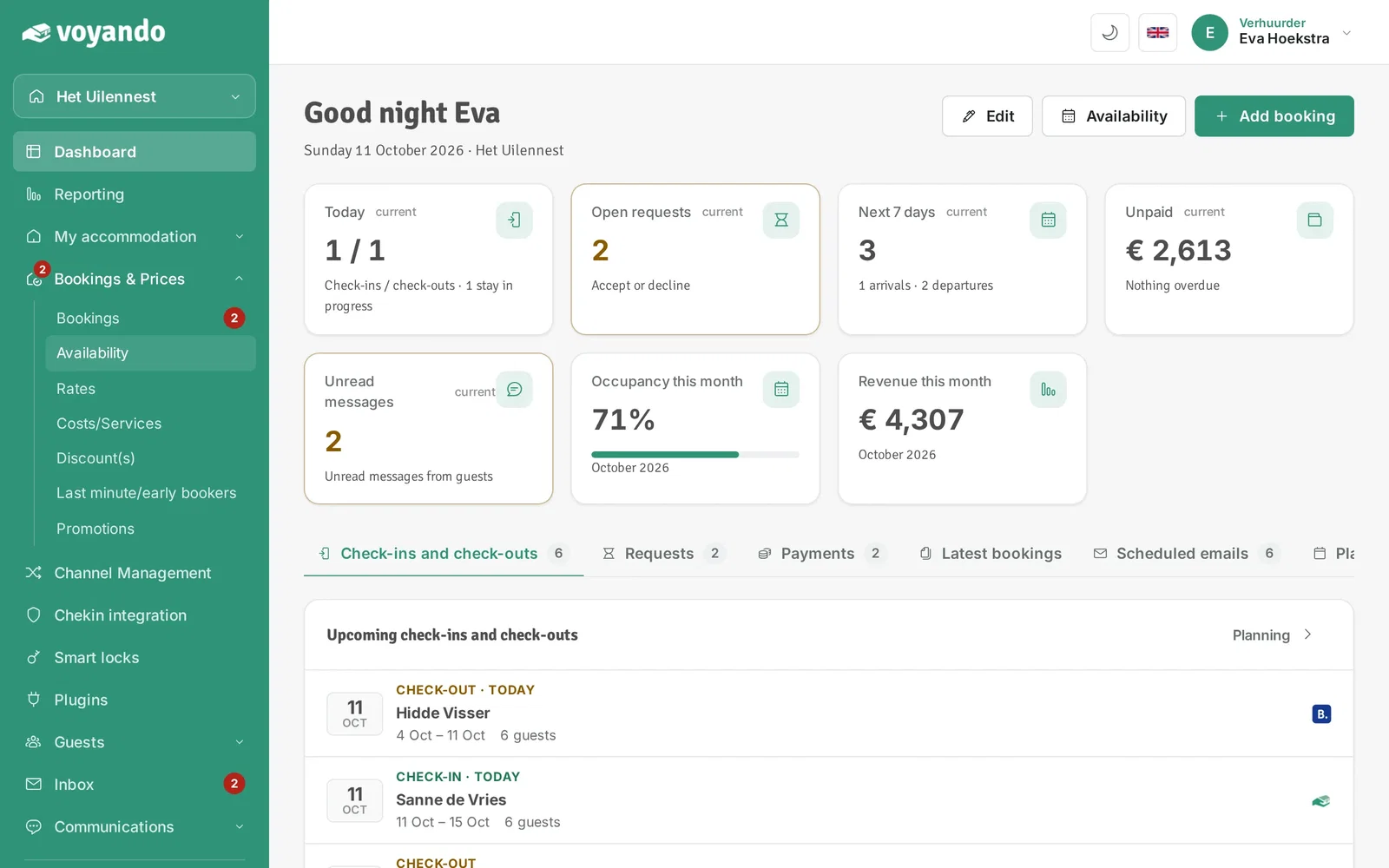
-
Step 4: Click List view.
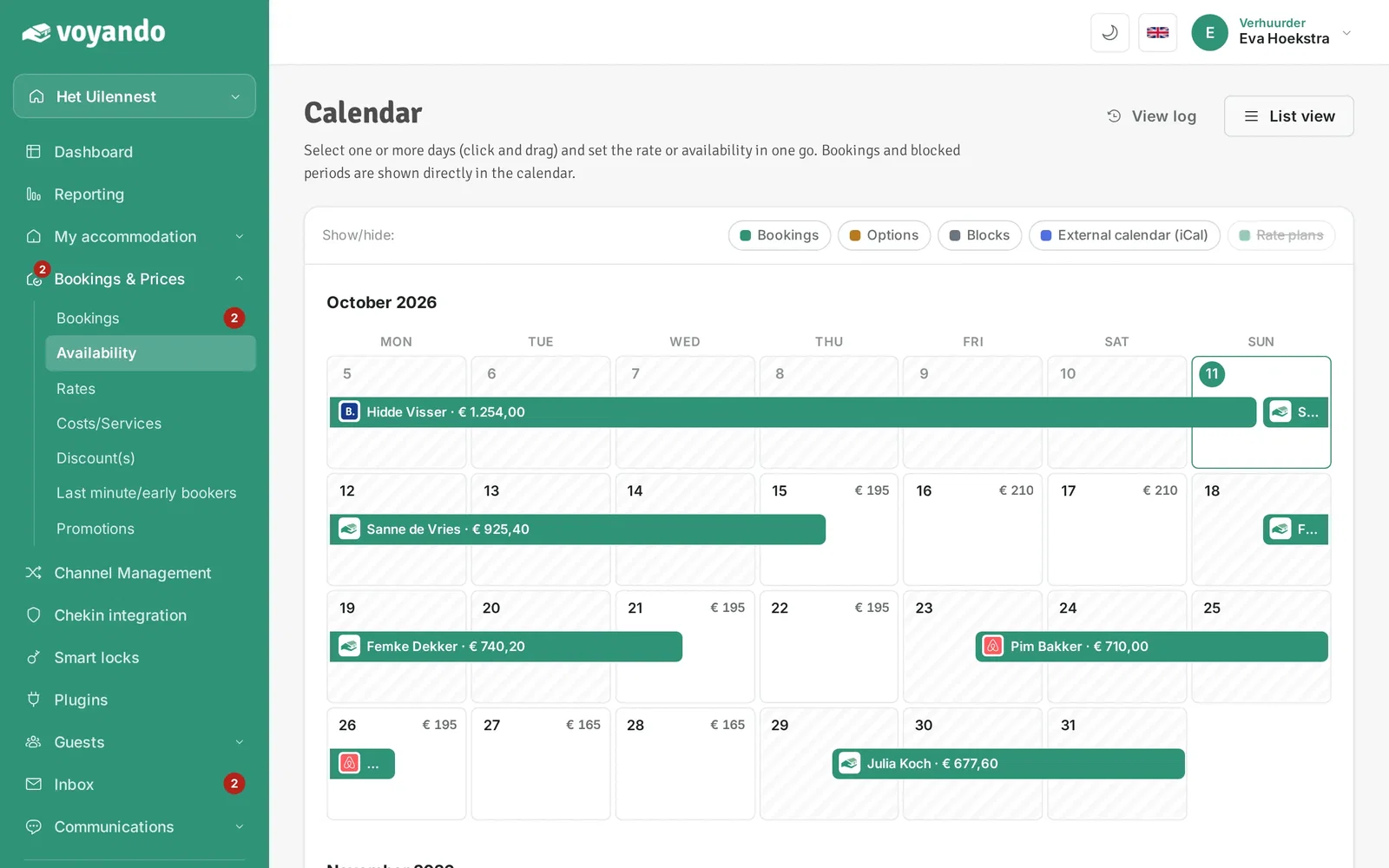
-
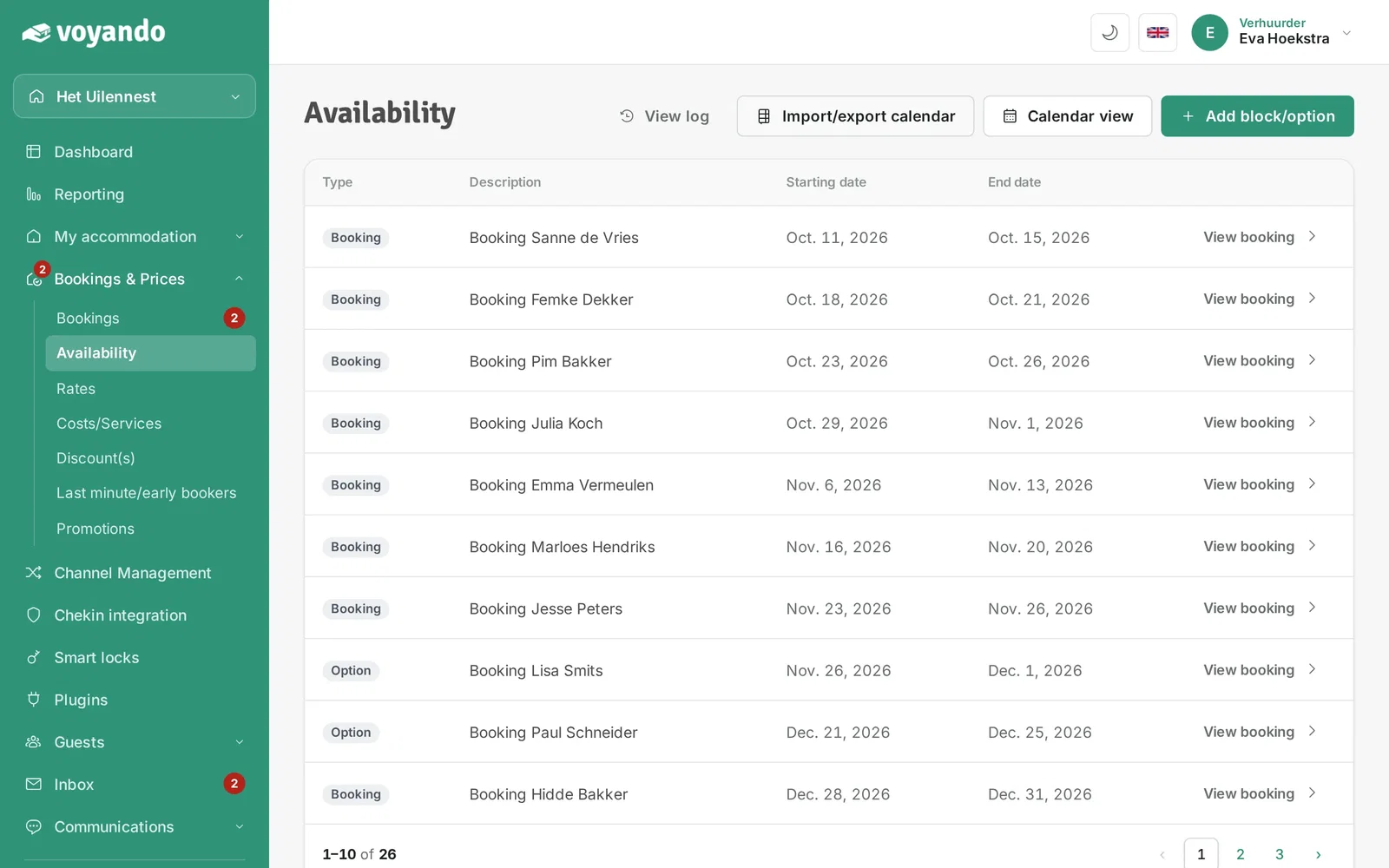
Step 5: Click Import/export calendar.
-
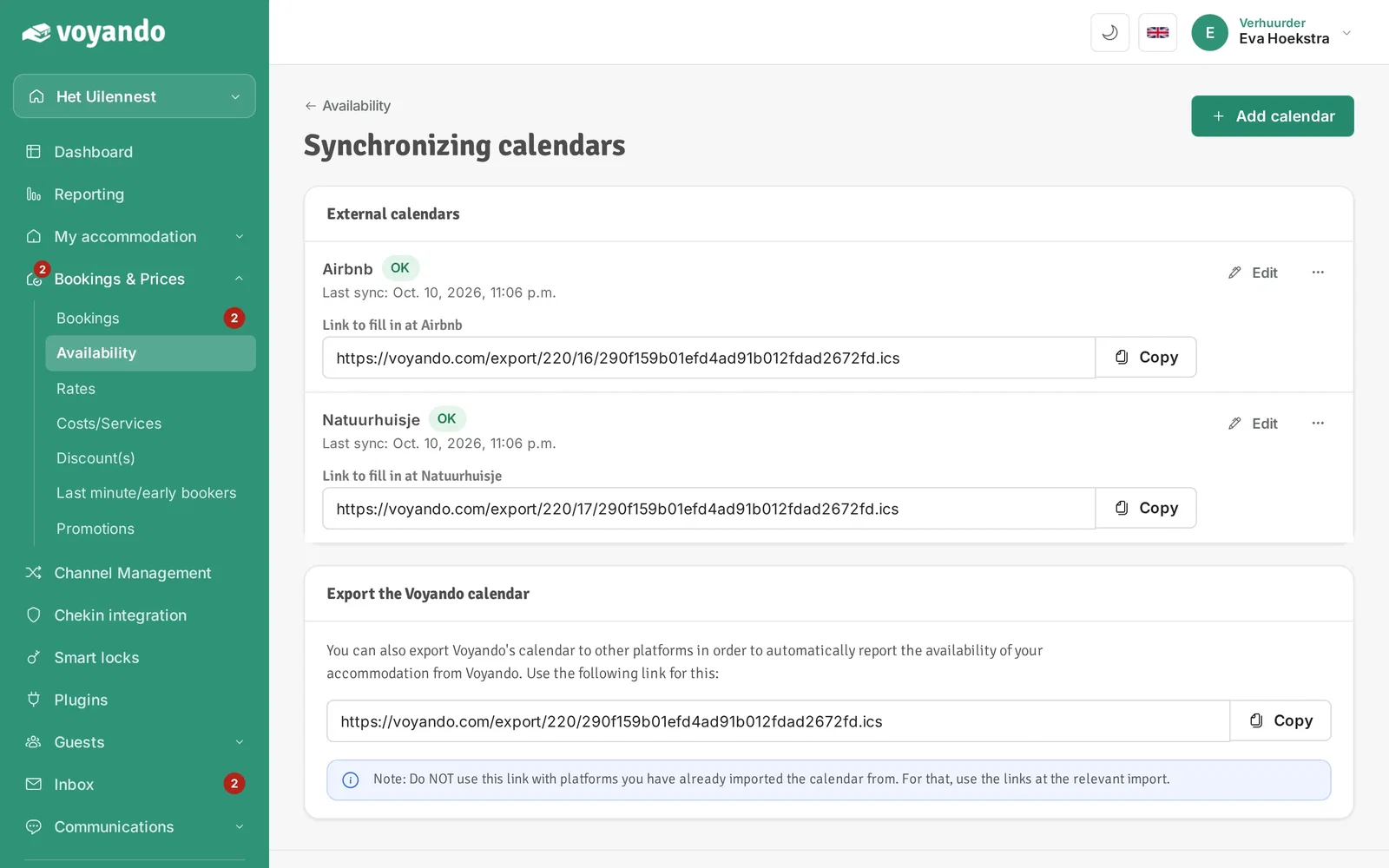
Step 6: Click Add calendar.
-
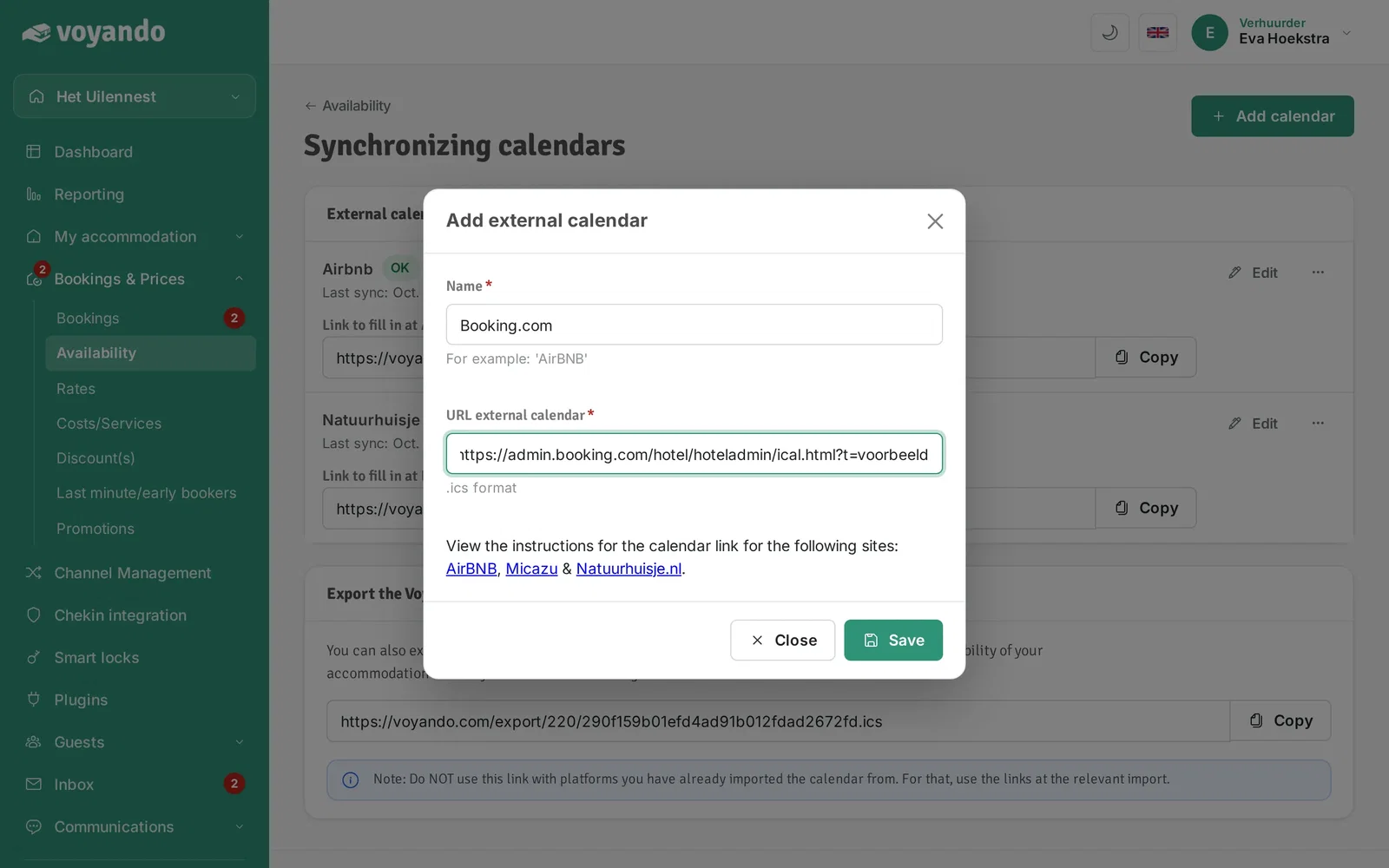
Step 7: Give the external calendar a name, for example the name of the platform.

-
Step 8: Paste the iCal link of the external calendar. You find it in your account on the platform you want to link.
-
Step 9: Click Save.

-
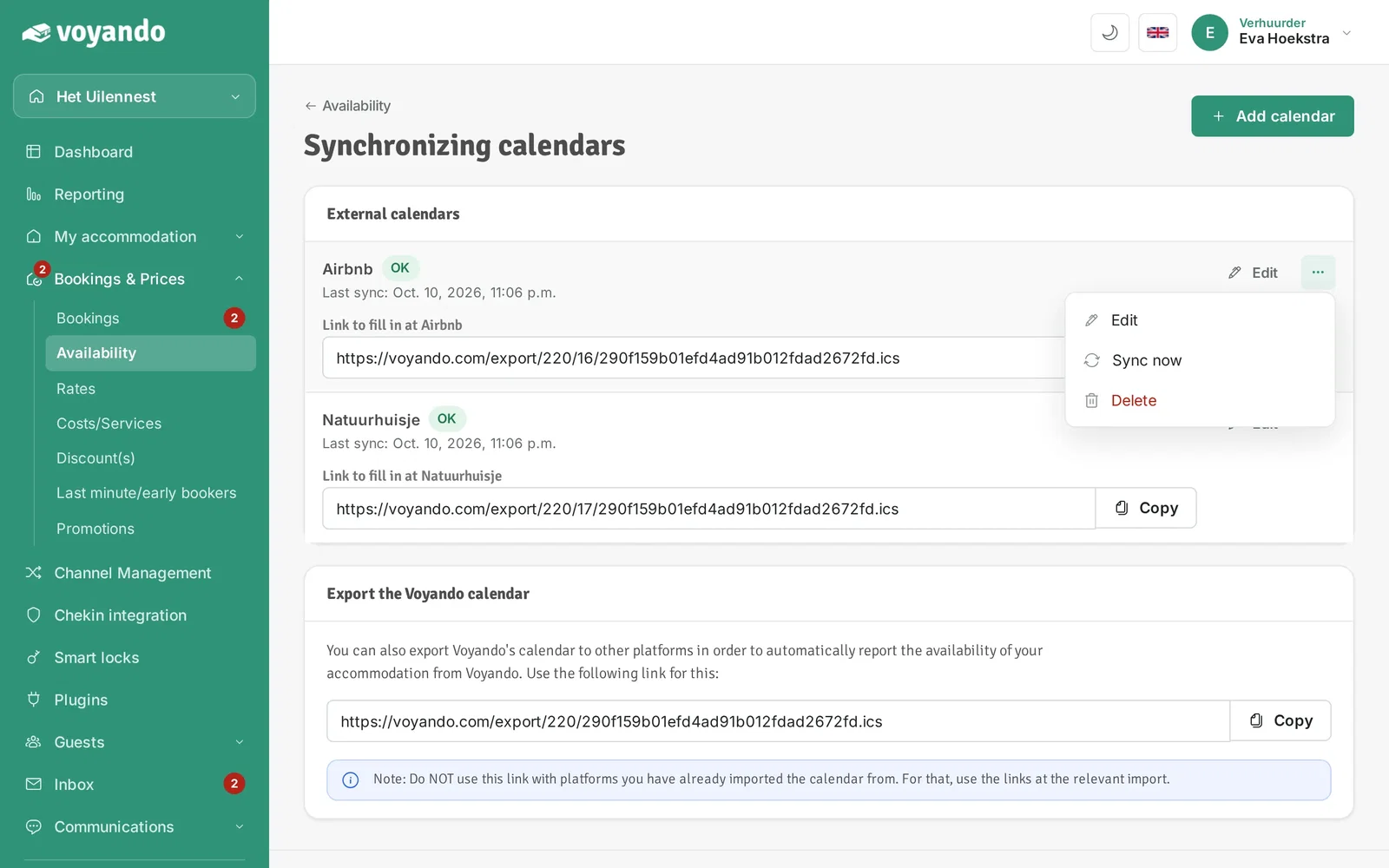
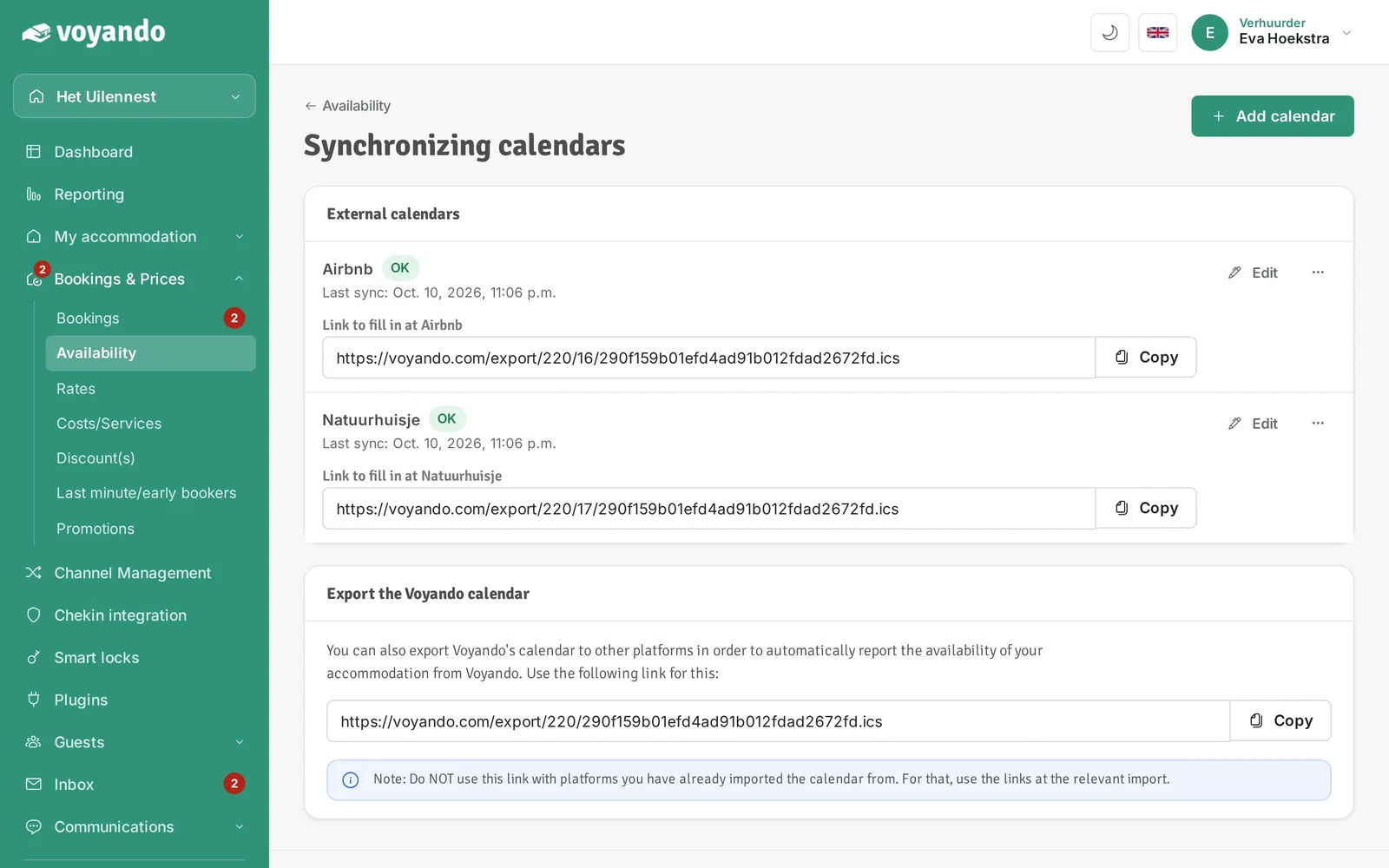
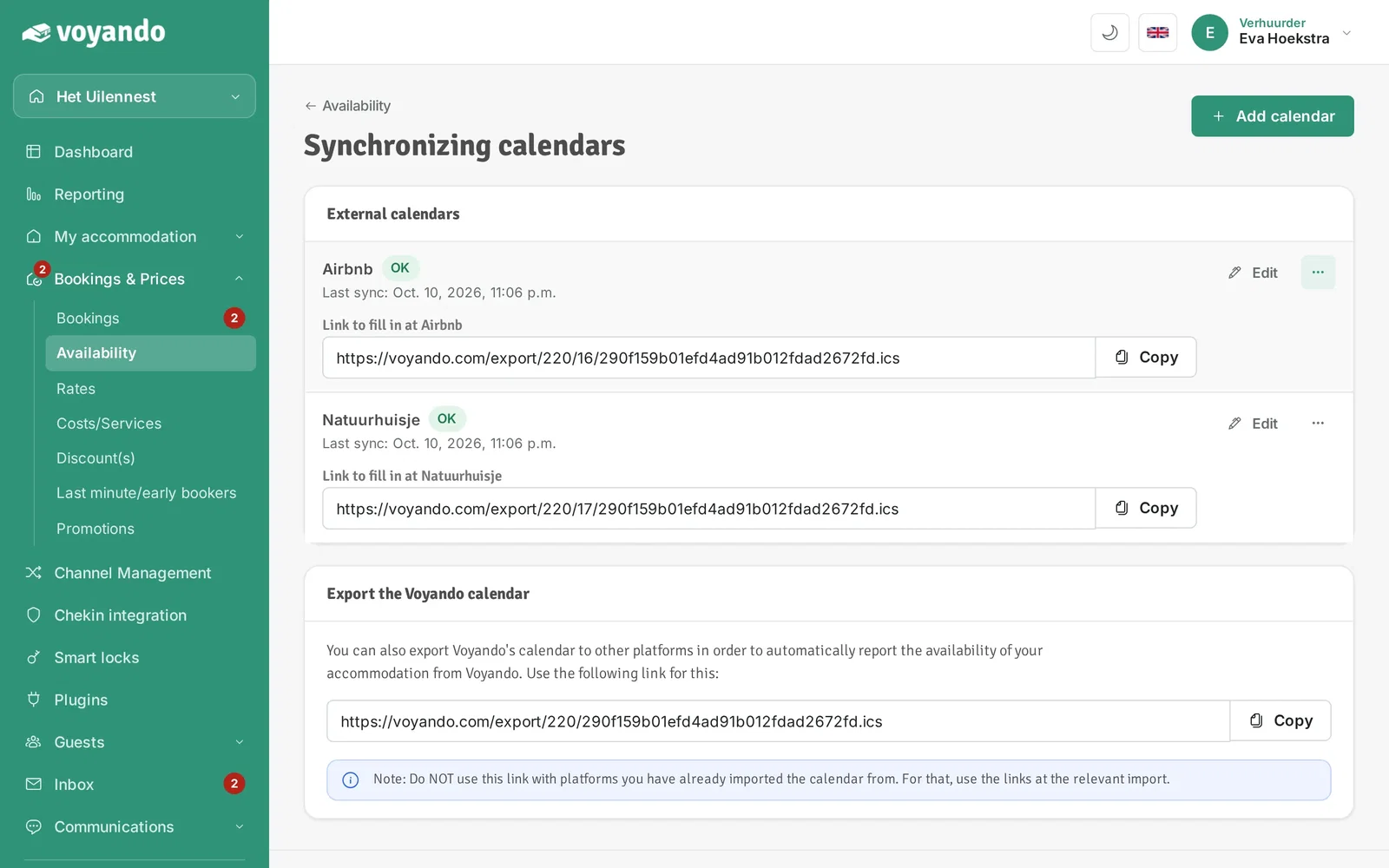
Step 10: The calendar is now listed under External calendars.
-
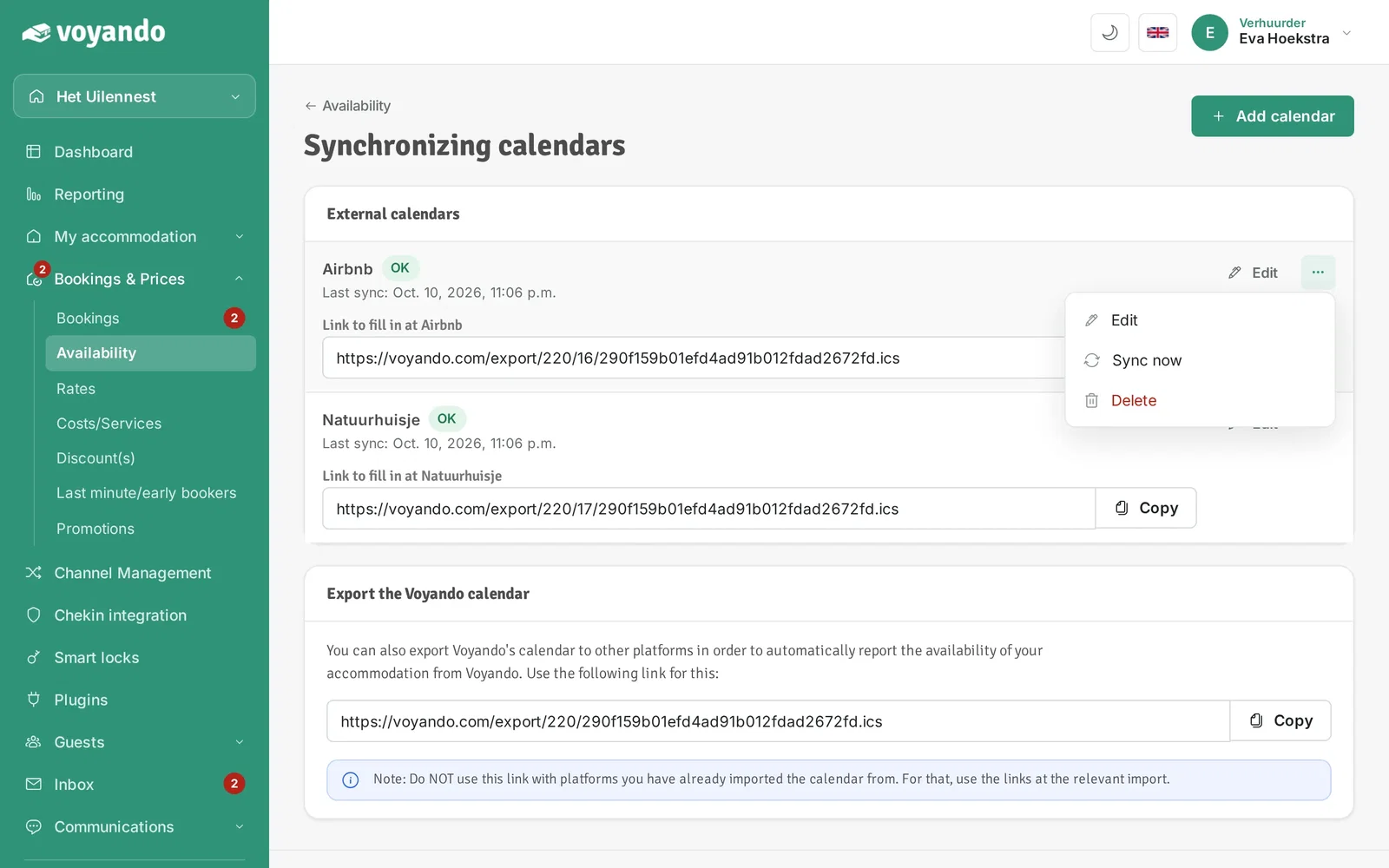
Step 11: Click the three dots.
-
Step 12: Click Sync now and then check that the status shows OK.
-
Step 13: Copy the link Voyando created for this platform and enter it in your account on the platform. That way your Voyando bookings also reach that platform.