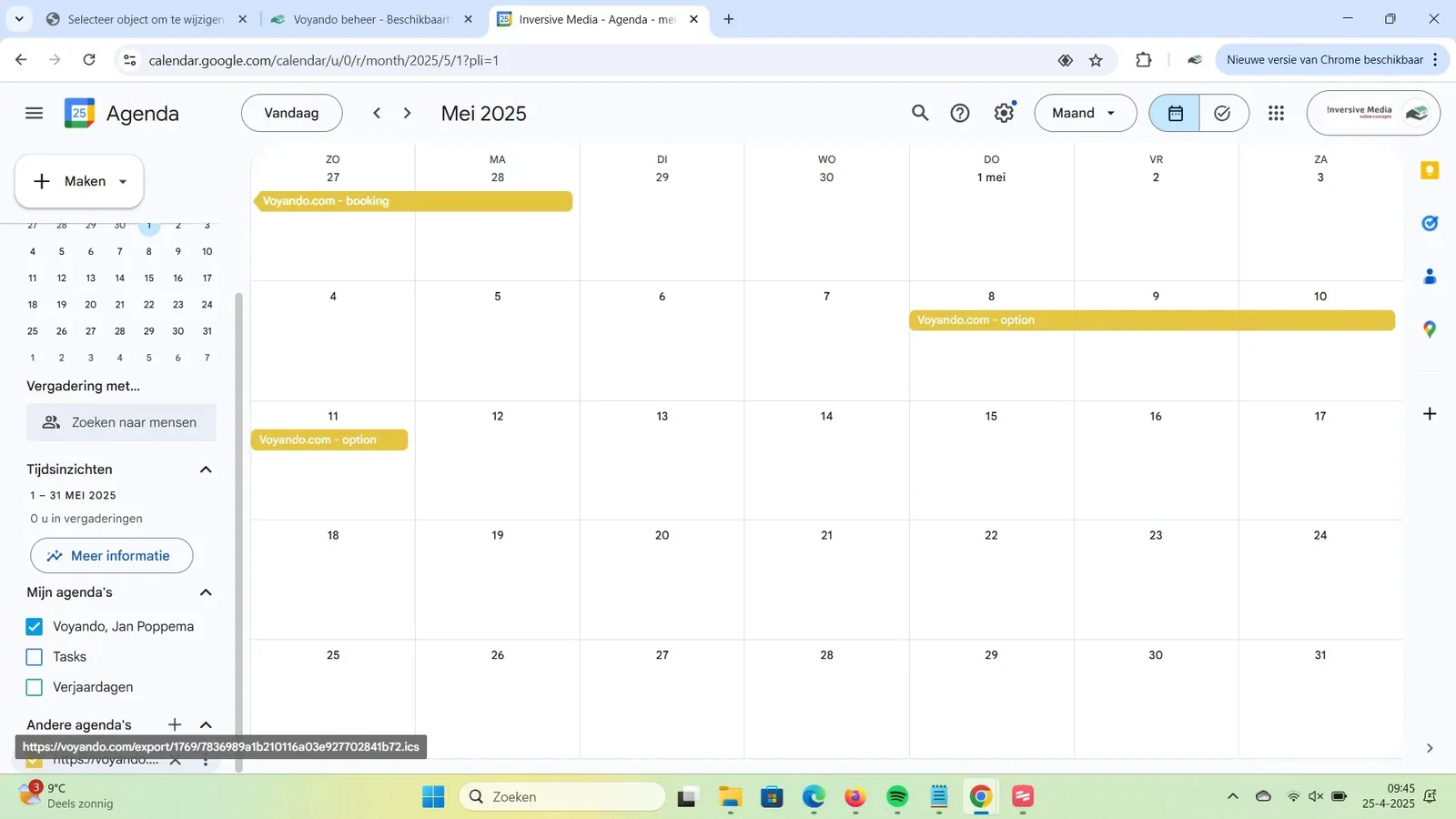
How do I link a Google Calendar?
Link your Voyando unavailability periods to your Google Calendar by importing the iCal link and making your calendar visible in Google Calendar.
Step by step · 14 steps
-
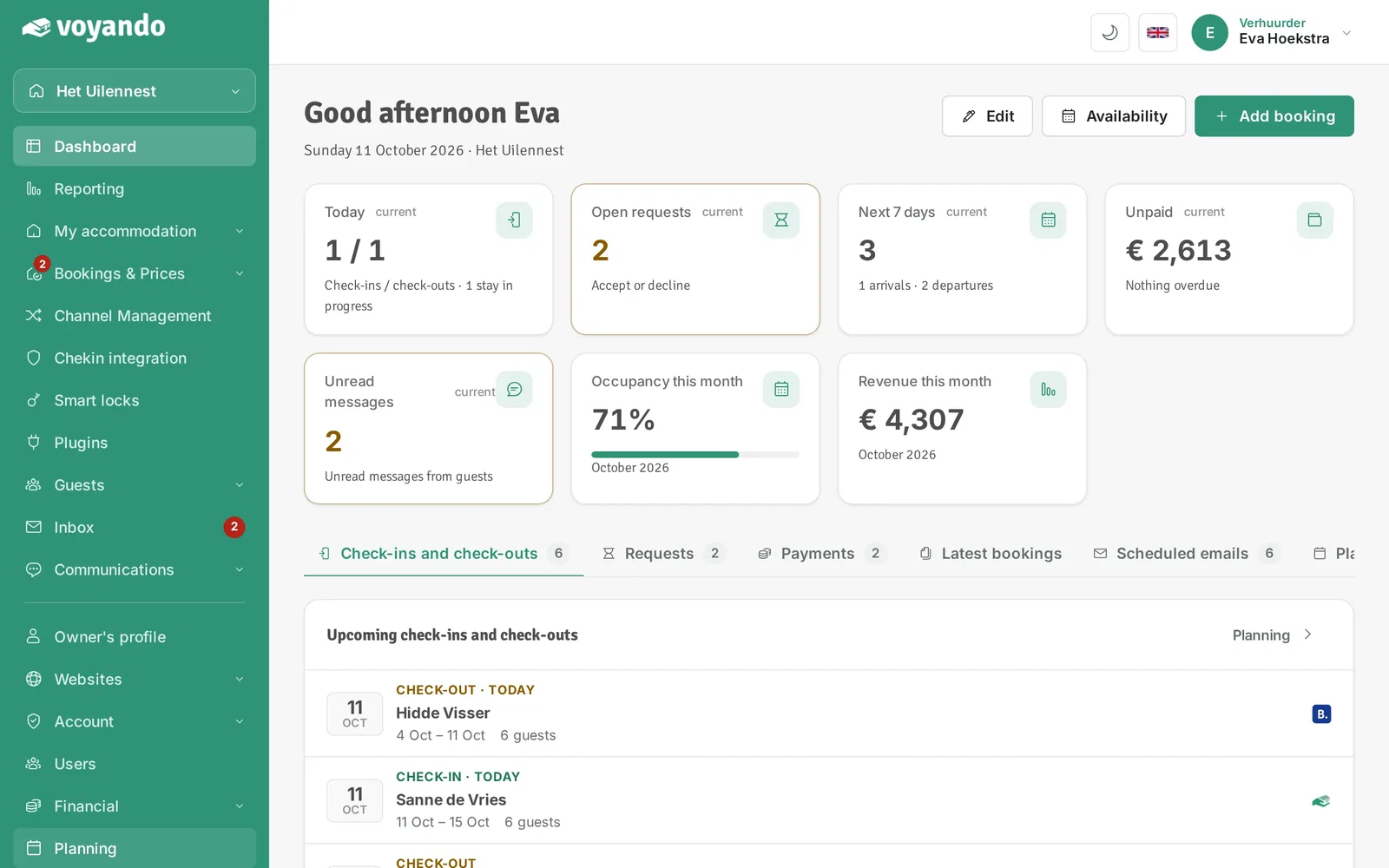
Step 1: Go to your dashboard.

-
Step 2: Click Planning in the menu.
-
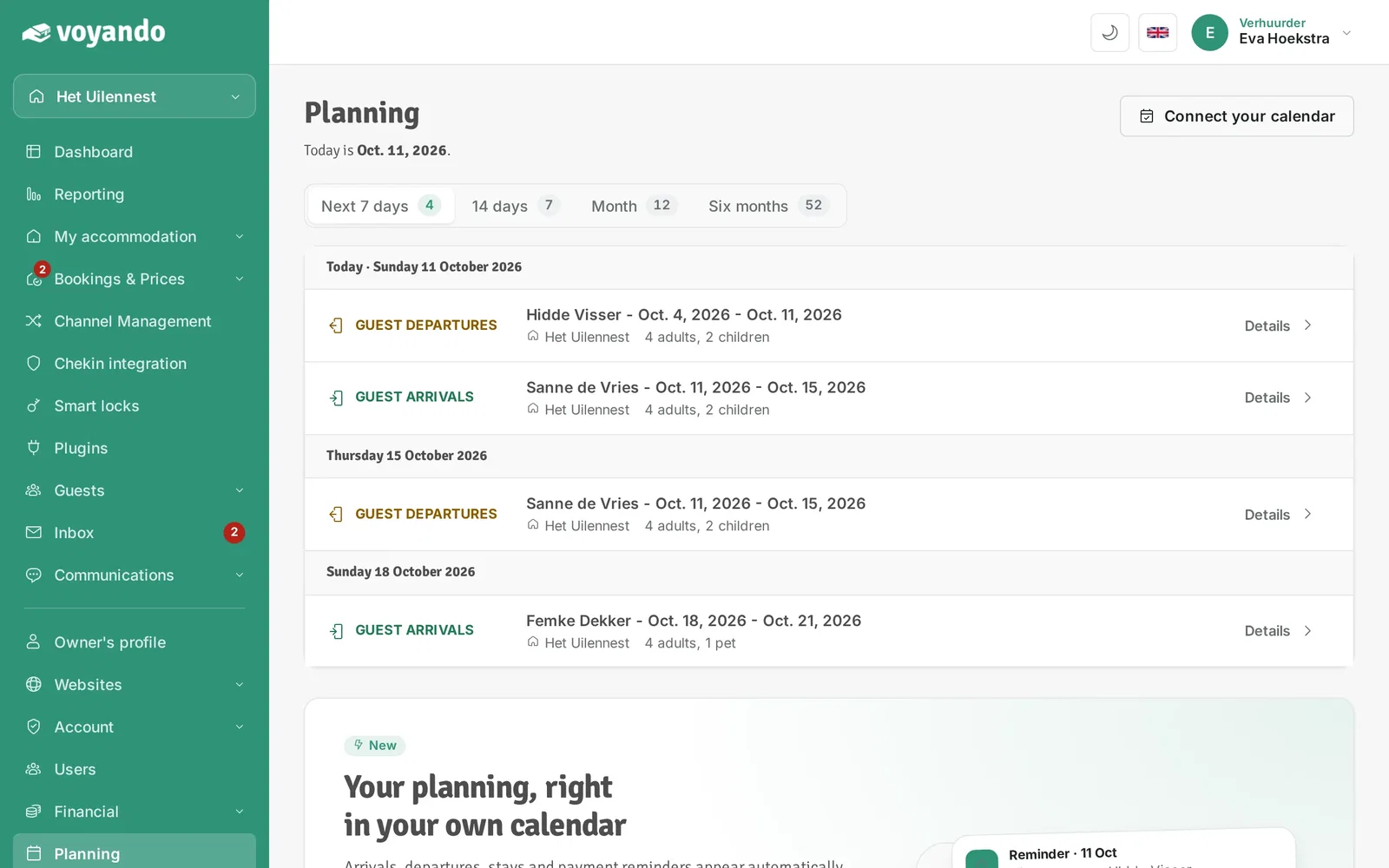
Step 3: Click Connect your calendar.
-
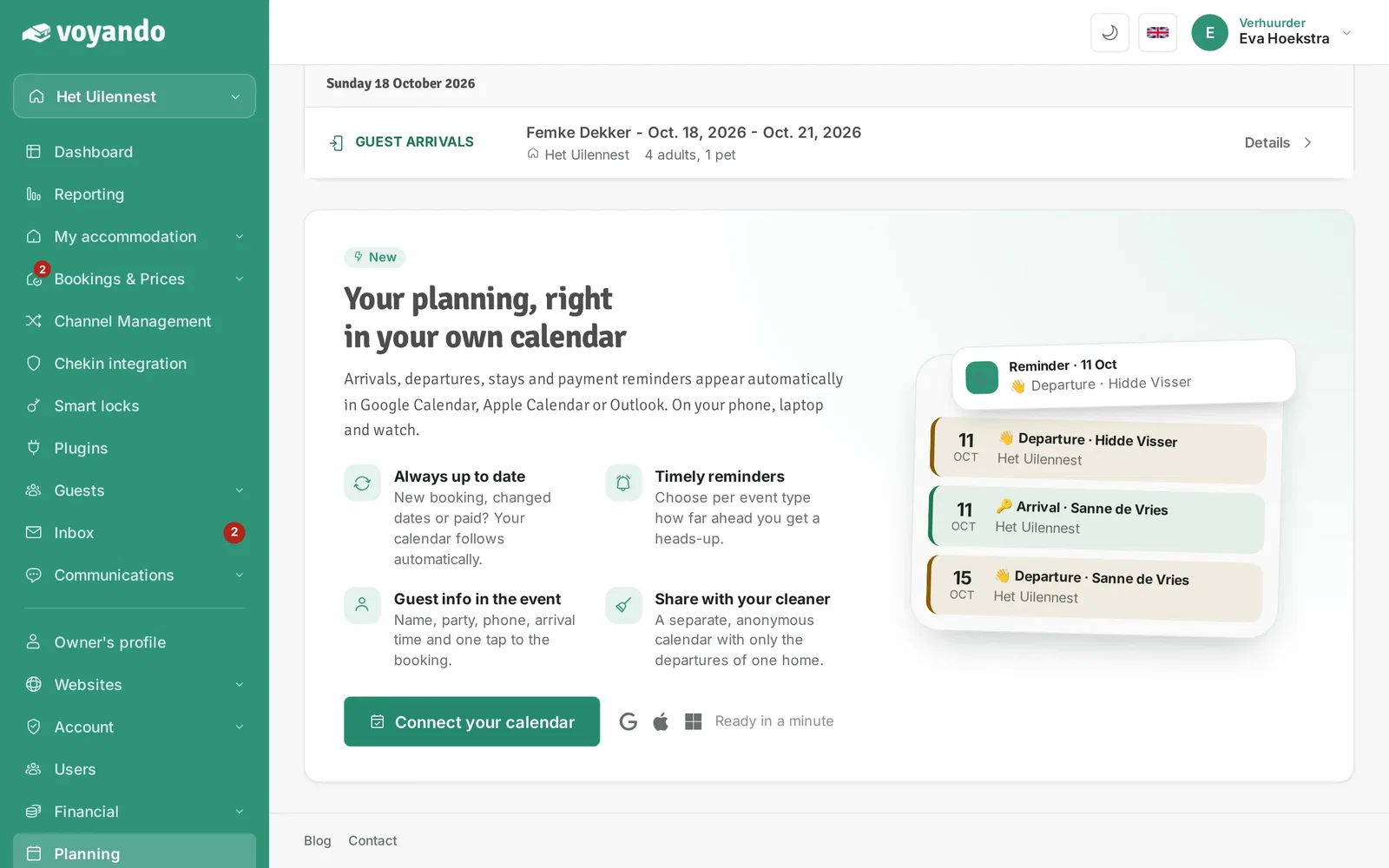
Step 4: Click Connect your calendar.
-
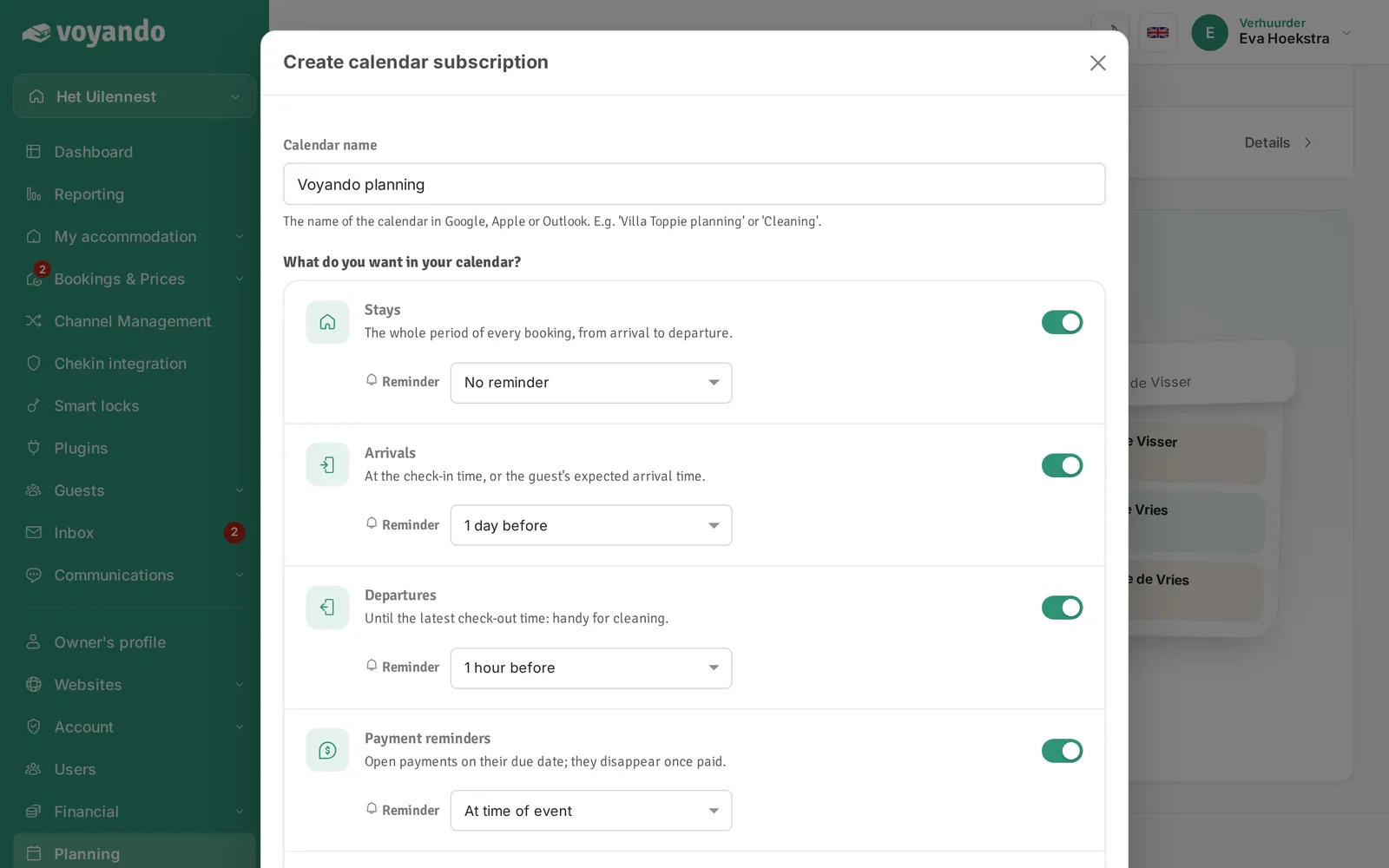
Step 5: Give the subscription a name and choose which events (stays, arrivals, departures, payments) appear in your calendar, optionally with a reminder.
-
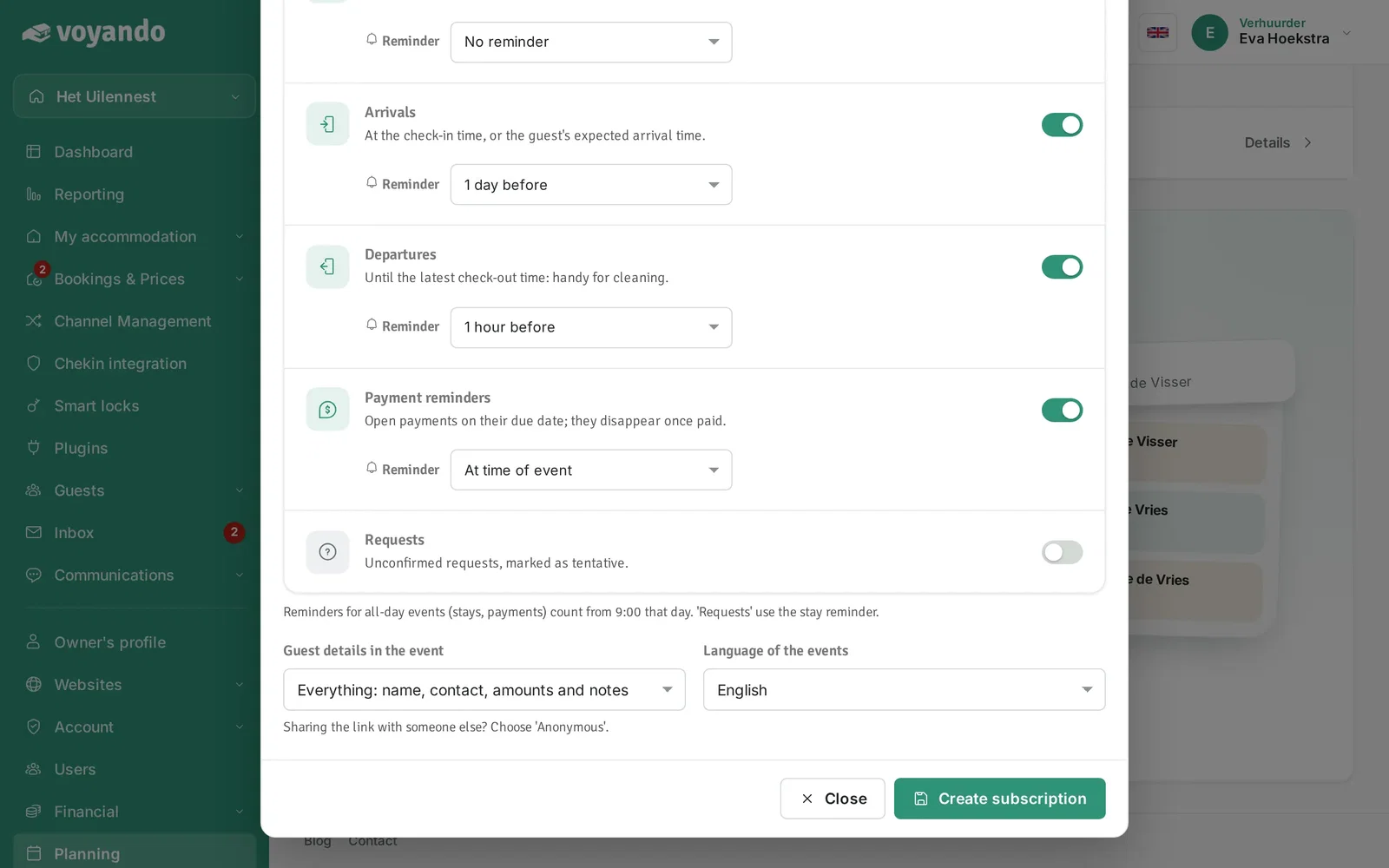
Step 6: Choose how much guest information the calendar shows. Sharing the calendar with your cleaner? Choose less information.
-
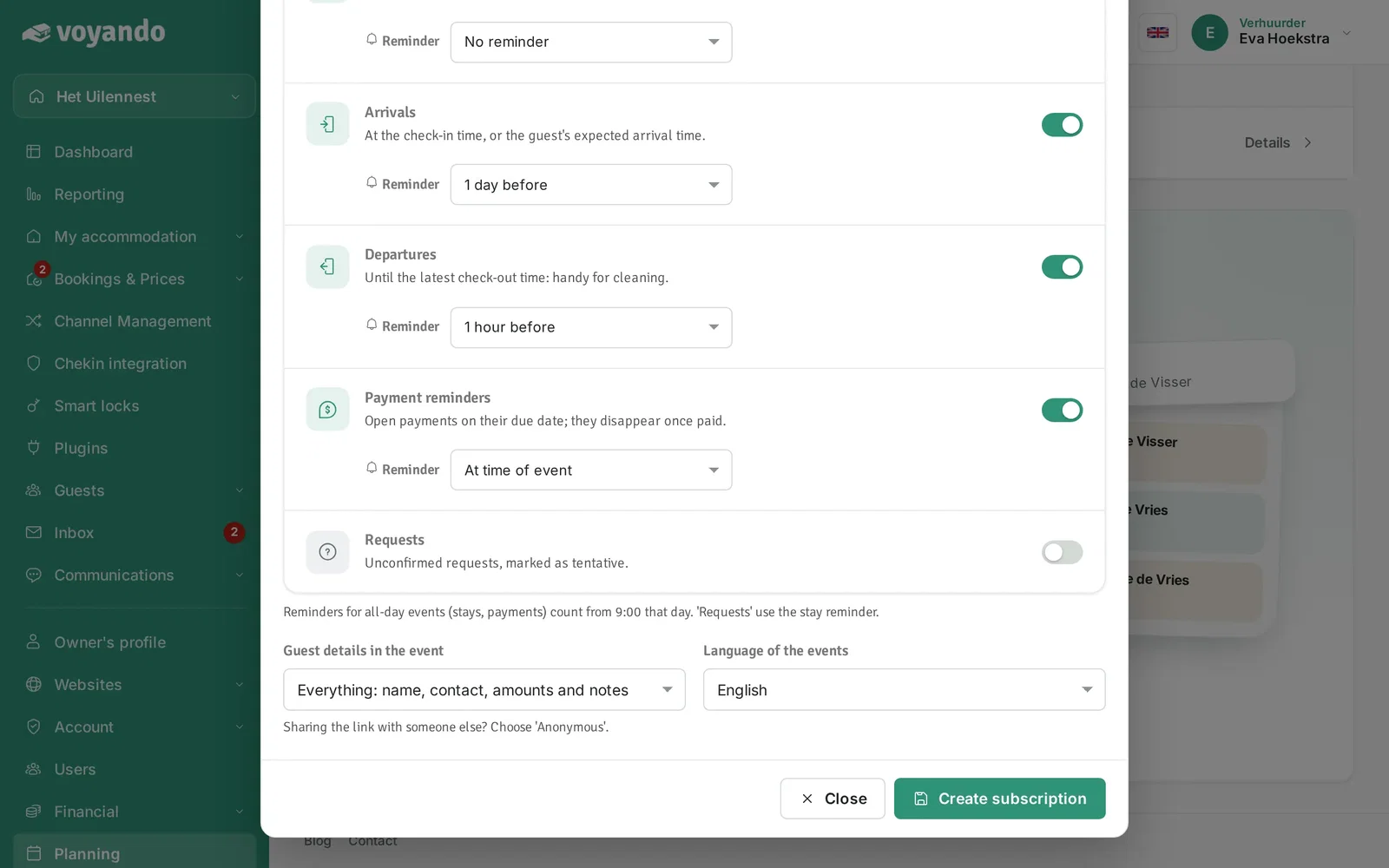
Step 7: Click Create subscription. Then add the calendar to Google Calendar with one click, or copy the subscription link and add it yourself as shown below.
-
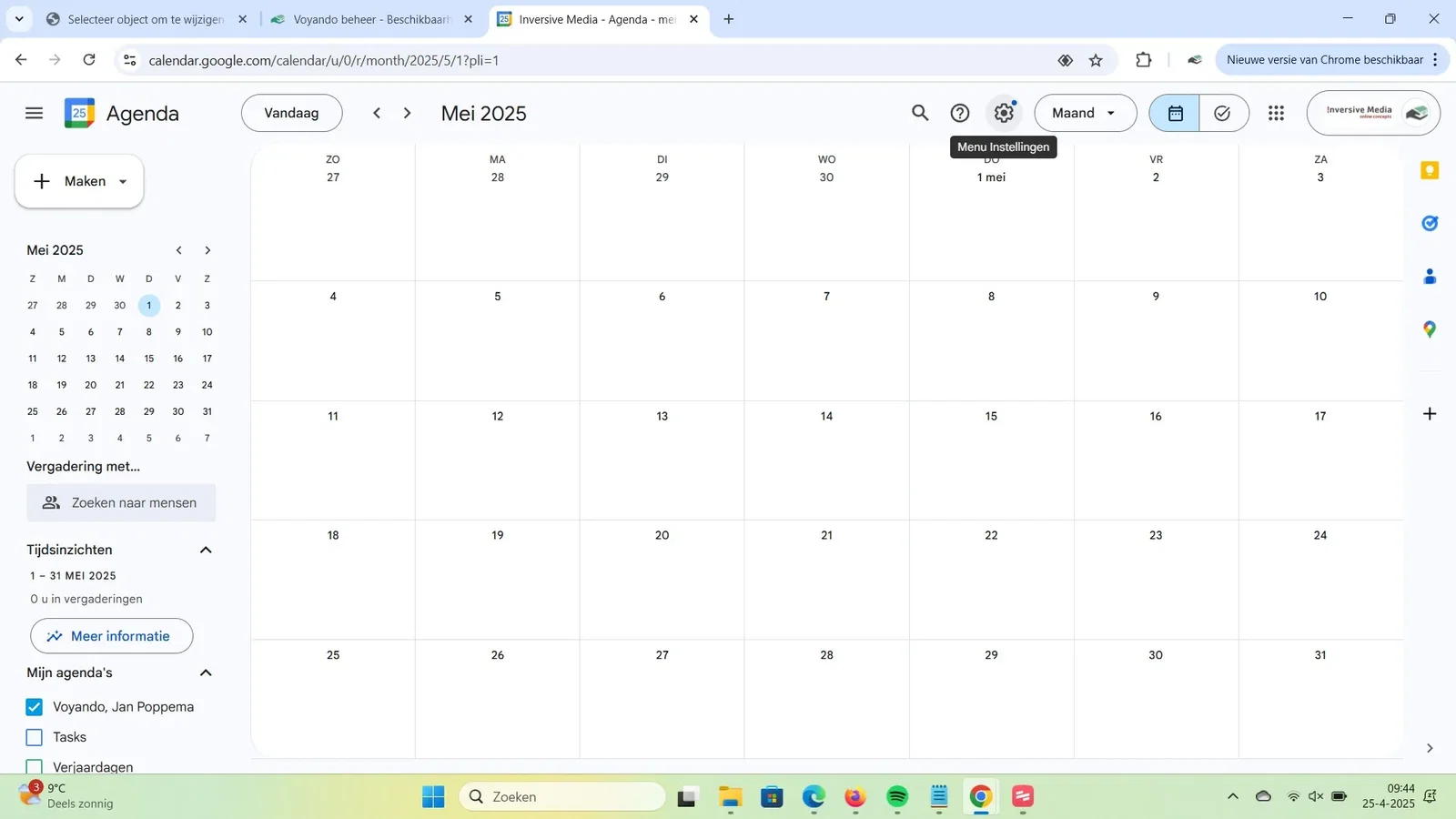
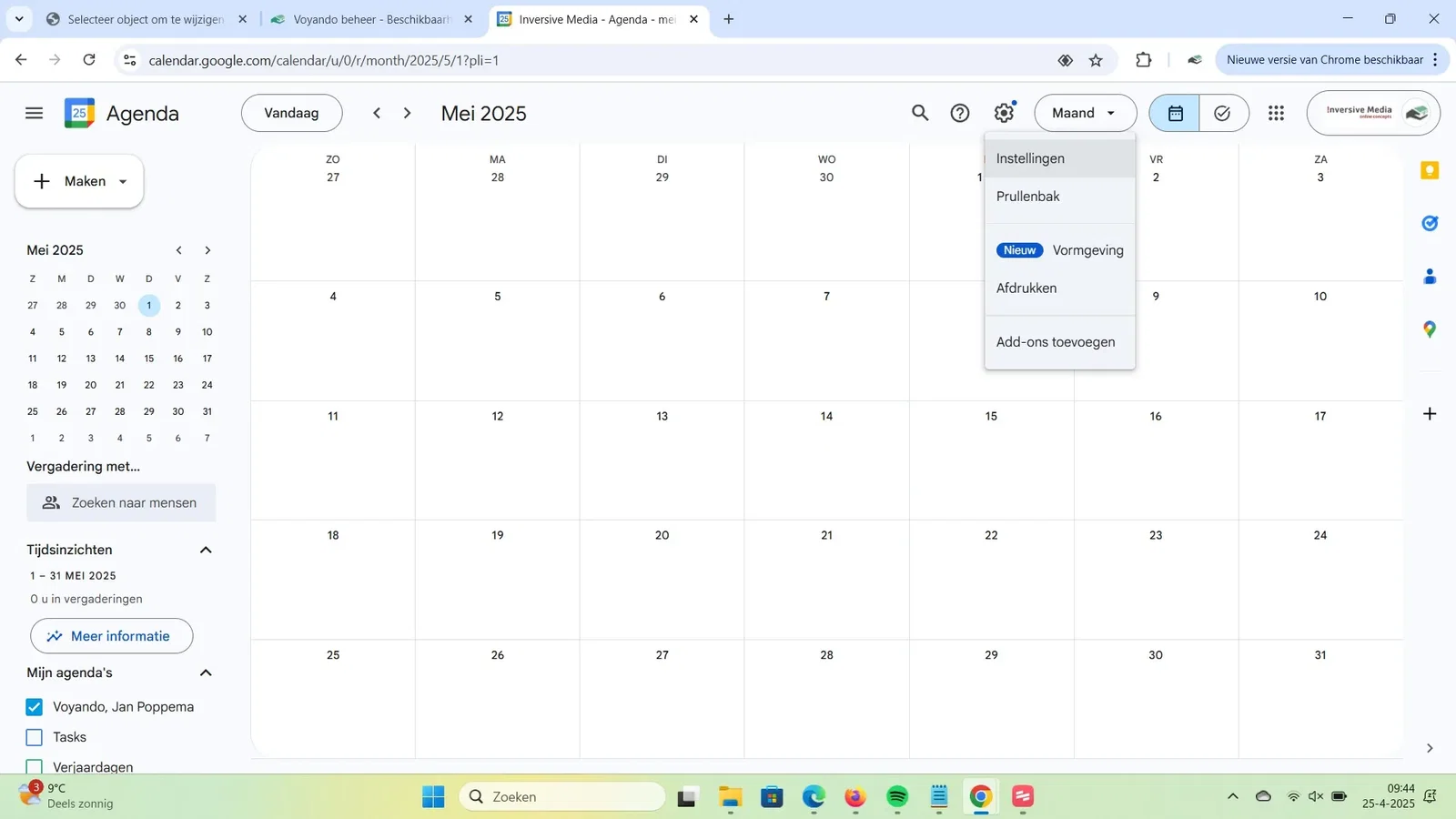
Step 8: Go to Google Calendar and click the cog.
-
Step 9: Click Settings.
-
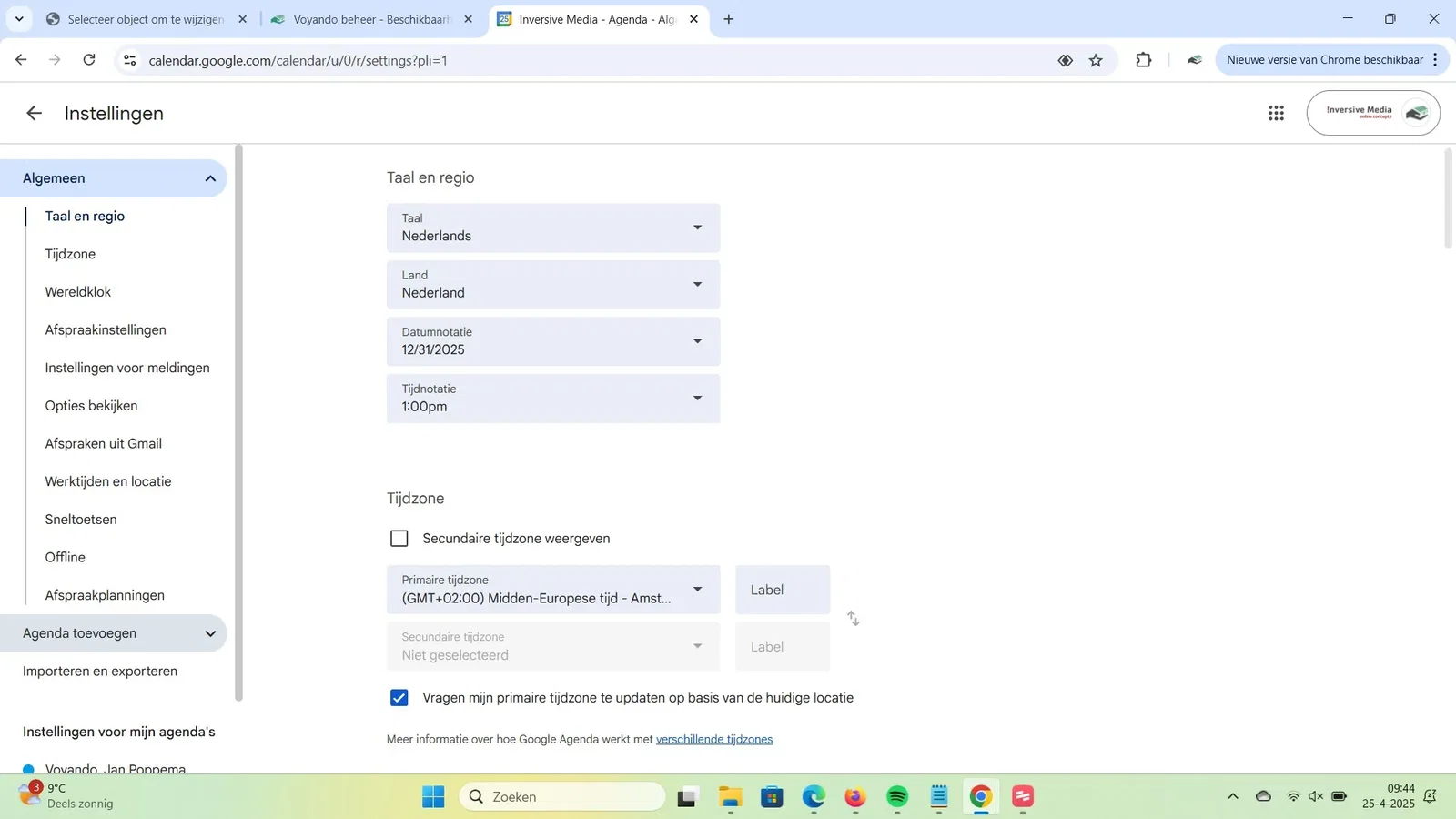
Step 10: Click Add calendar.
-
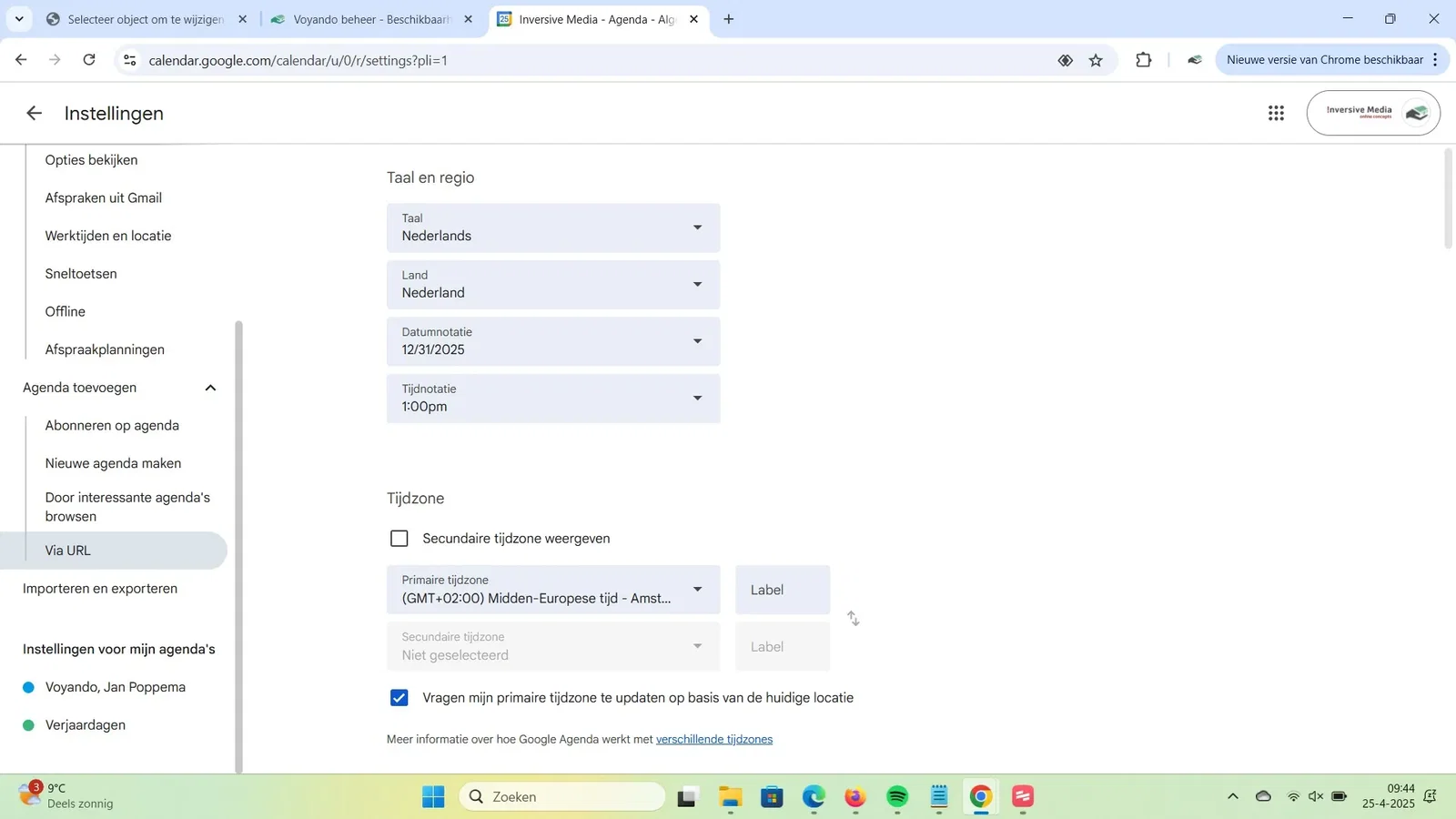
Step 11: Click From URL.
-
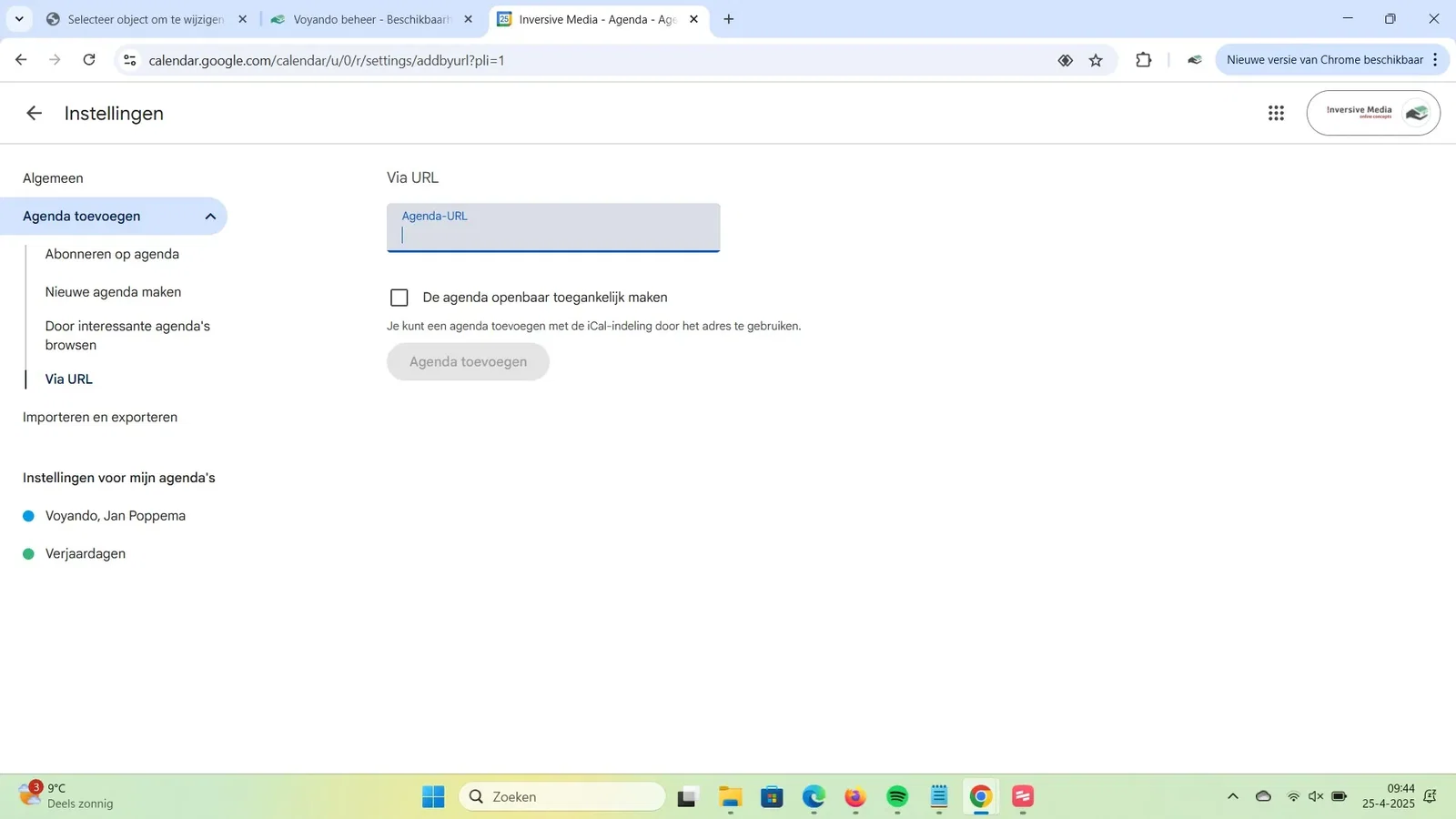
Step 12: Paste the copied subscription link.
-
Step 13: Click Add calendar.
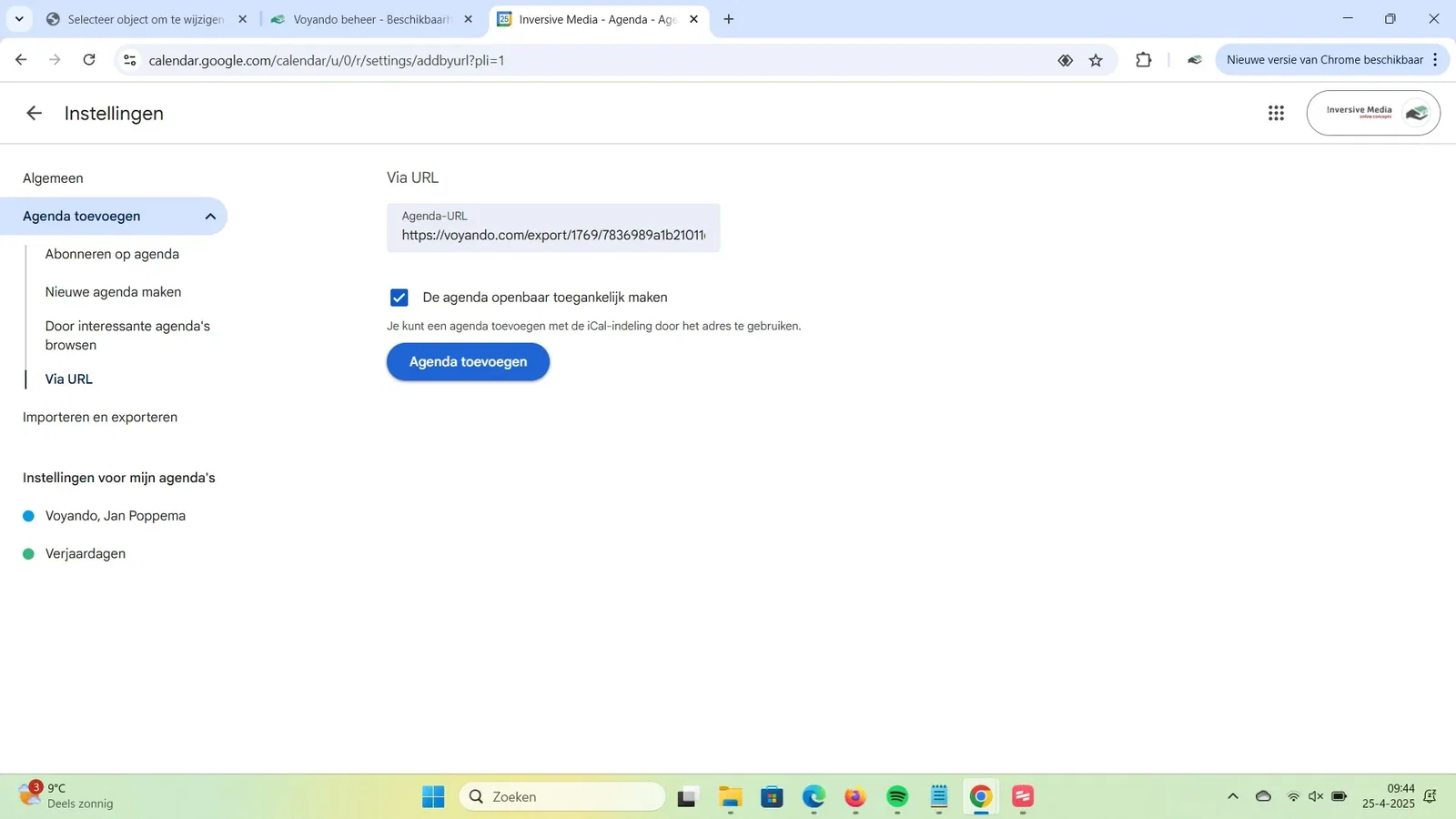
-
Step 14: The calendar now appears in your list of calendars, where you can switch it on or off. Google refreshes a subscription a few times a day.