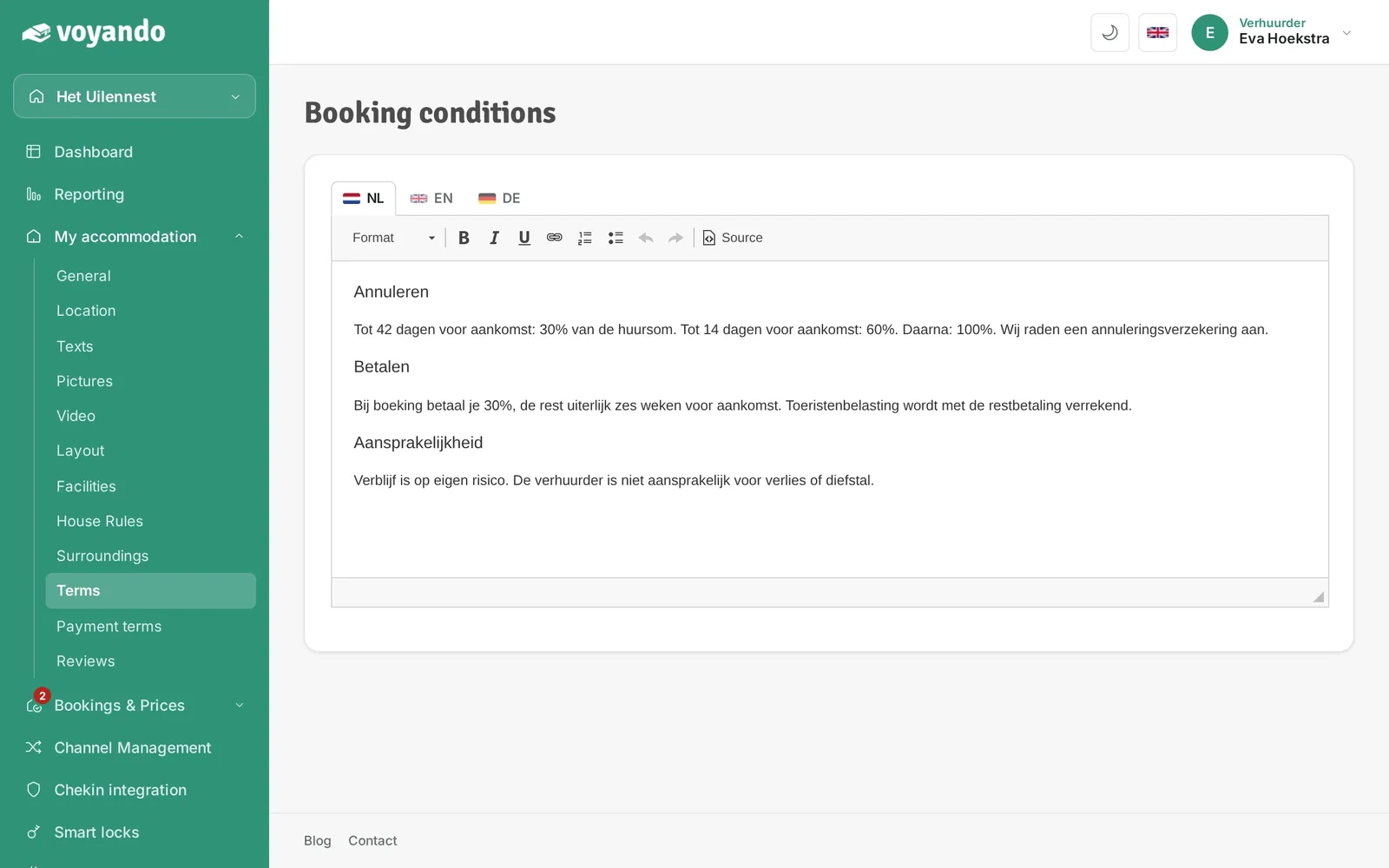
How can I add my terms and conditions for bookings to my website?
Add your terms and conditions via ‘My Accommodation’ in the dashboard and manage them by accommodation and language. You can also download a standard agreement.
Step by step · 5 steps
-
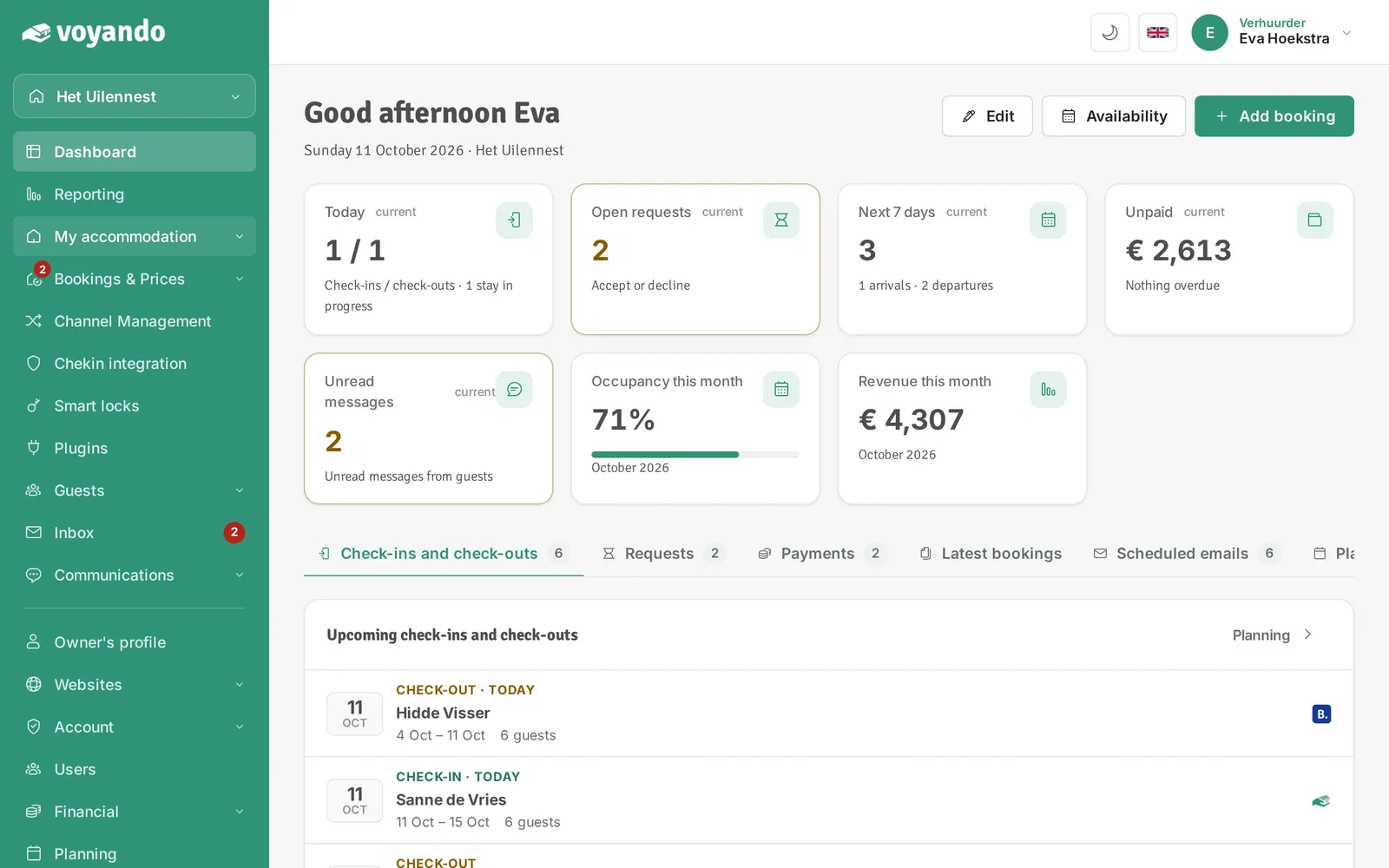
Step 1: Go to your dashboard.

-
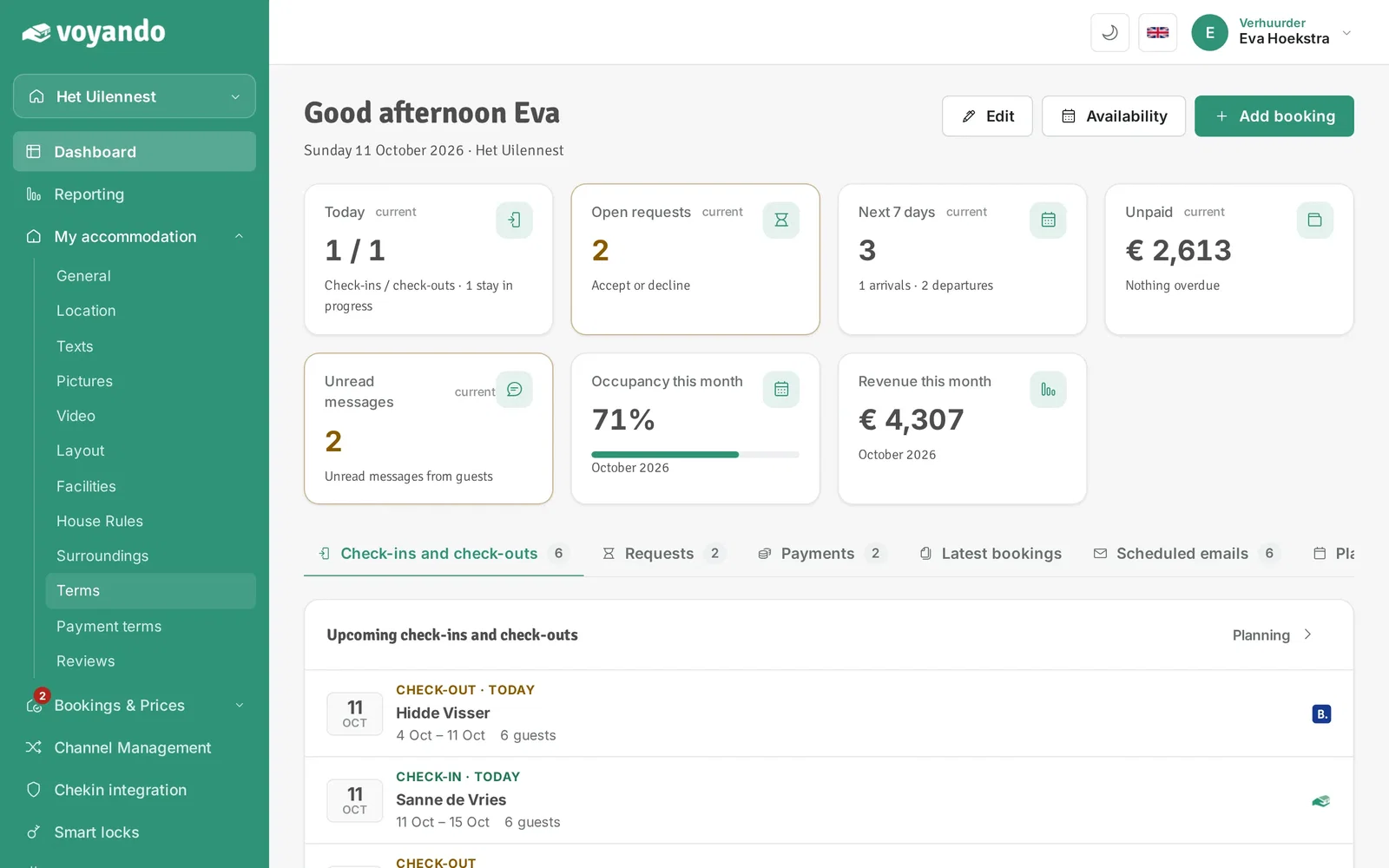
Step 2: Click My accommodation in the menu.
-
Step 3: Click Terms.
-
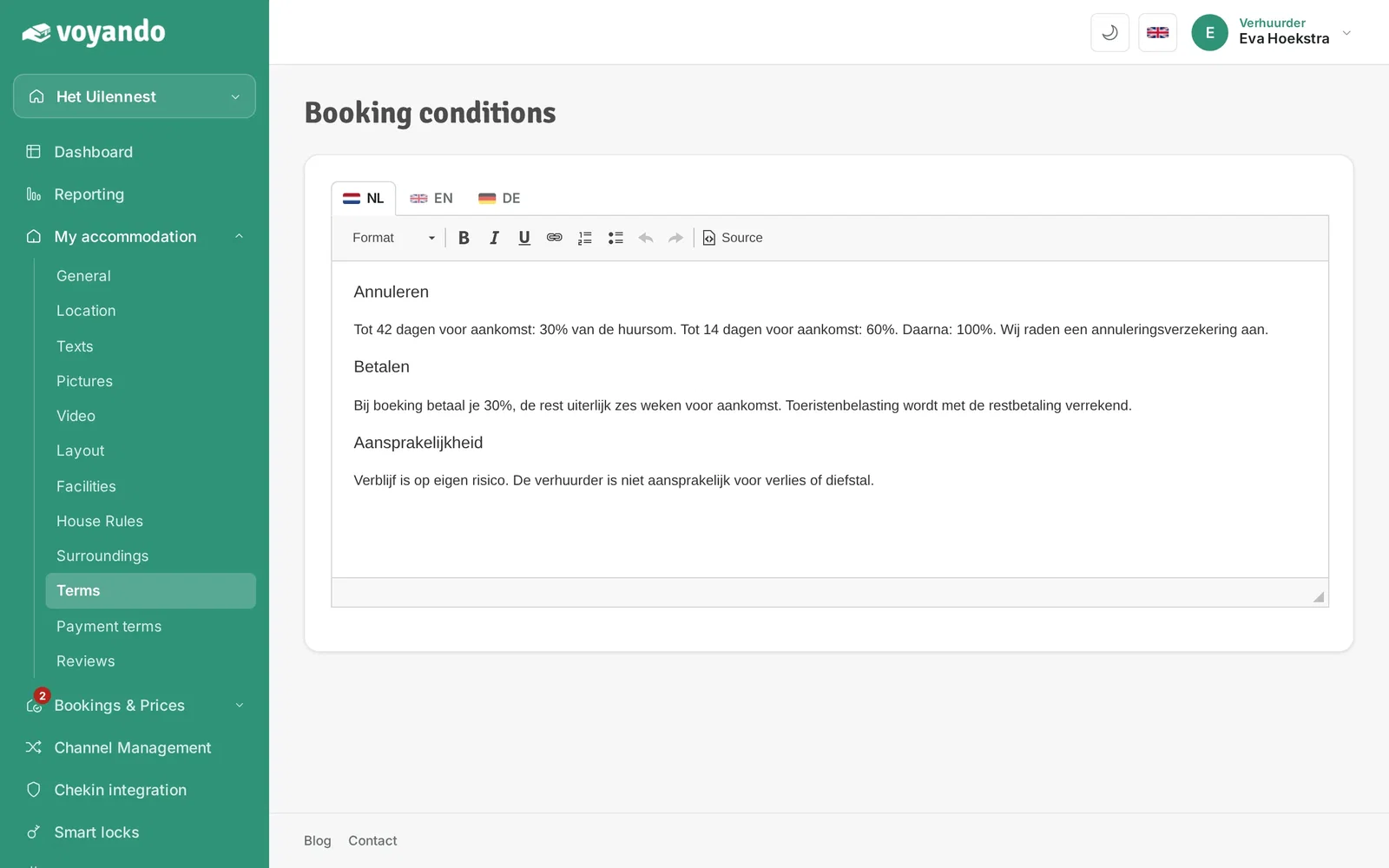
Step 4: Paste or type your terms and conditions here. No terms of your own yet? You can find a sample rental agreement (in Dutch) at voyando.com/blog/voorbeeld-verhuurovereenkomst.
-
Step 5: Click the flag of another language to add the terms in that language too, or have them translated with Translate from Dutch. As soon as you change something, a bar appears at the bottom; click Save there. Repeat this for each accommodation.