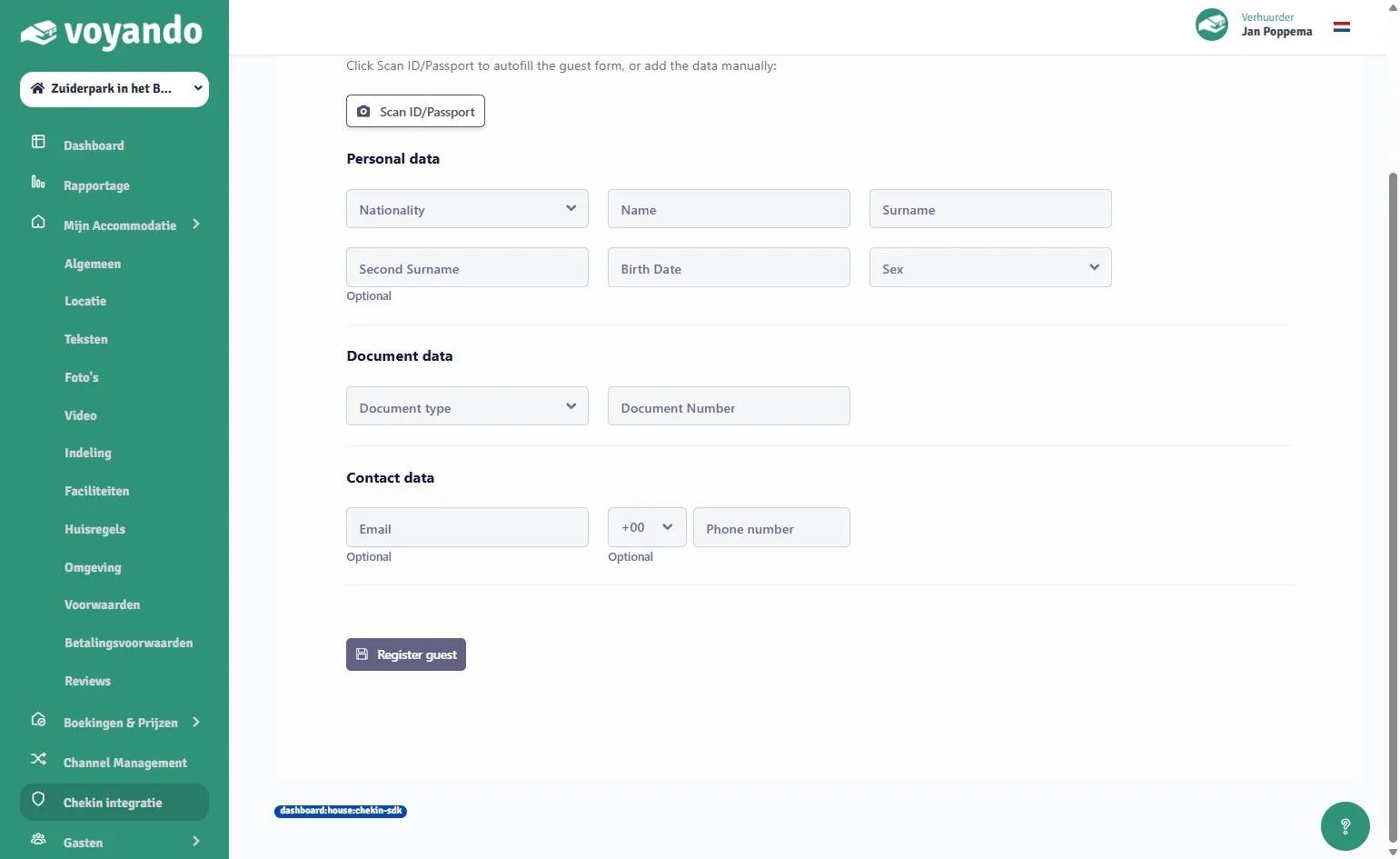
How do I manually record a check-in?
Manually register a guest via the dashboard by searching for the booking, entering the details and clicking on ‘Register guest’.
Step by step · 10 steps
-
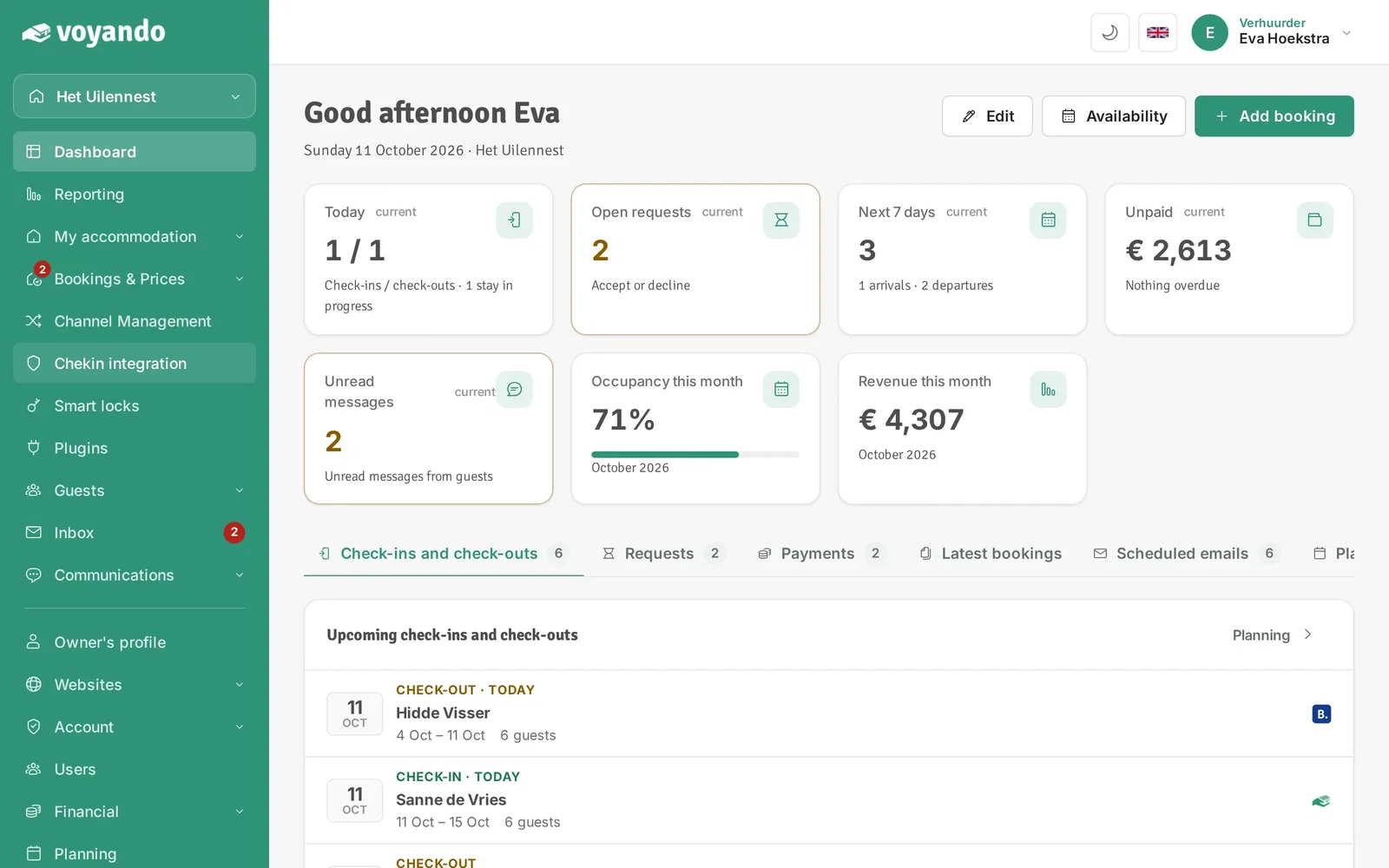
Step 1: Go to your dashboard.

-
Step 2: Click Chekin integration in the menu.
-
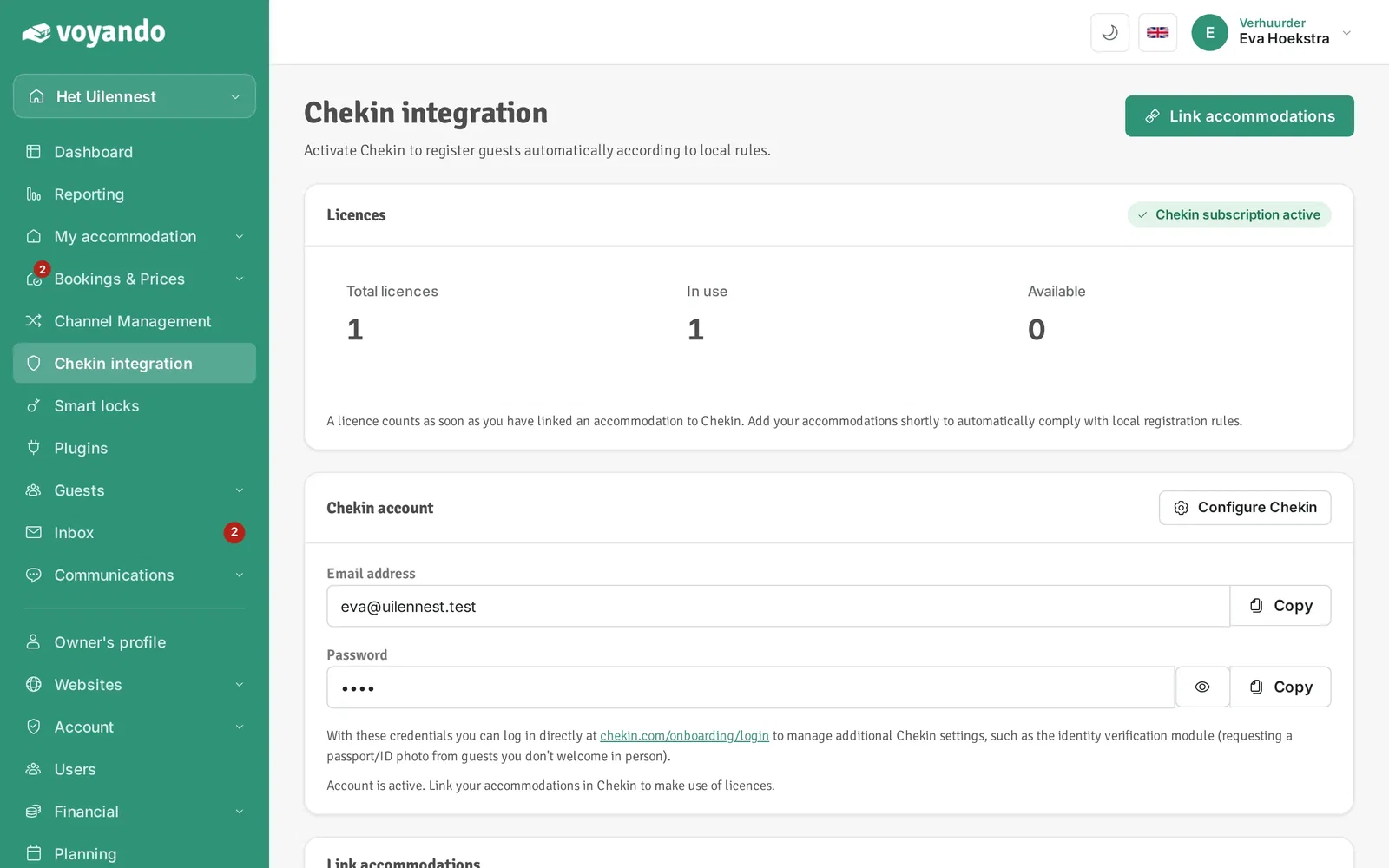
Step 3: Click Configure Chekin.
-
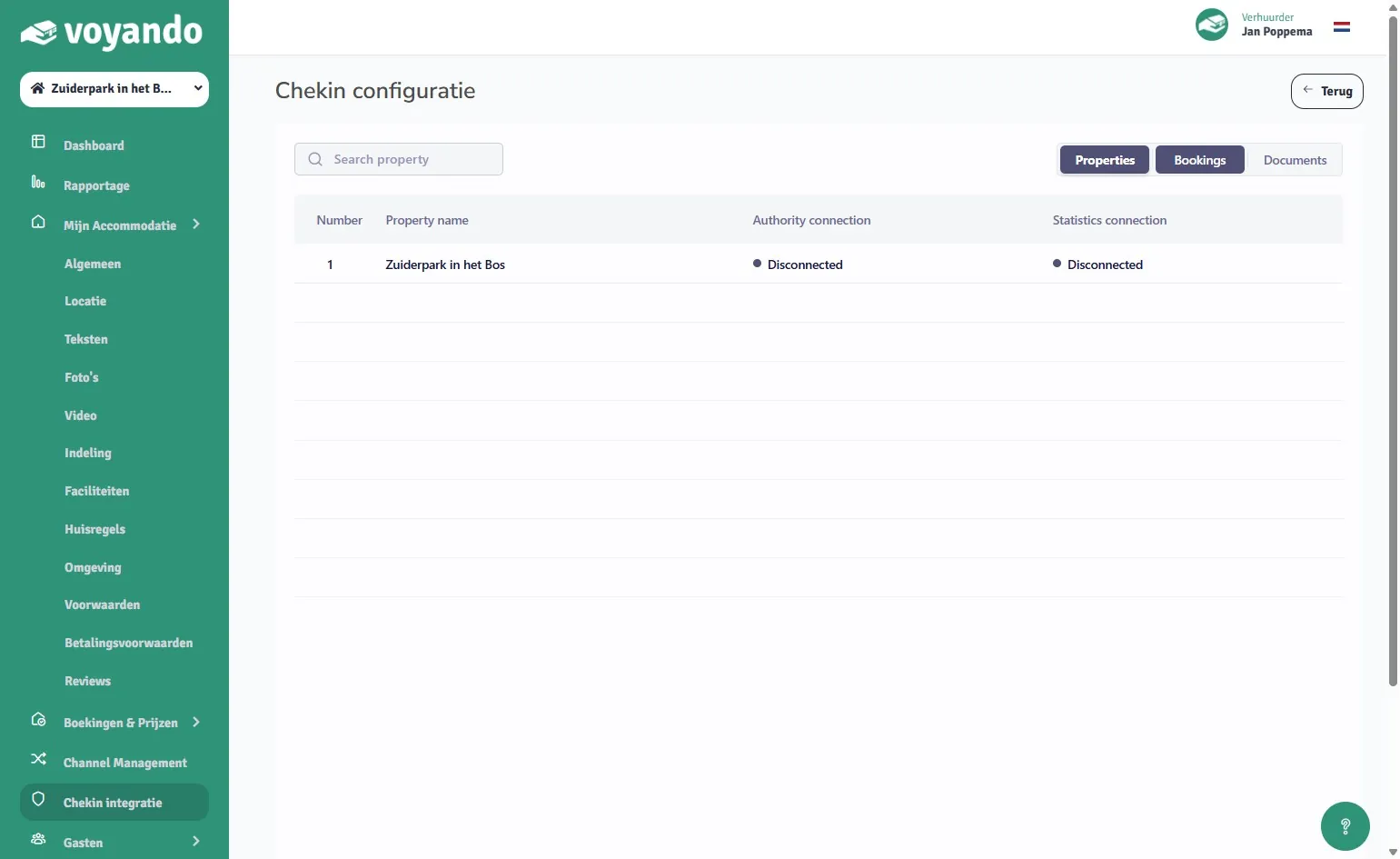
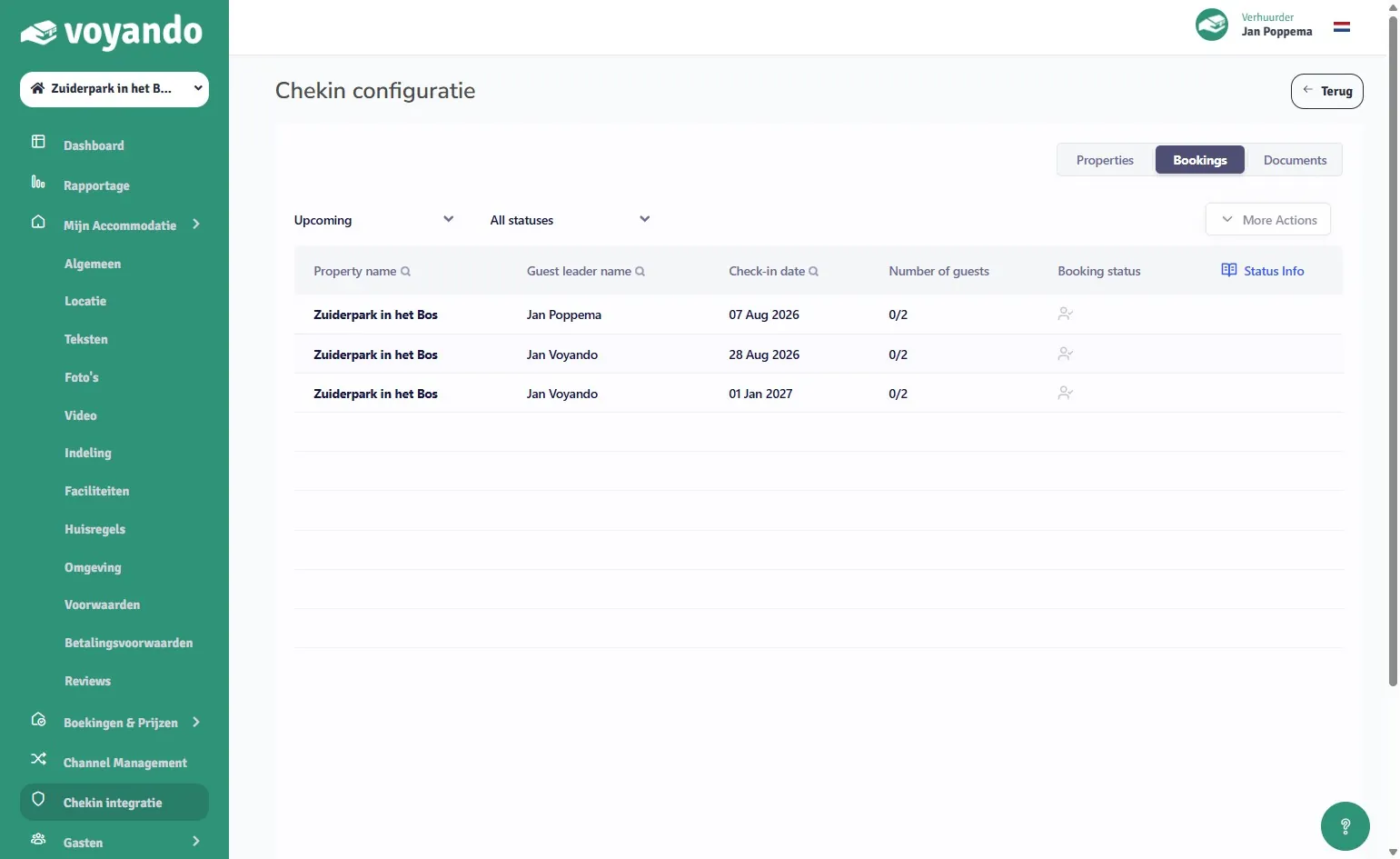
Step 4: In Chekin, click Bookings.
-
Step 5: Find the guest and click their name.
-
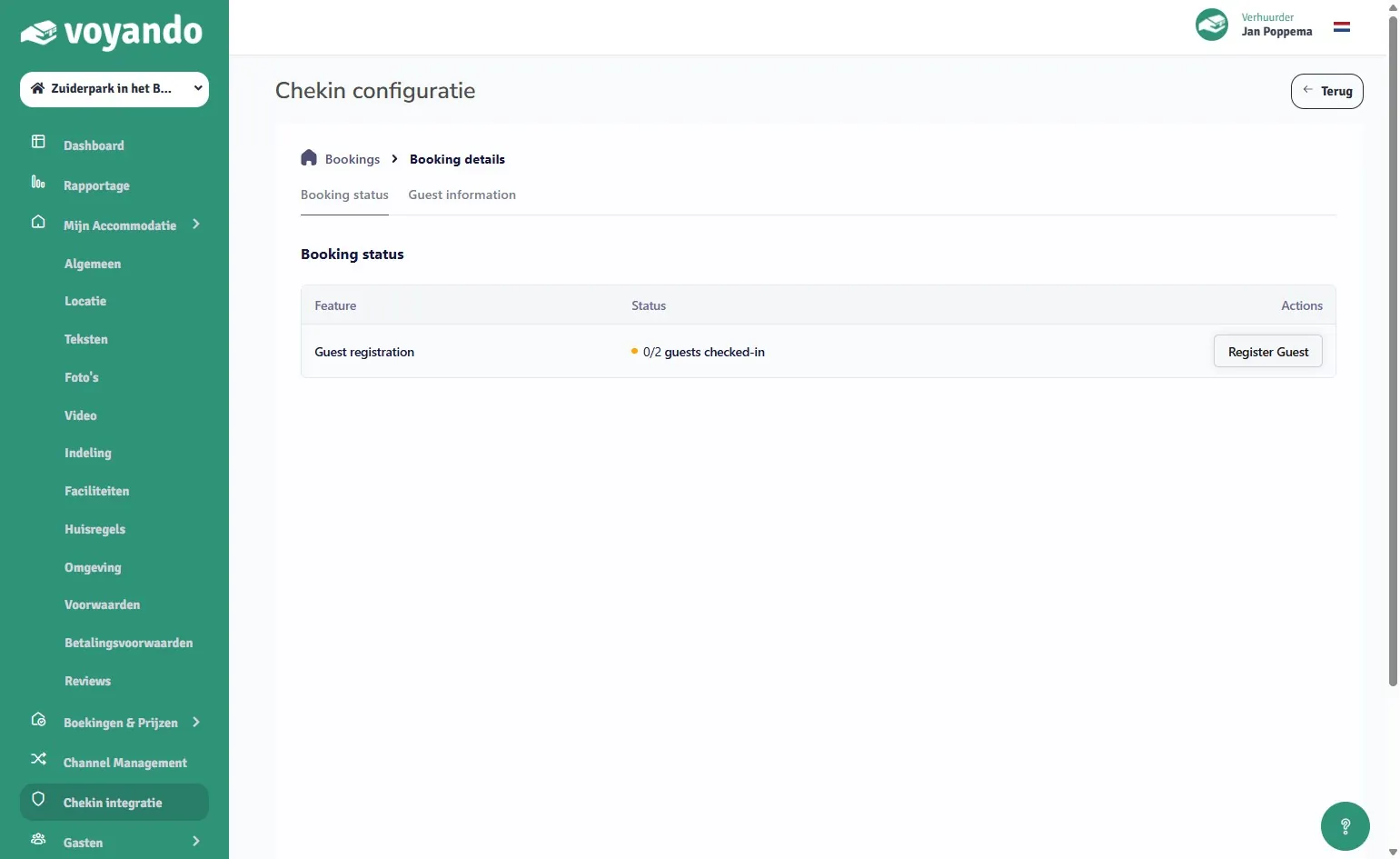
Step 6: Click Register guest.
-
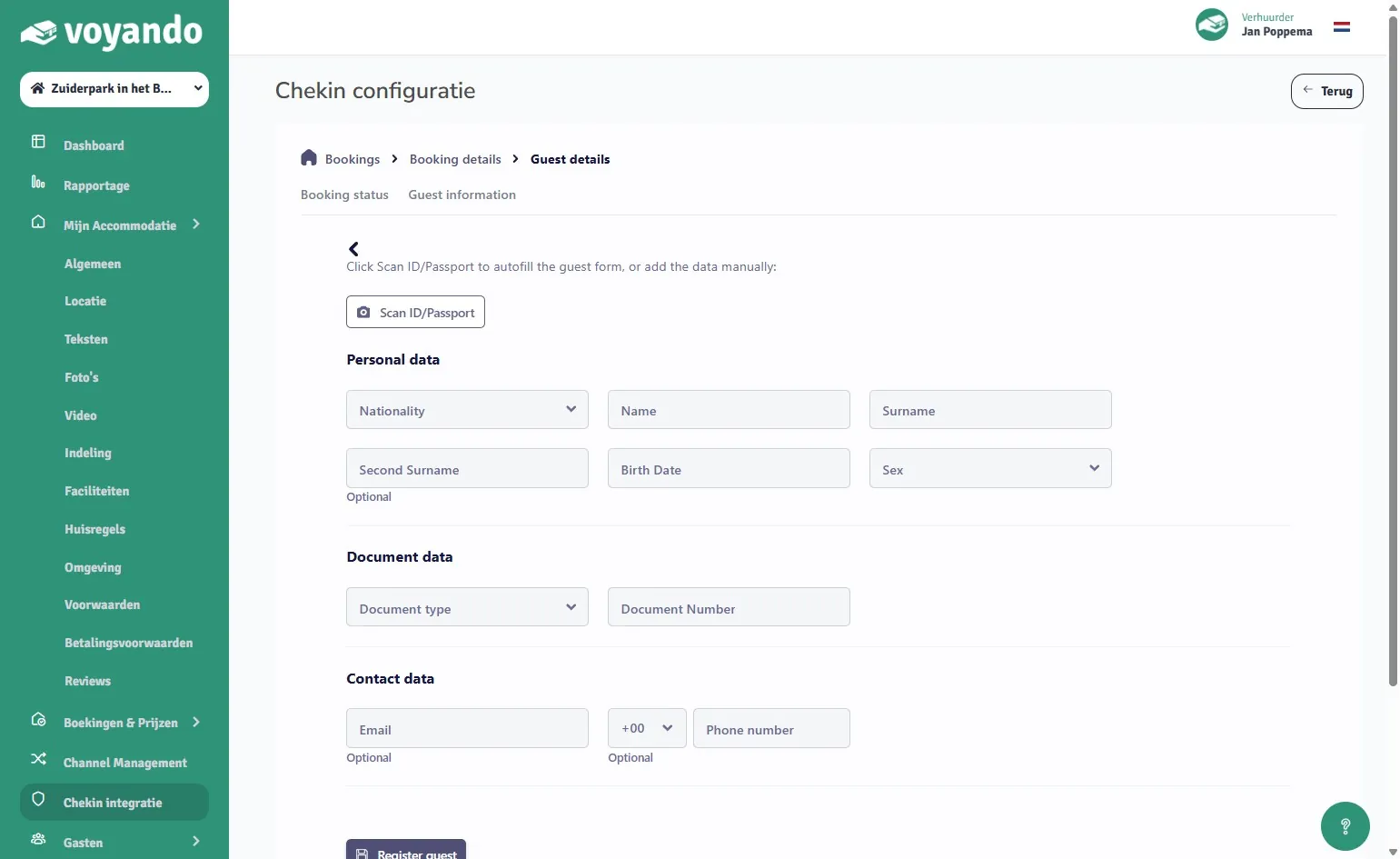
Step 7: To fill in the details automatically, click Scan ID/Passport. Prefer to type them yourself? Go on to step 9.
-
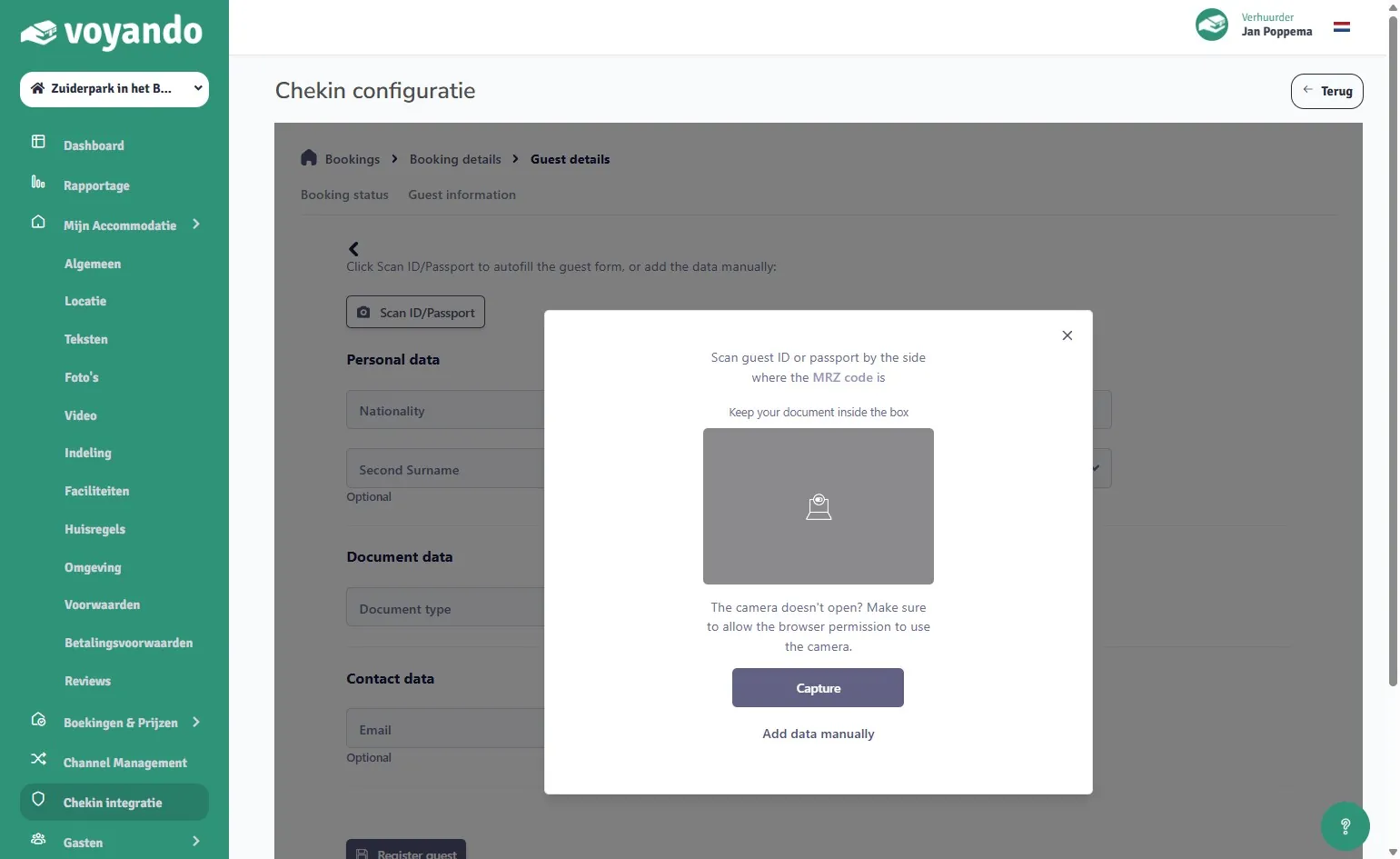
Step 8: Hold the passport or ID in front of your camera and click Capture.
-
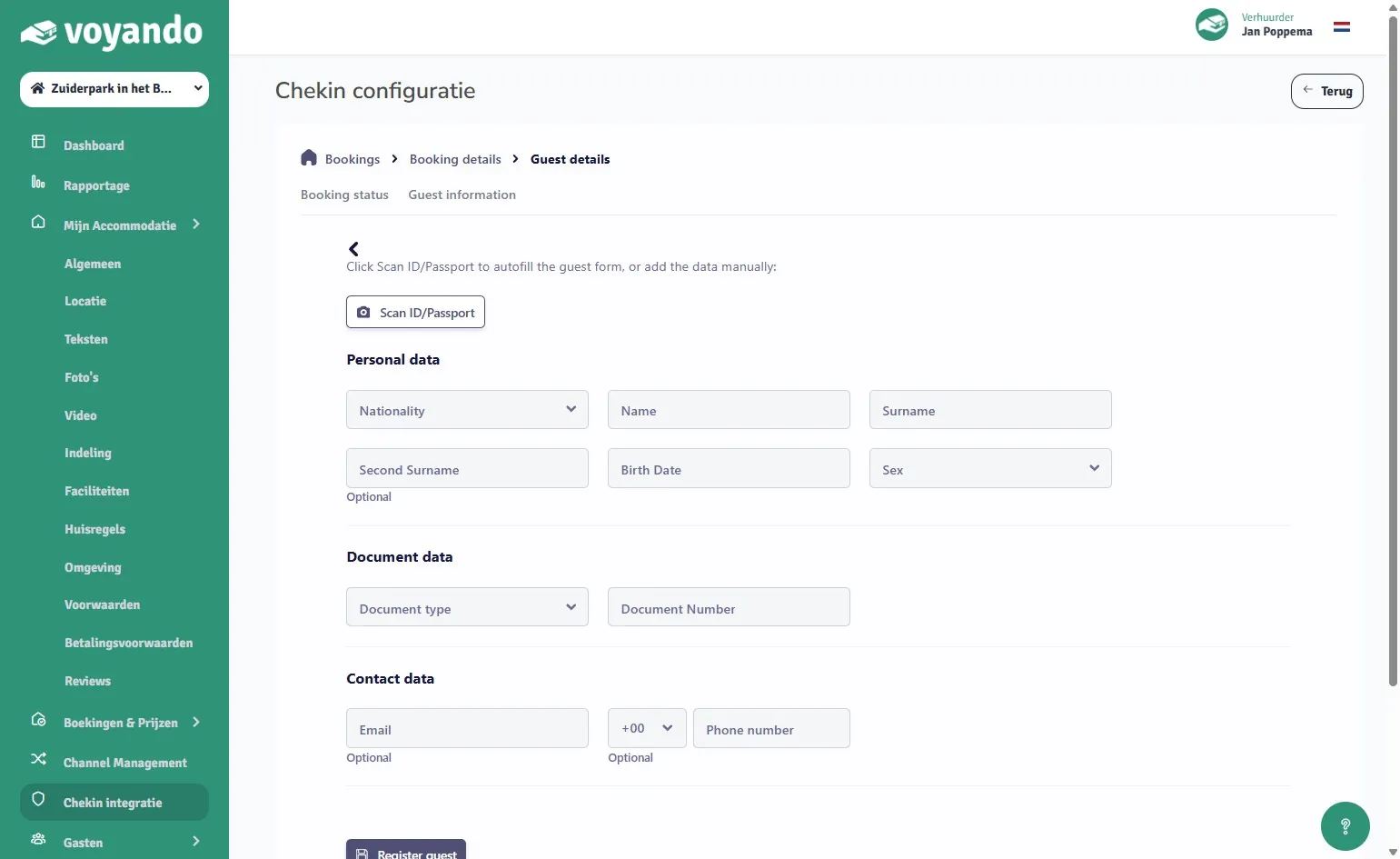
Step 9: Enter or check the details.
-
Step 10: Click Register guest.