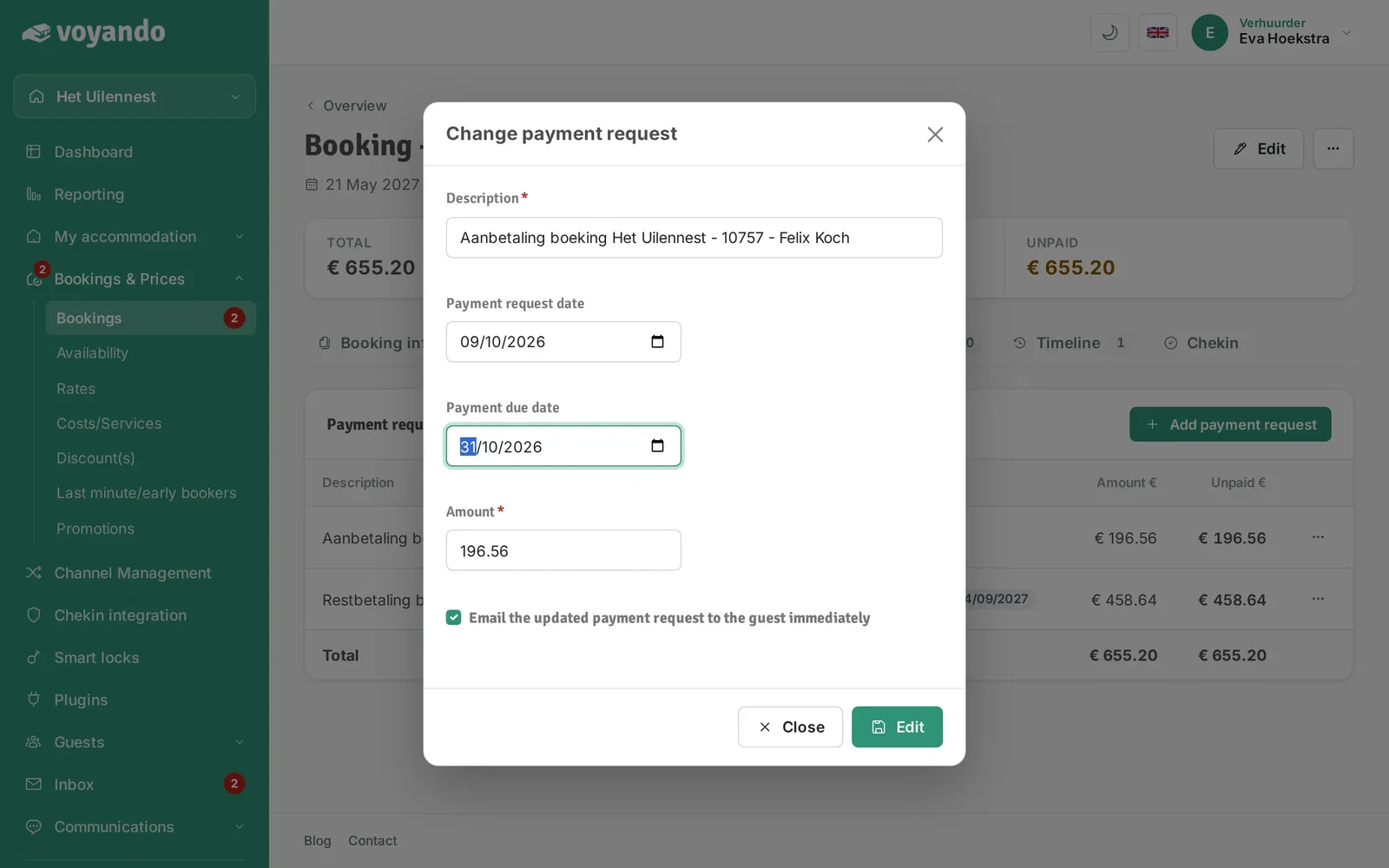
How do I change the payment deadline for a payment request?
Adjust the payment deadline for a payment request by changing the send date and payment reminder in Voyando via your dashboard.
Step by step · 14 steps
-
Step 1: Go to your dashboard.

-
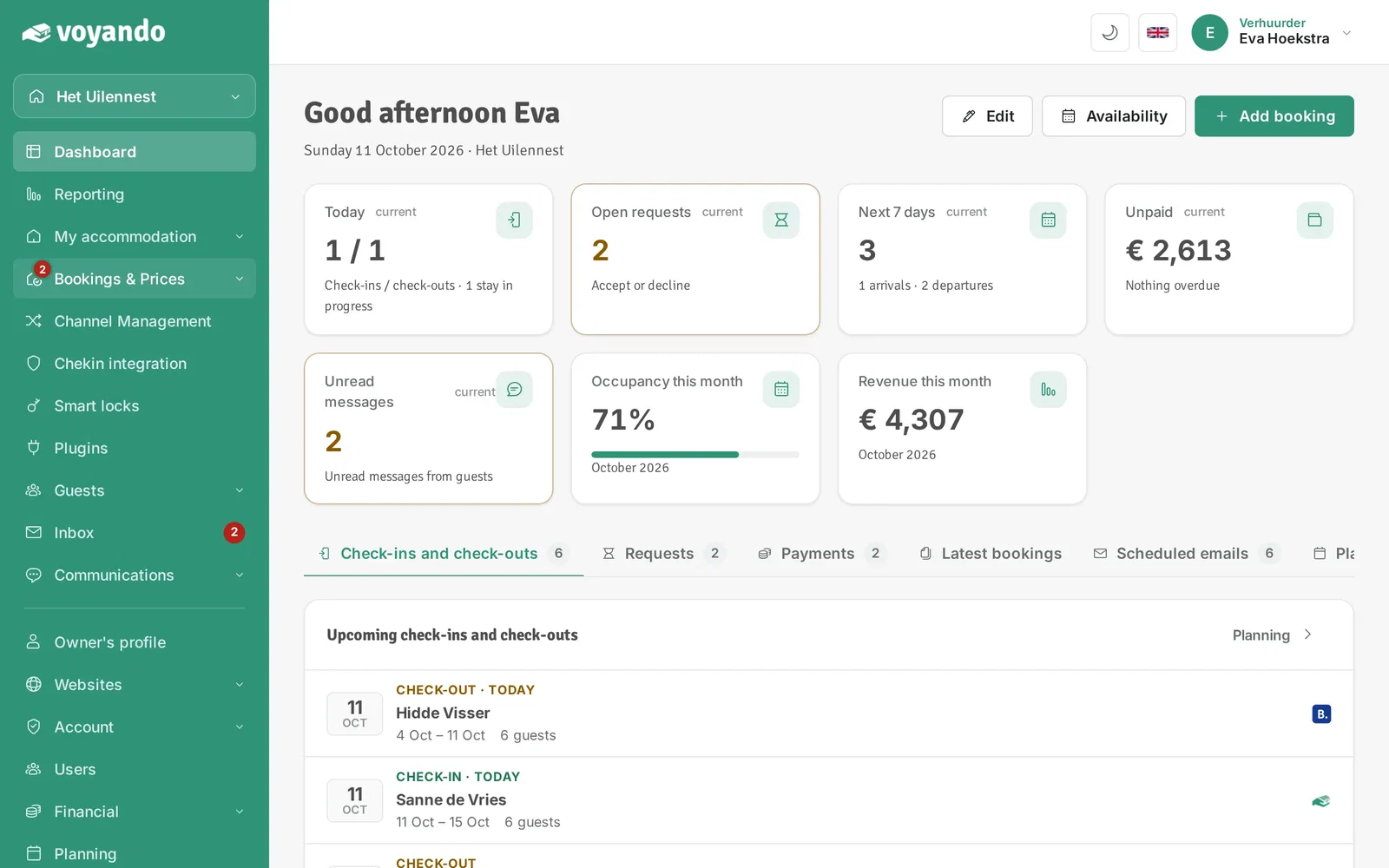
Step 2: Click Bookings & Prices in the menu.
-
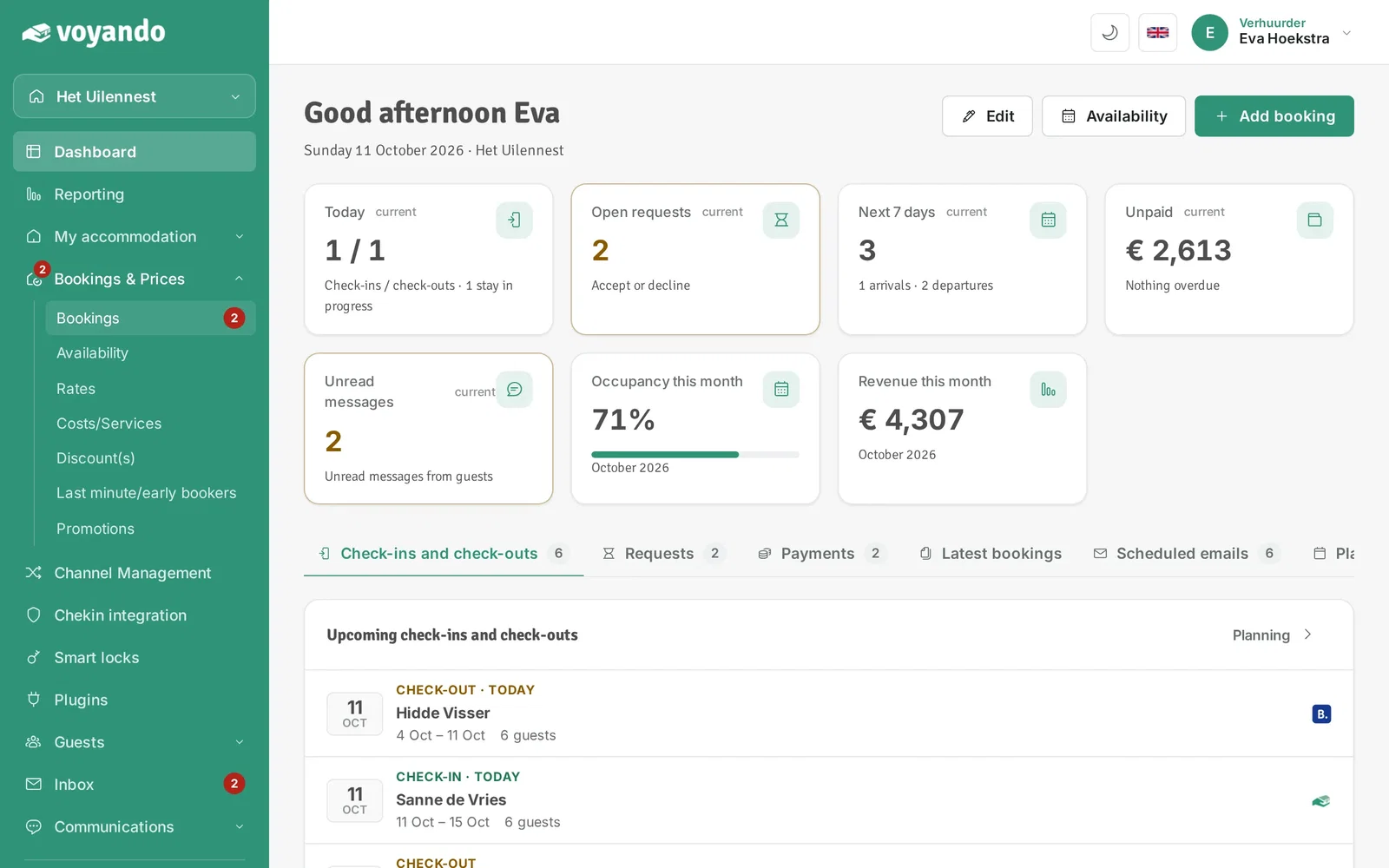
Step 3: Click Bookings.
-
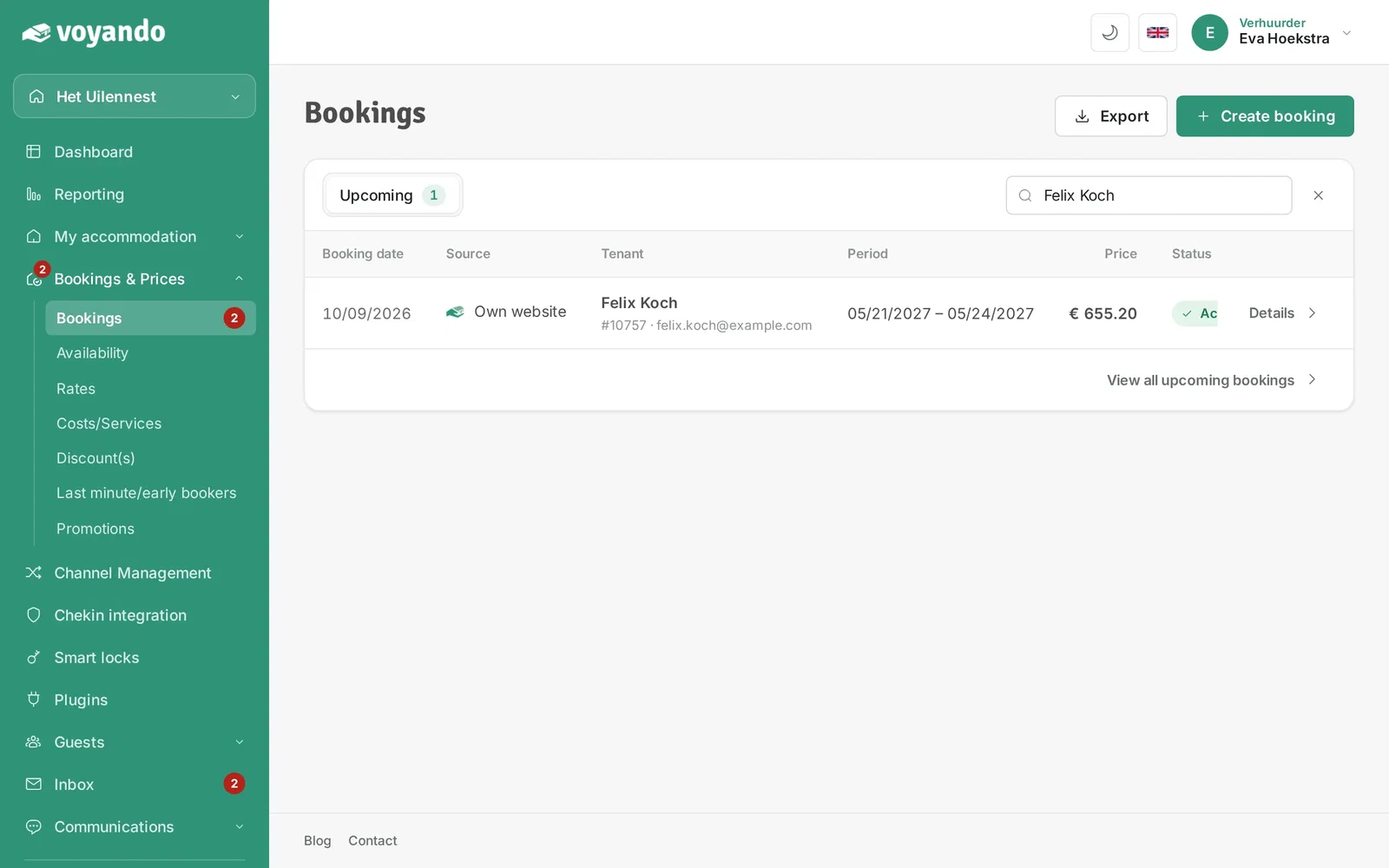
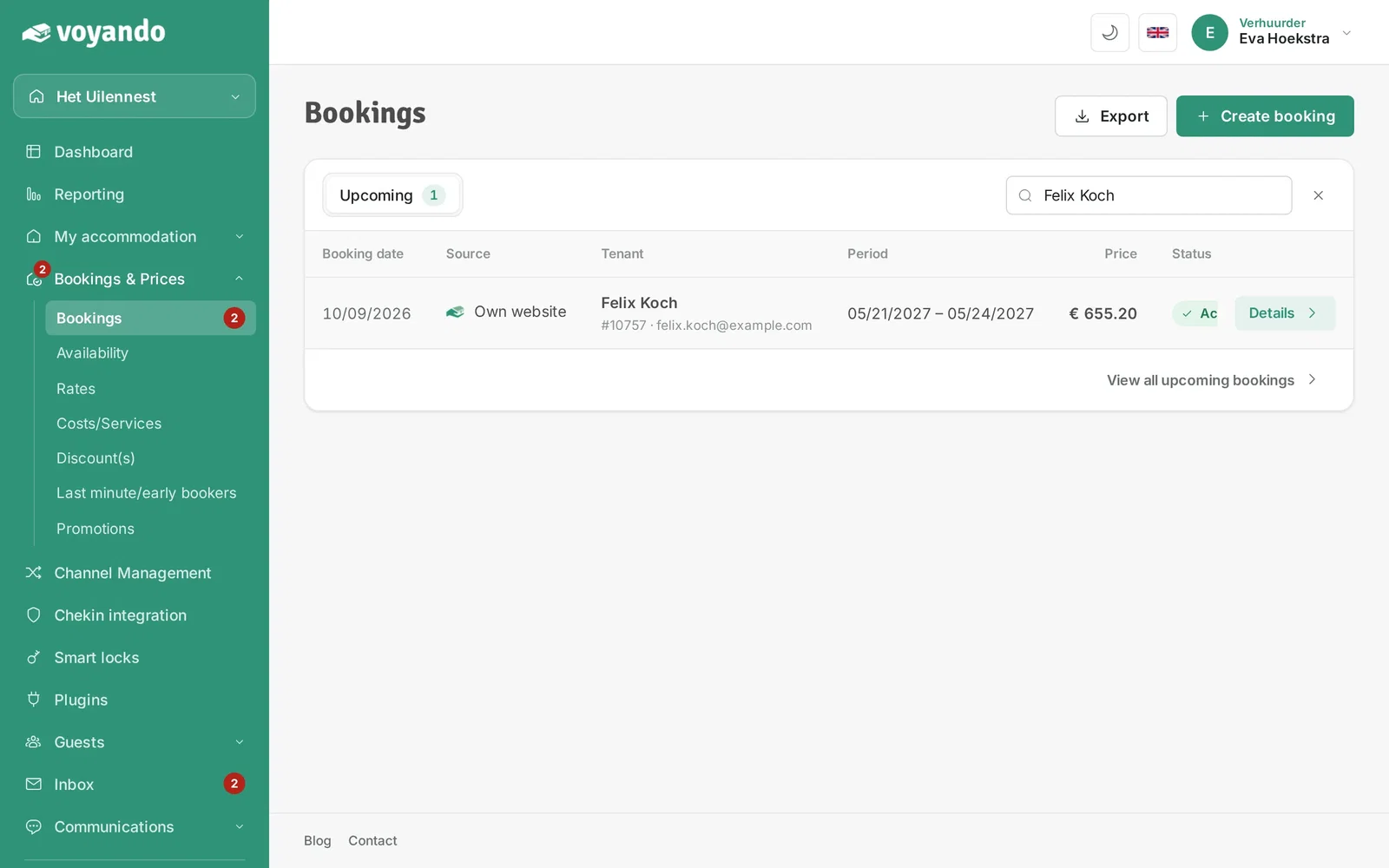
Step 4: Look up the booking with the payment request, for example by the guest's name.
-
Step 5: Click Details next to the booking.
-
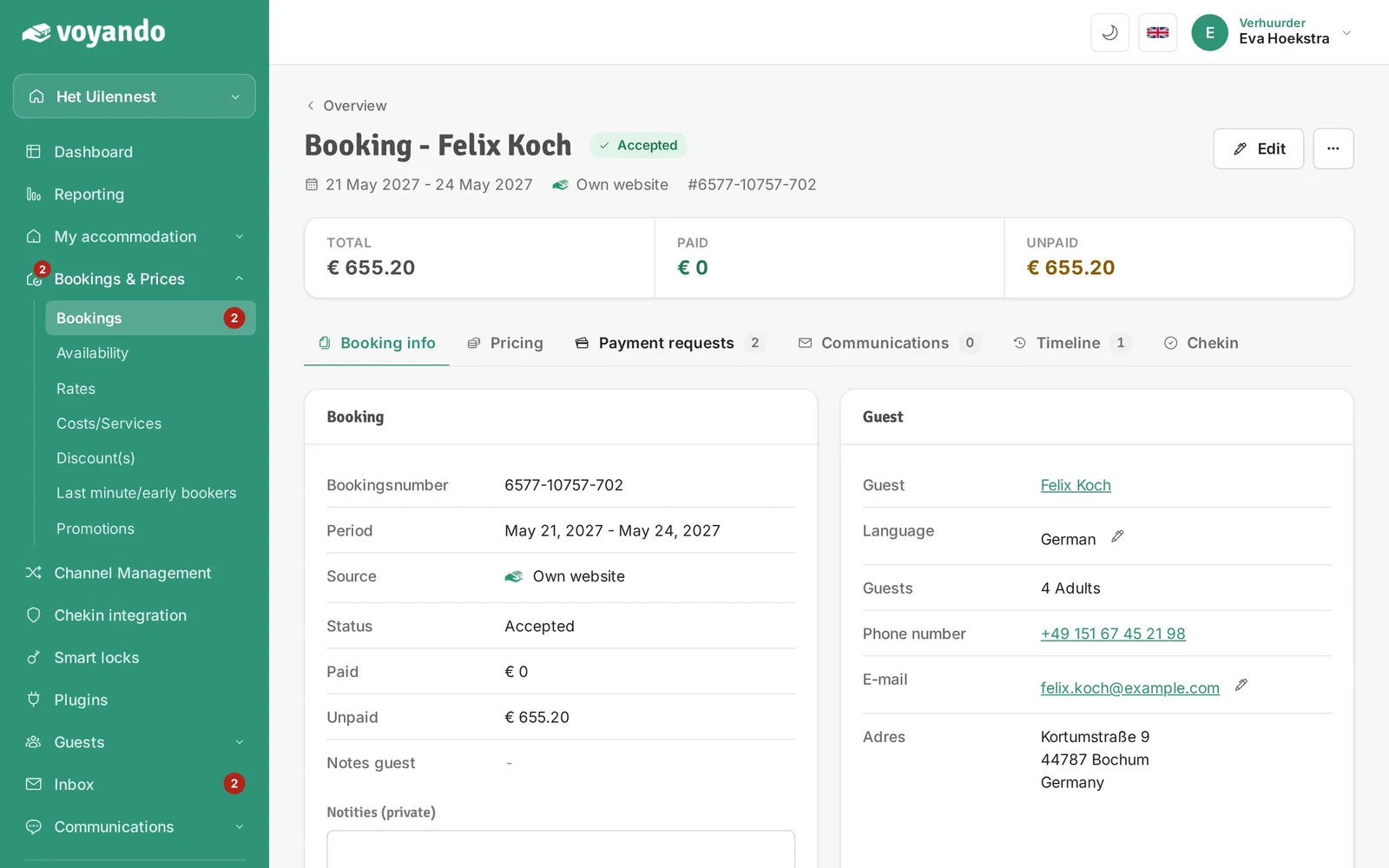
Step 6: Click the Payment requests tab.
-
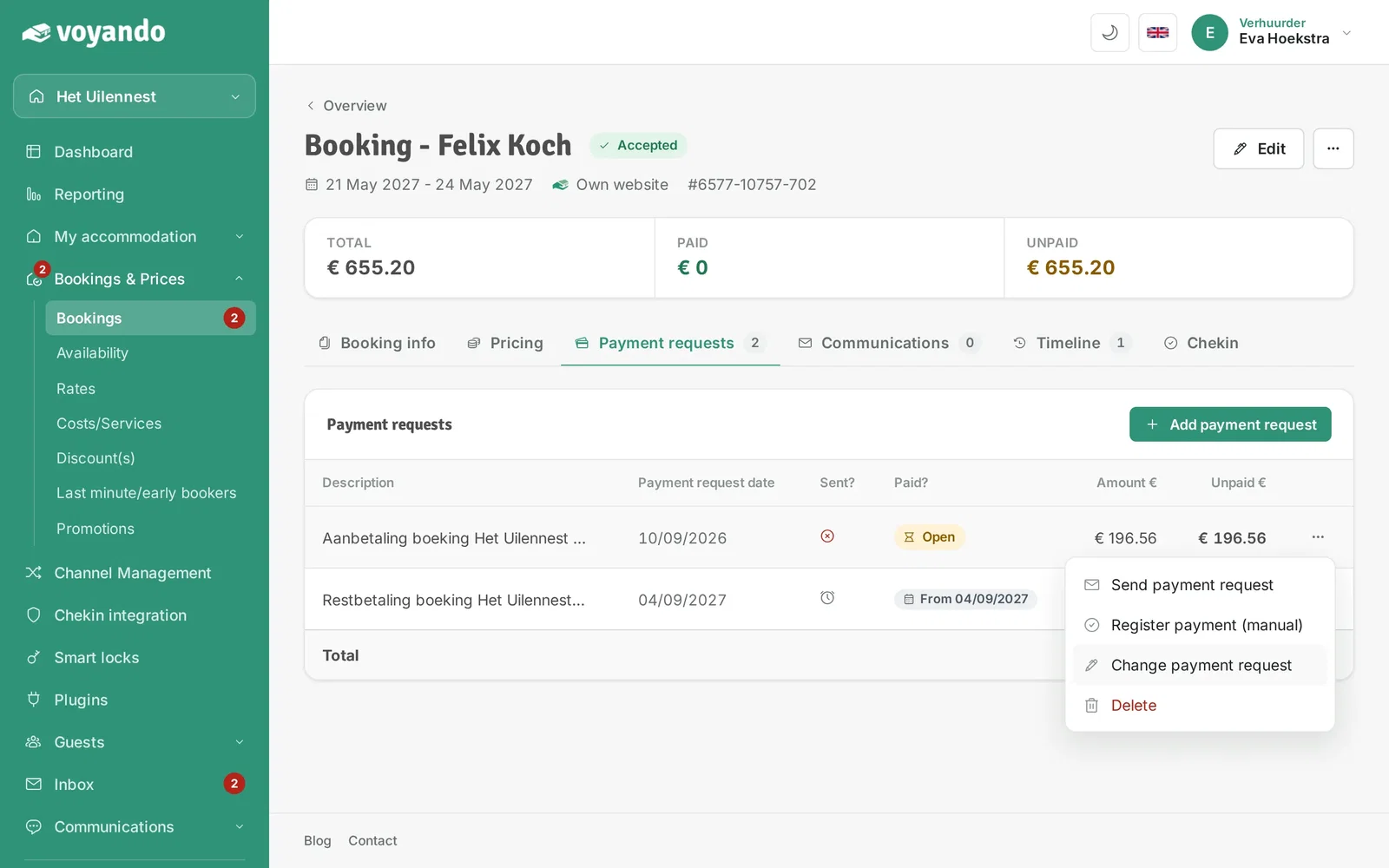
Step 7: Click the three dots next to the payment request.

-
Step 8: Click Change payment request.
-
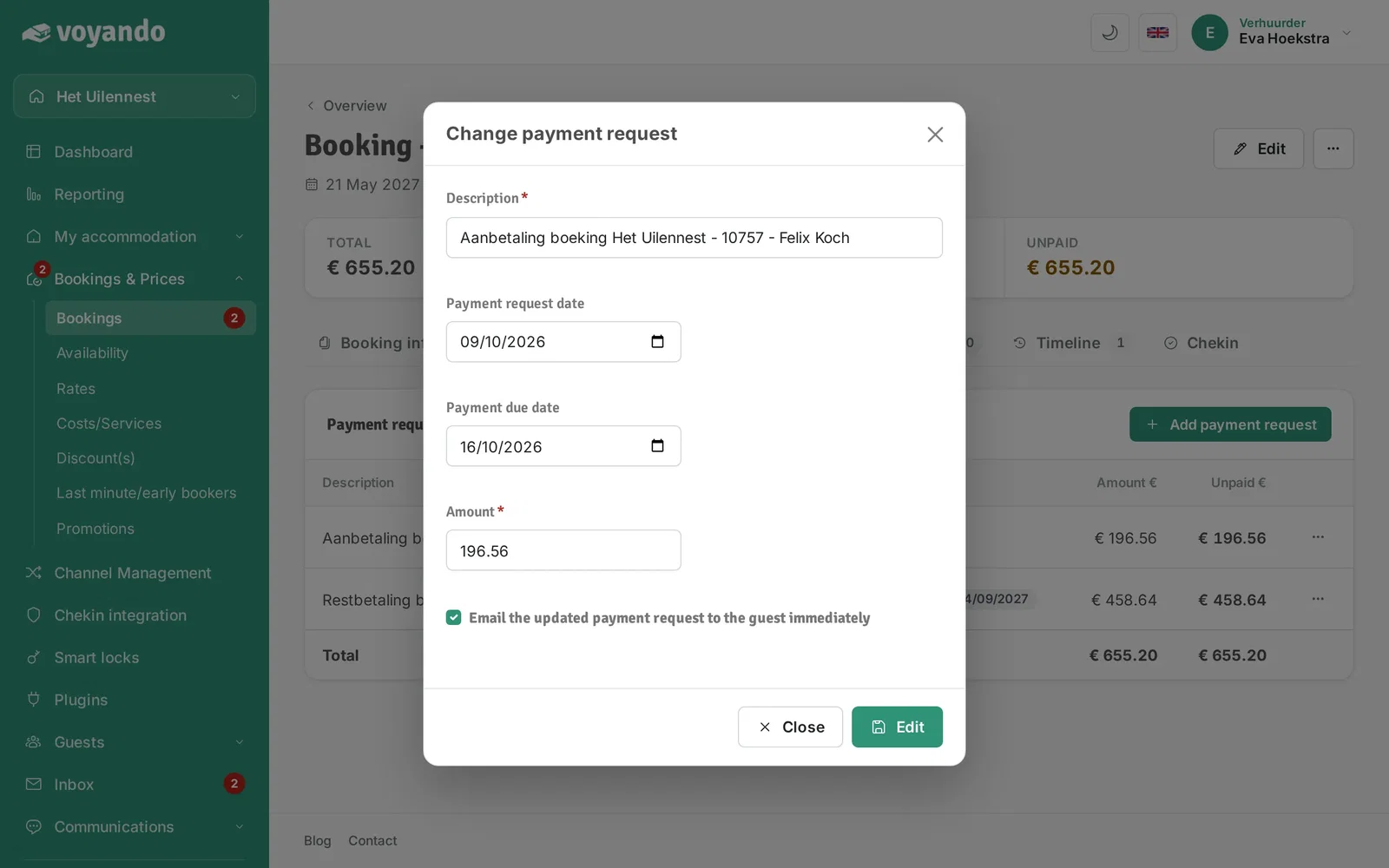
Step 9: Change the Description if needed.
-
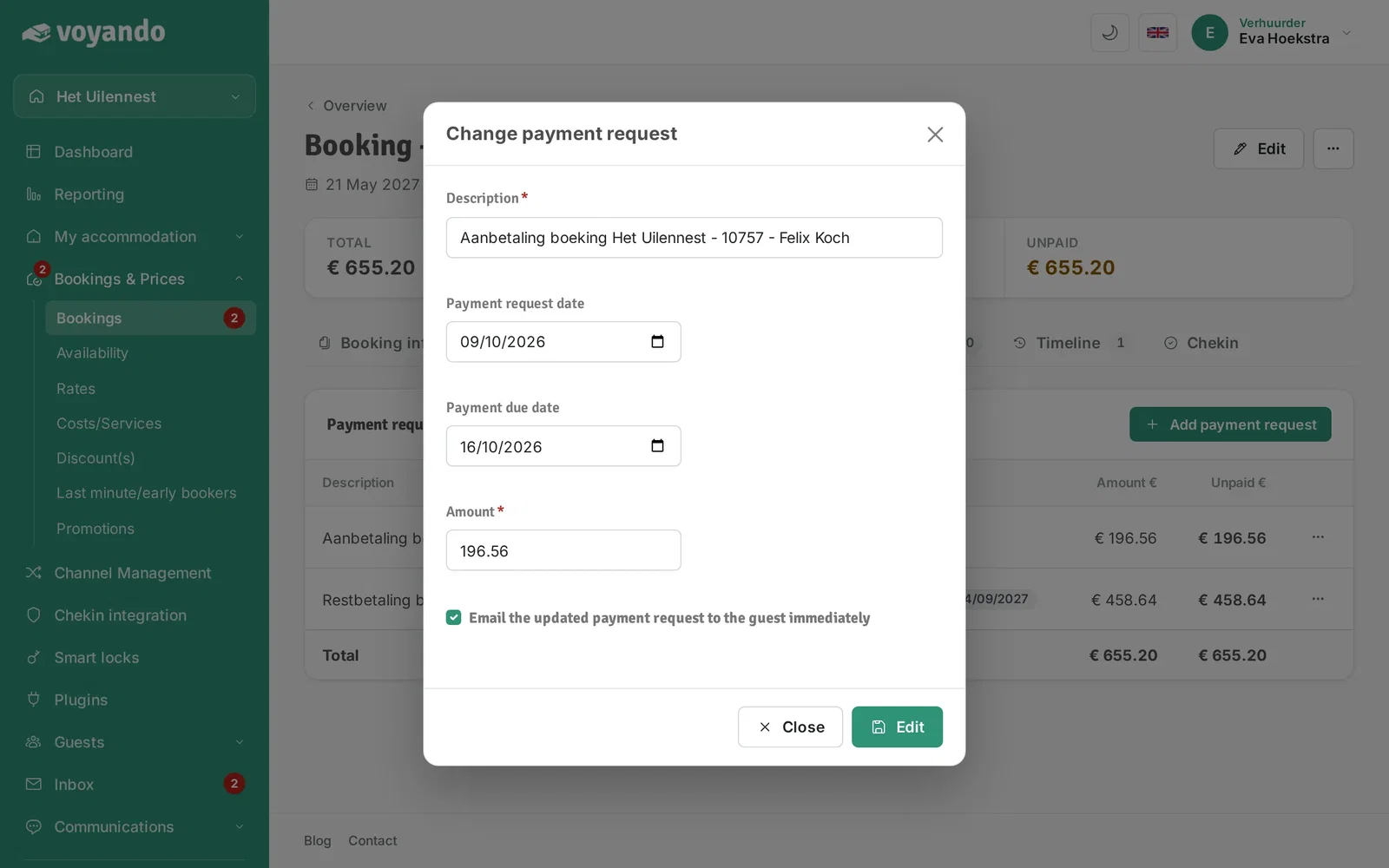
Step 10: Under Payment request date you change the date on which the payment request is sent.
-
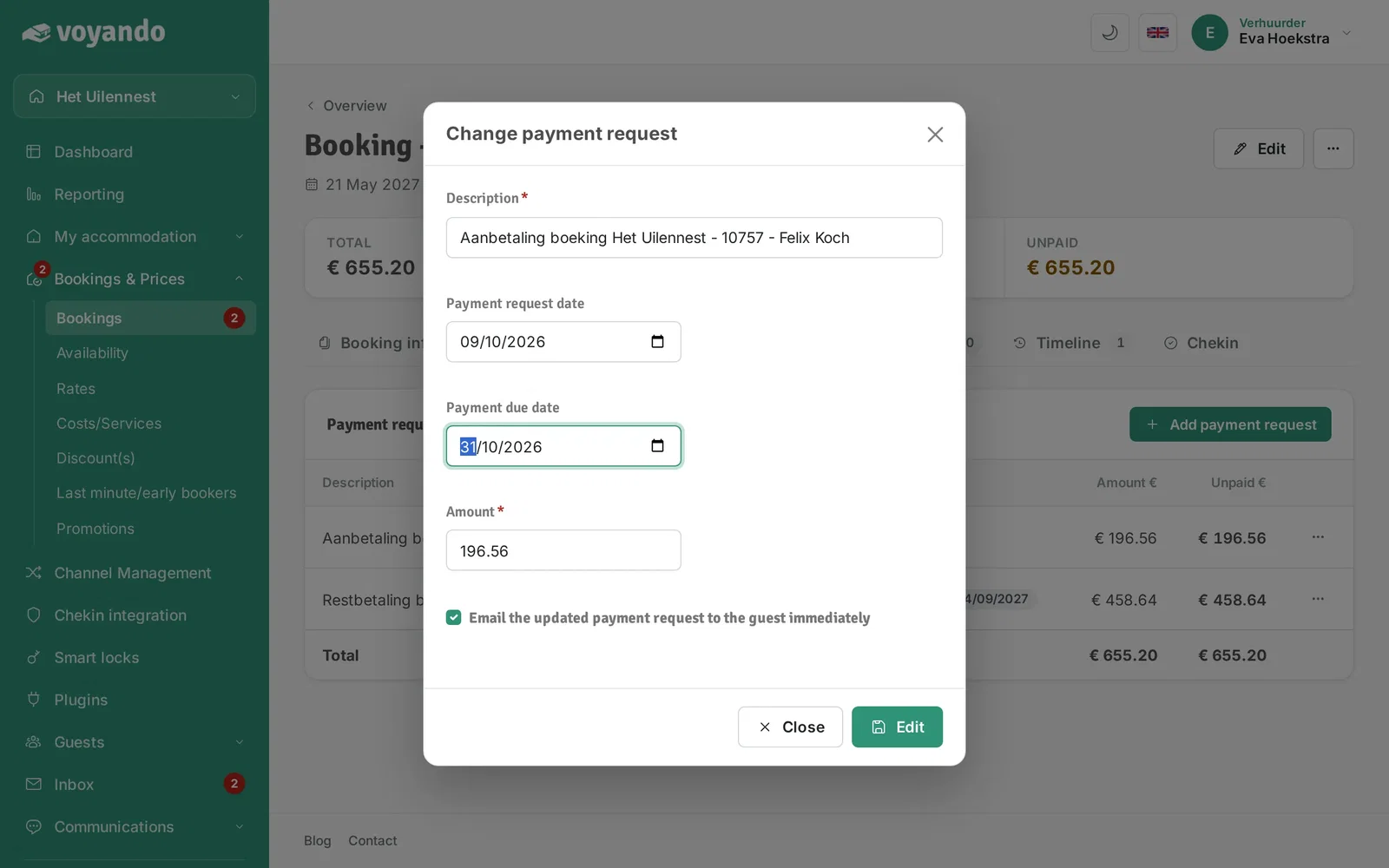
Step 11: Under Payment due date you set the new deadline: the date by which your guest has to pay.
-
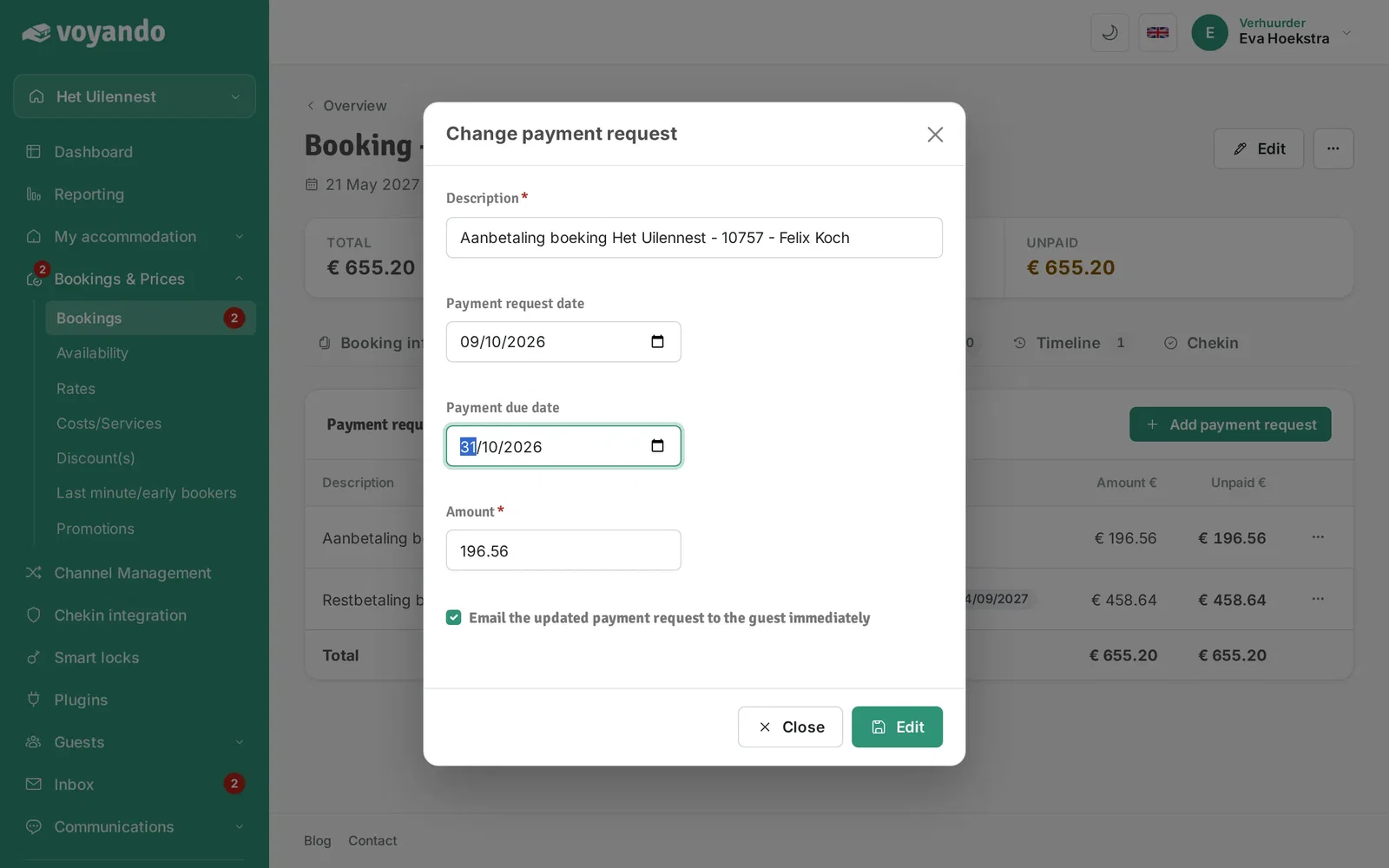
Step 12: Change the amount under Sum if needed.
-
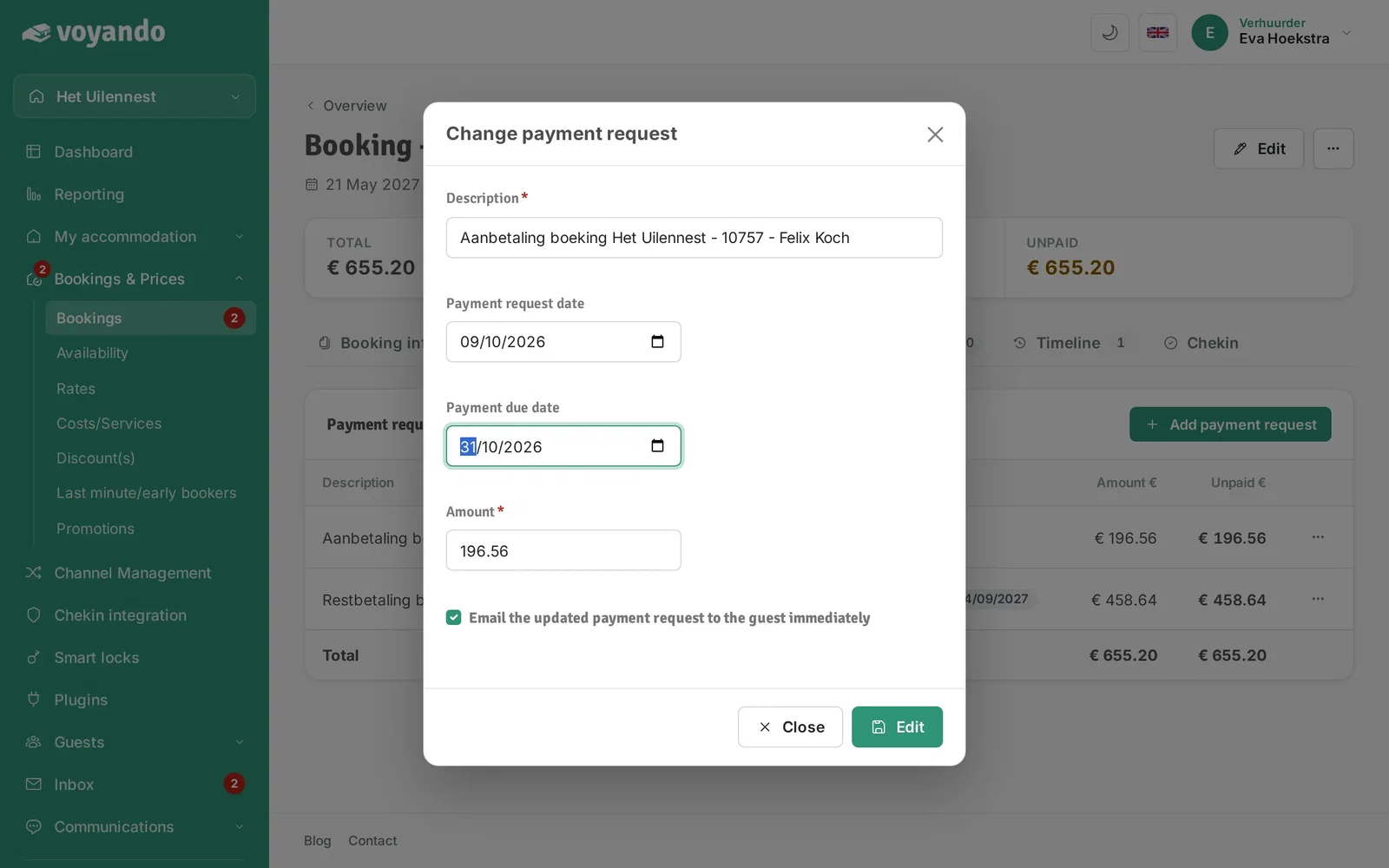
Step 13: Want your guest to receive the updated payment request right away? Leave this box ticked.
-
Step 14: Click Change to save your changes.