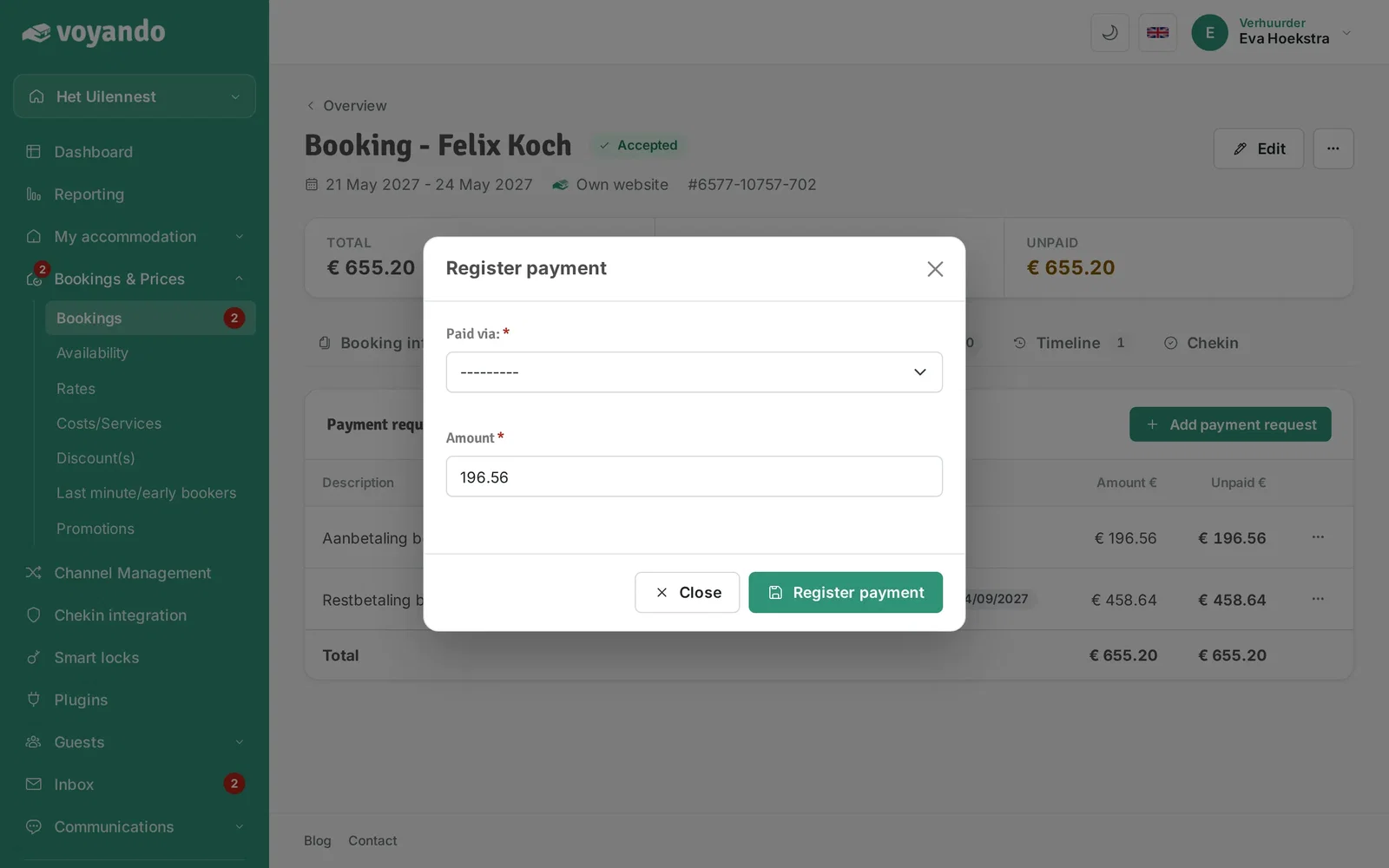
How do I manually record a payment received?
Manually record a payment received by opening the transaction in the dashboard and adding the payment via Payment Requests.
Step by step · 11 steps
-
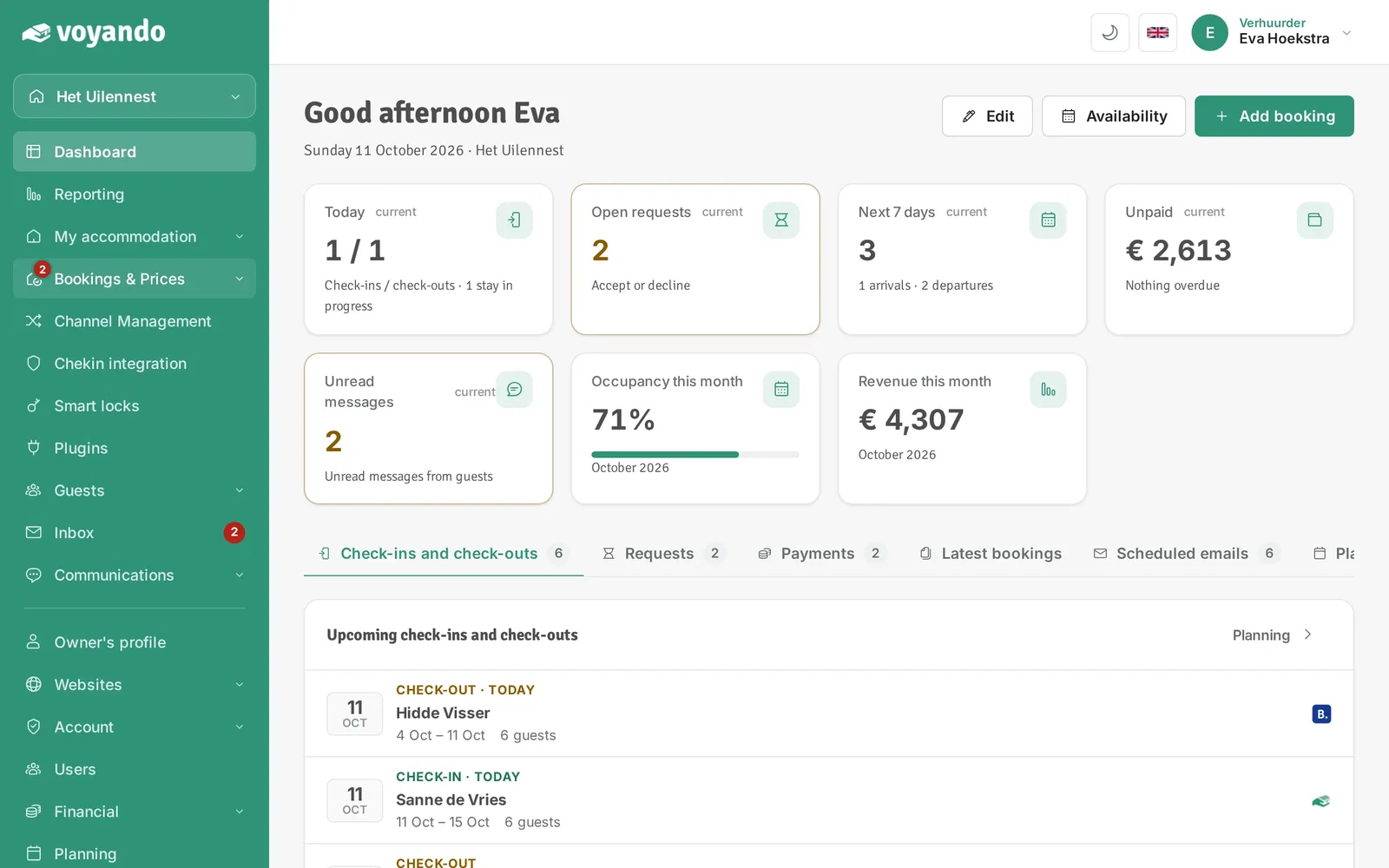
Step 1: Go to your dashboard.

-
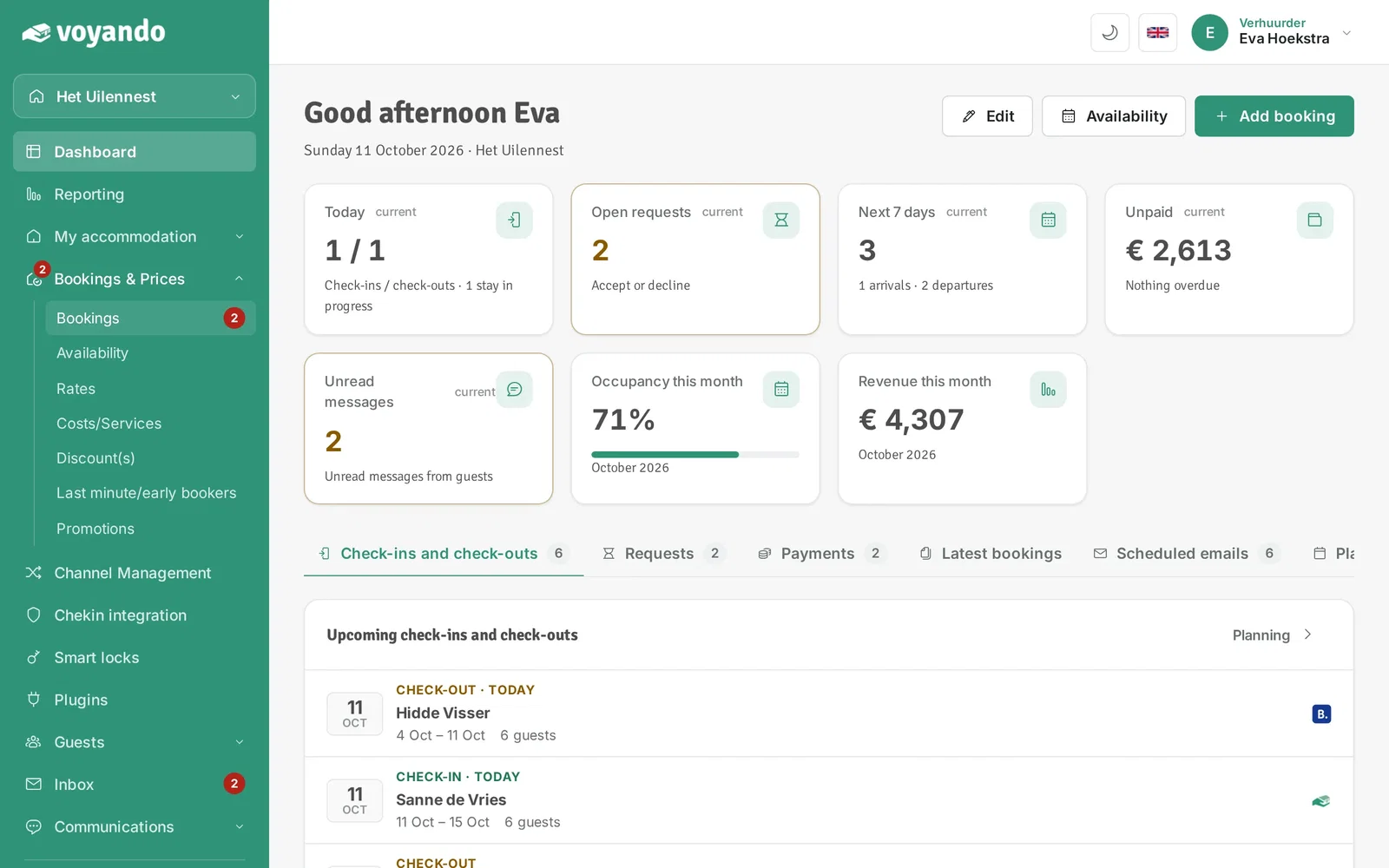
Step 2: Click Bookings & Prices in the menu.
-
Step 3: Click Bookings.
-
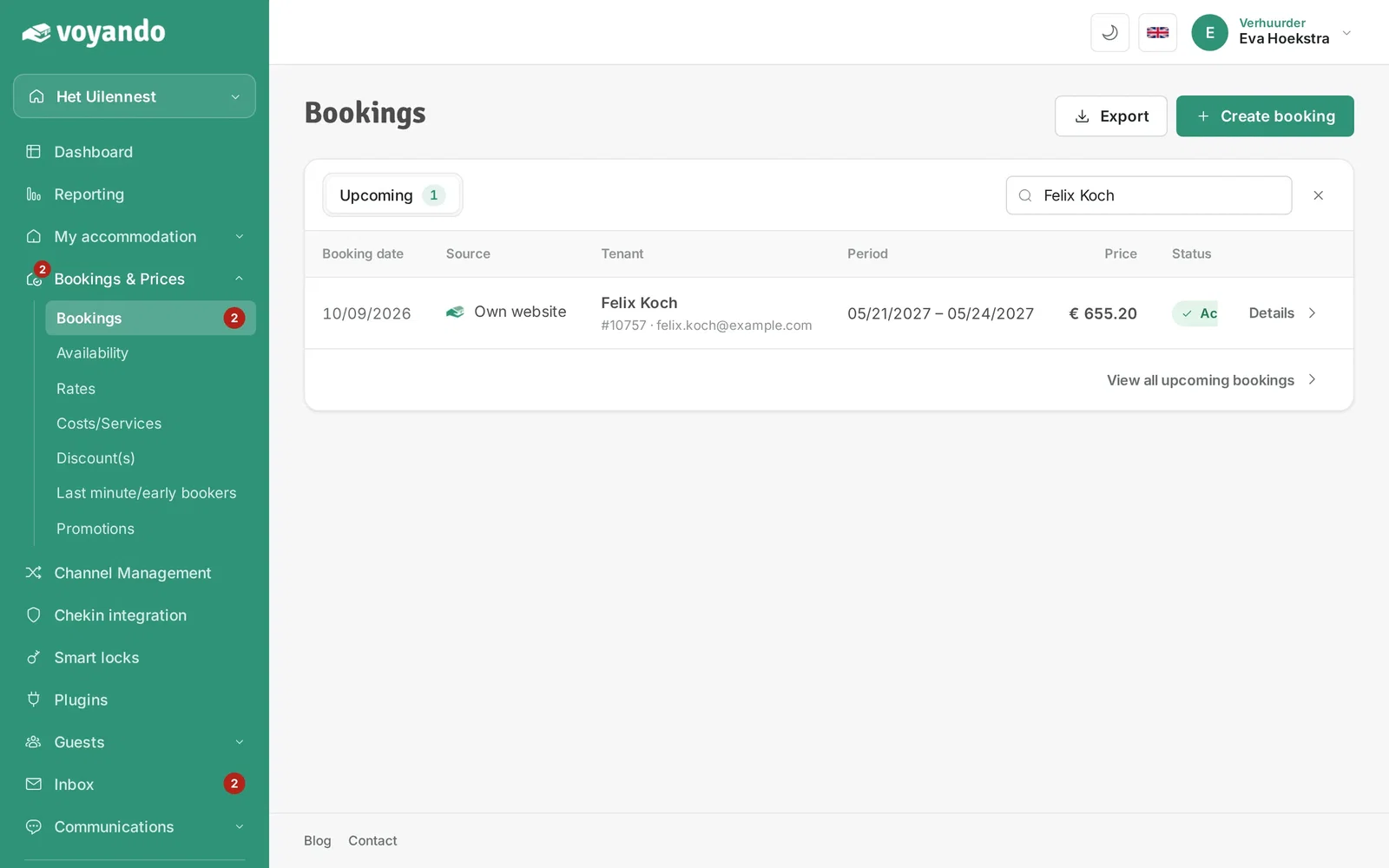
Step 4: Look up the booking you want to record a payment for, for example by the guest's name.
-
Step 5: Click Details next to the booking.
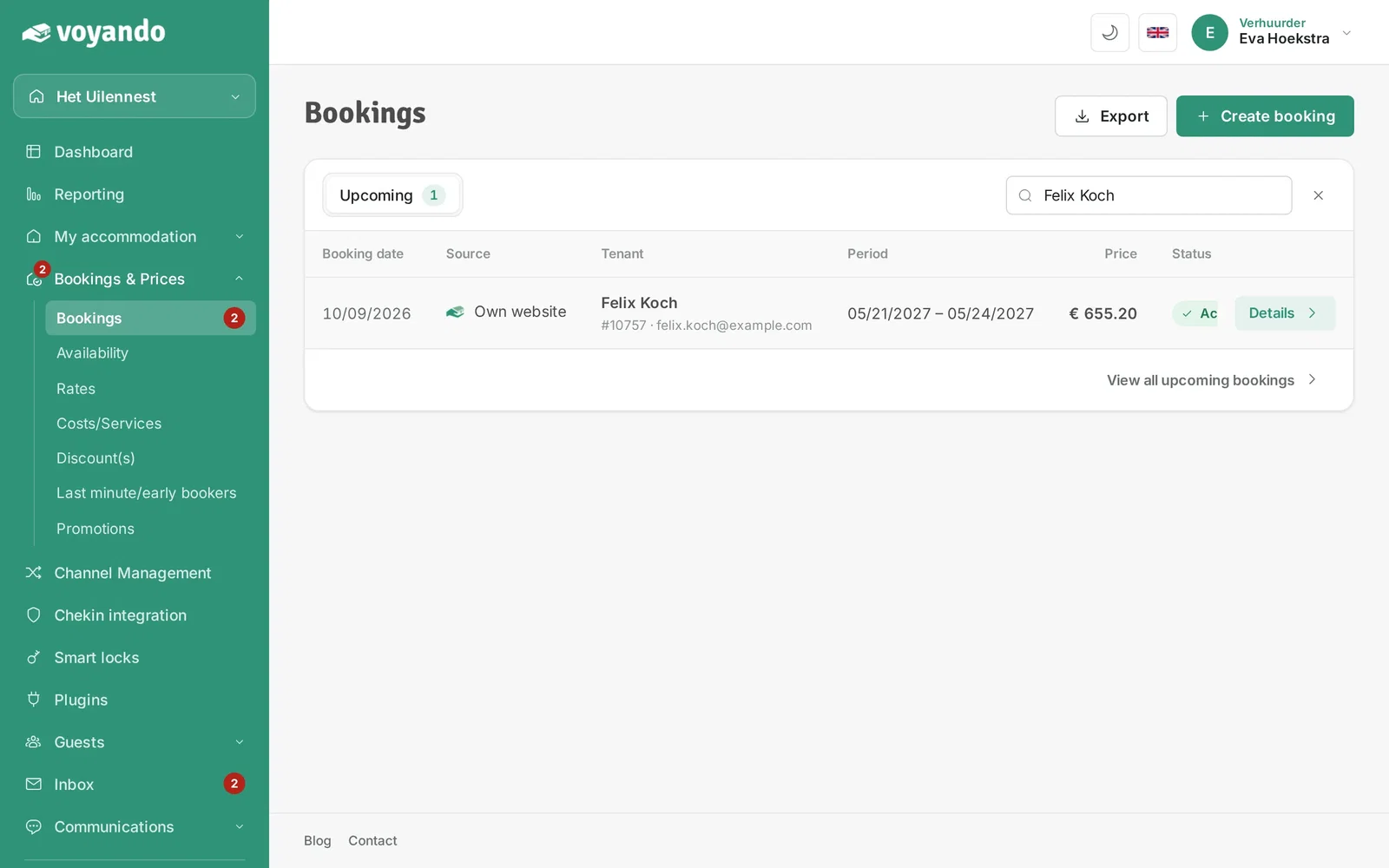
-
Step 6: Click the Payment requests tab.
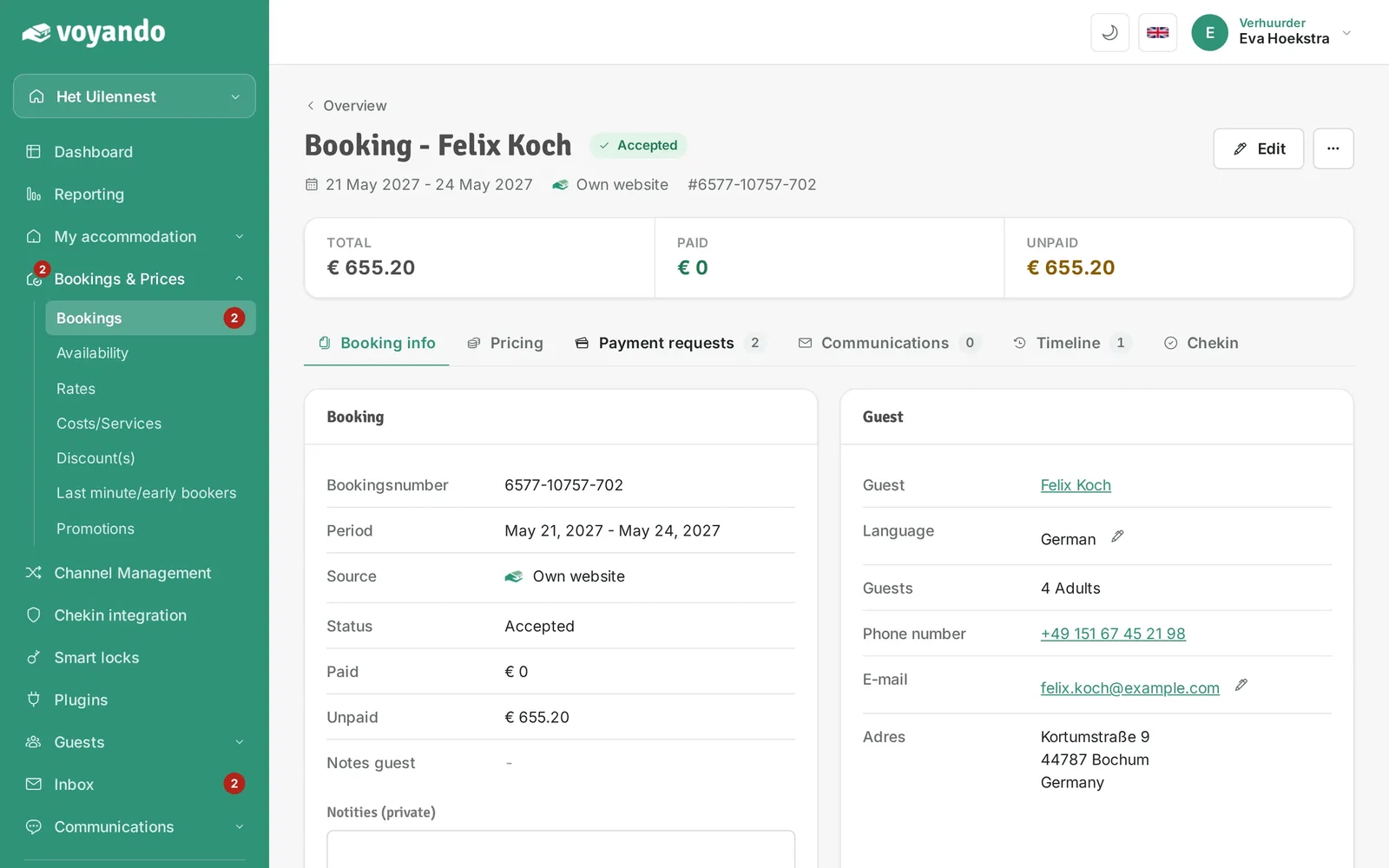
-
Step 7: Click the three dots next to the payment request.
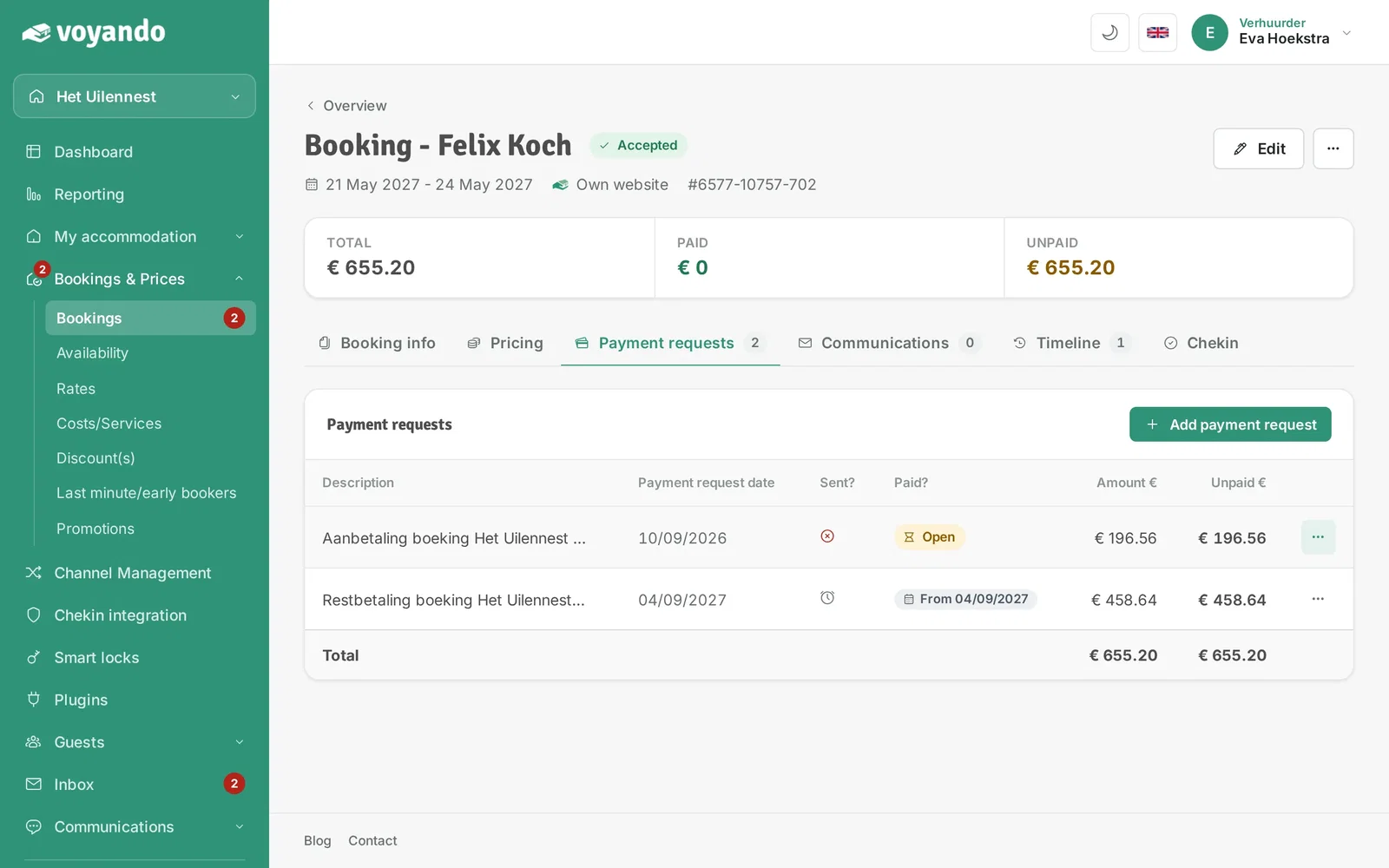
-
Step 8: Click Register payment (manual).
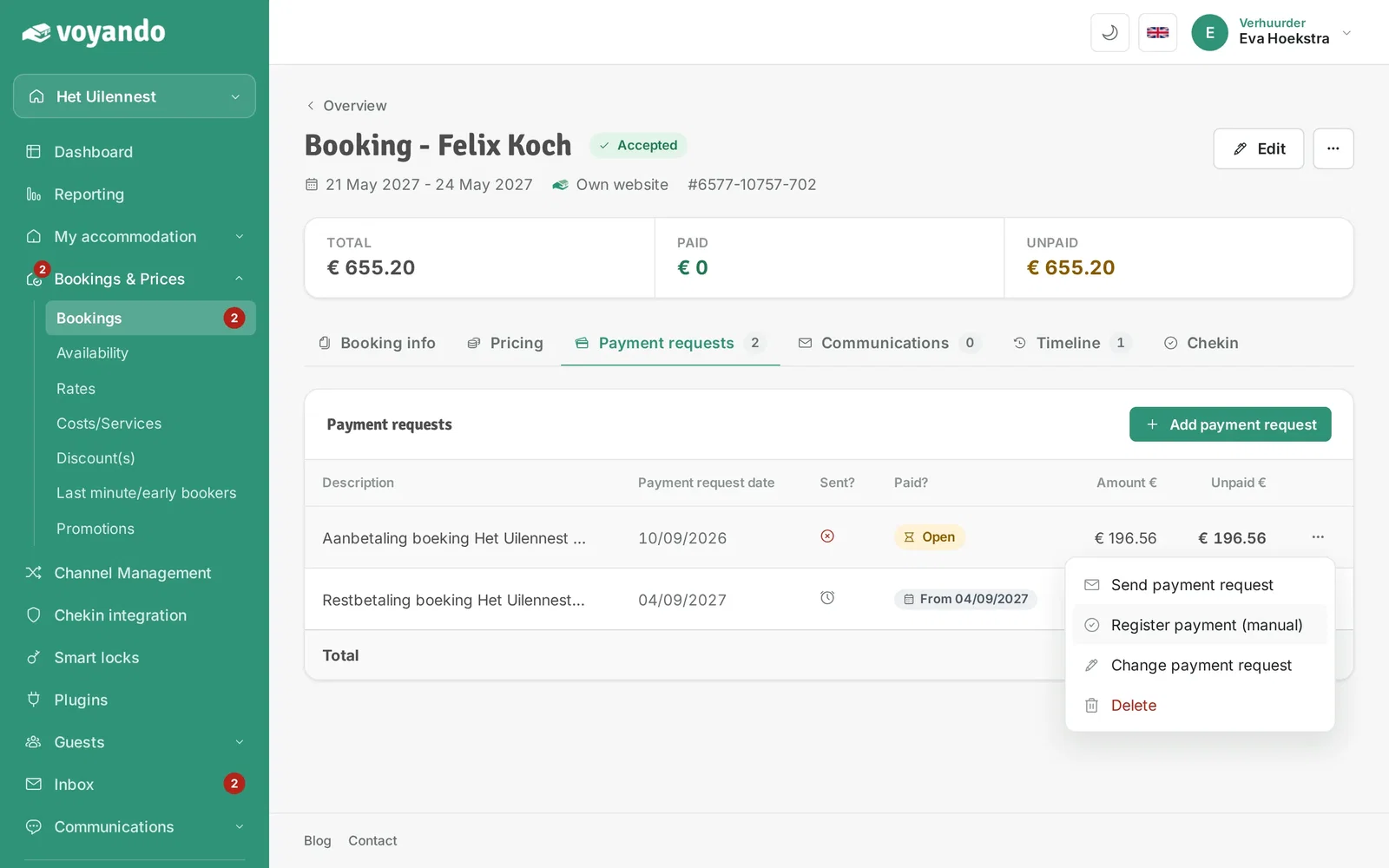
-
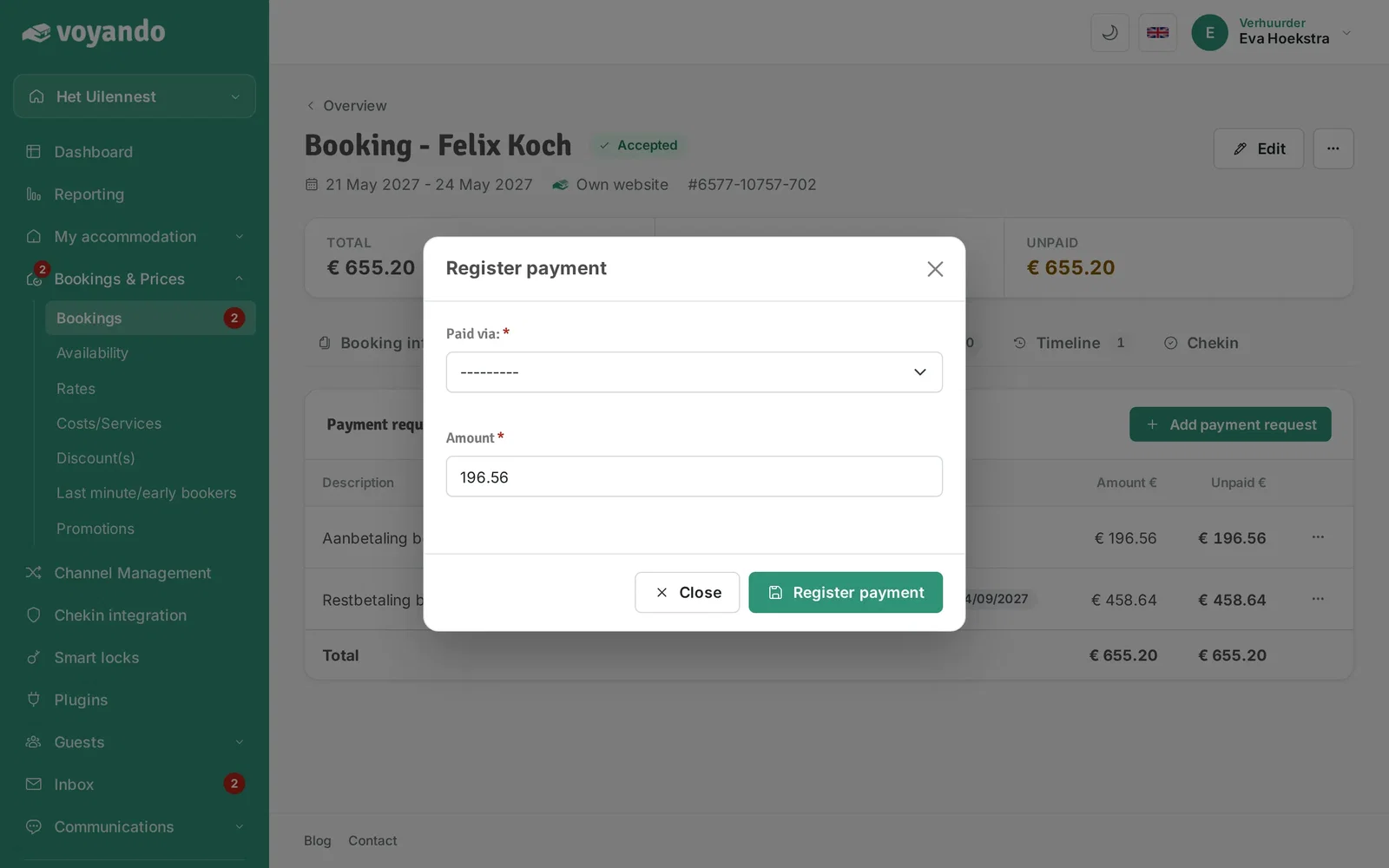
Step 9: Under Paid via: choose how you received the payment, for example Bank or Cash.
-
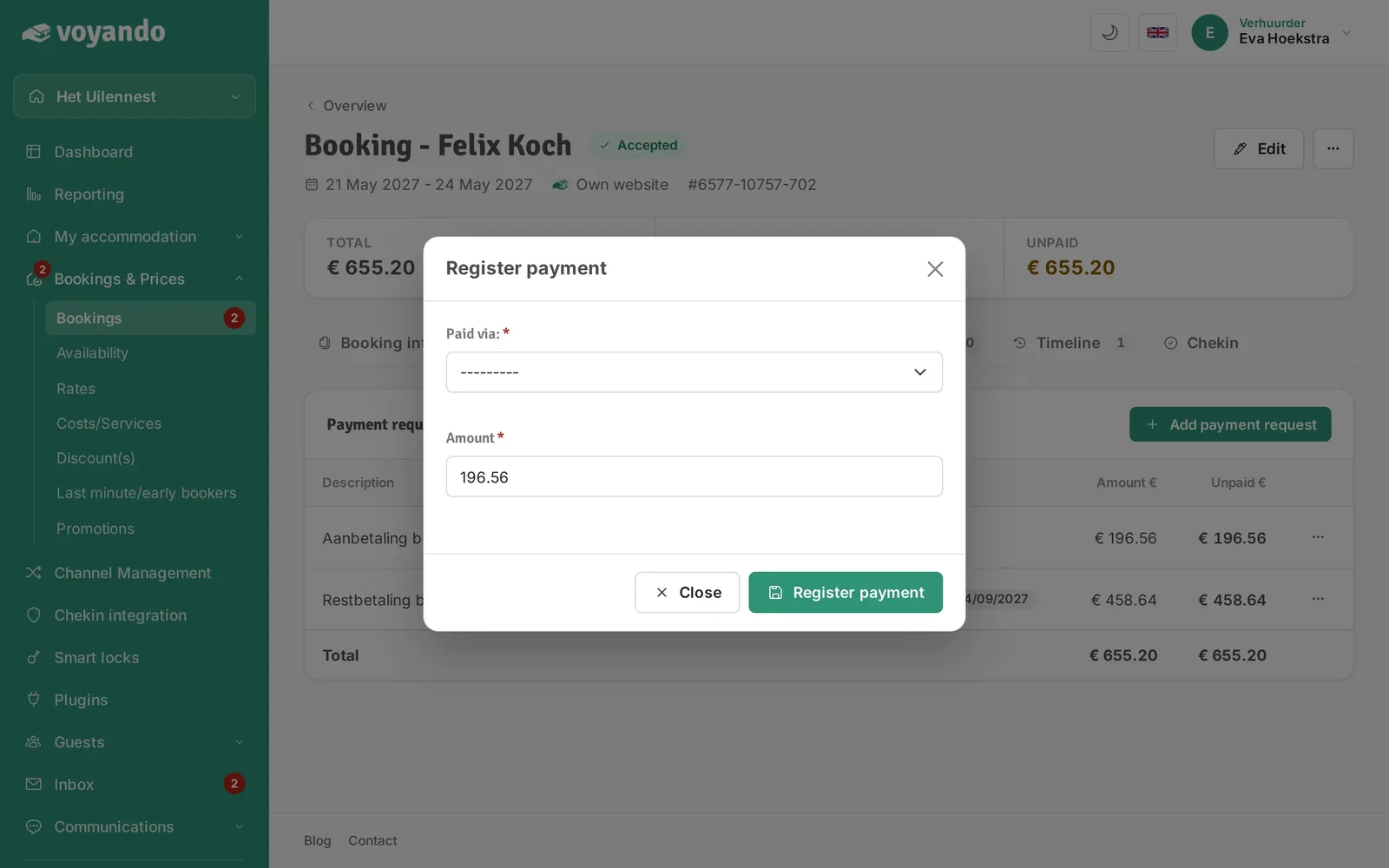
Step 10: The outstanding amount is already filled in. Received a different amount? Change it here.
-
Step 11: Click Register payment. The payment request is then marked as paid.