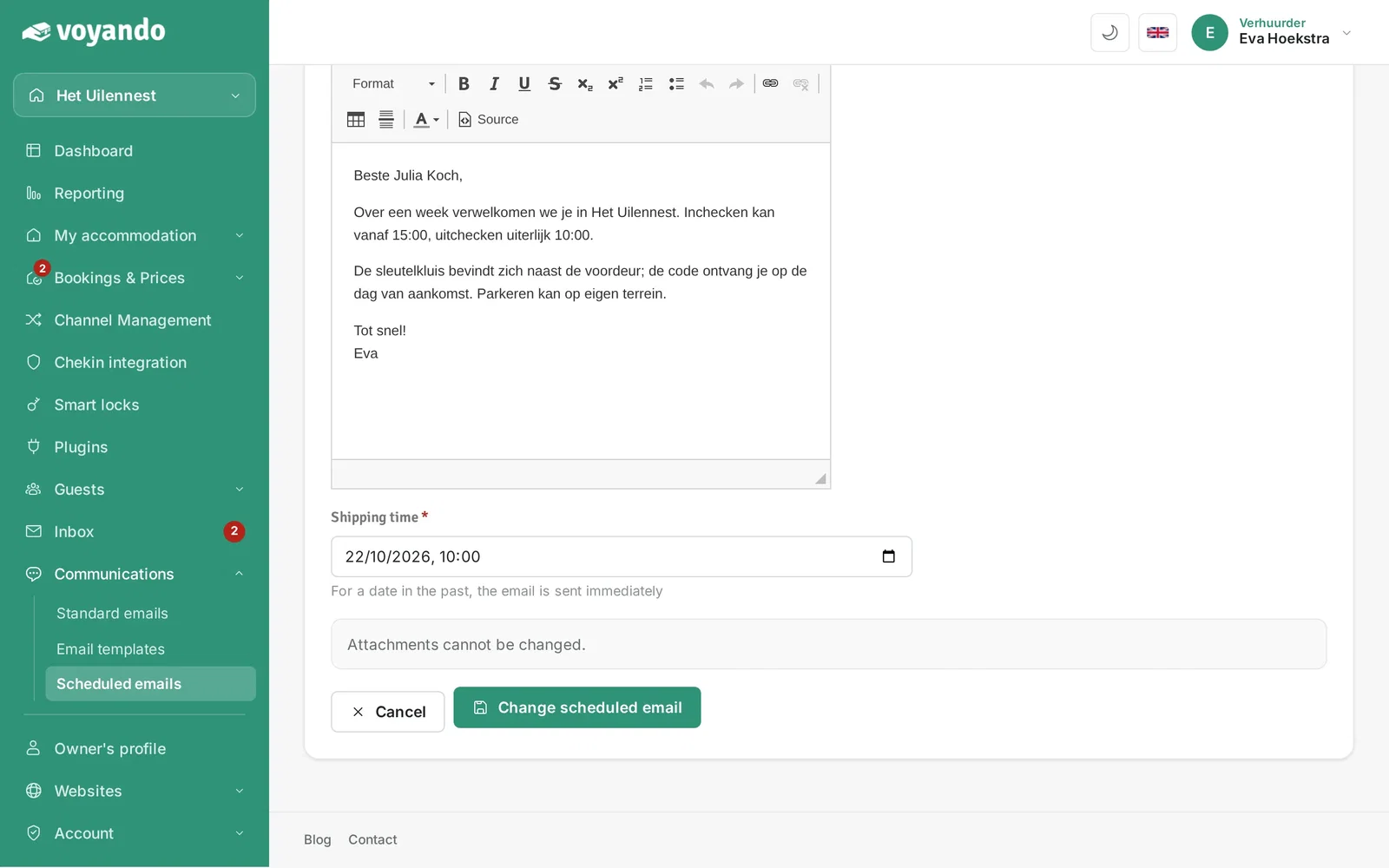
Where can I see which emails are scheduled, and how do I change them?
You can easily view and edit scheduled emails via ‘Communication > Scheduled emails’ in your dashboard. Save any changes after editing.
Step by step · 9 steps
-
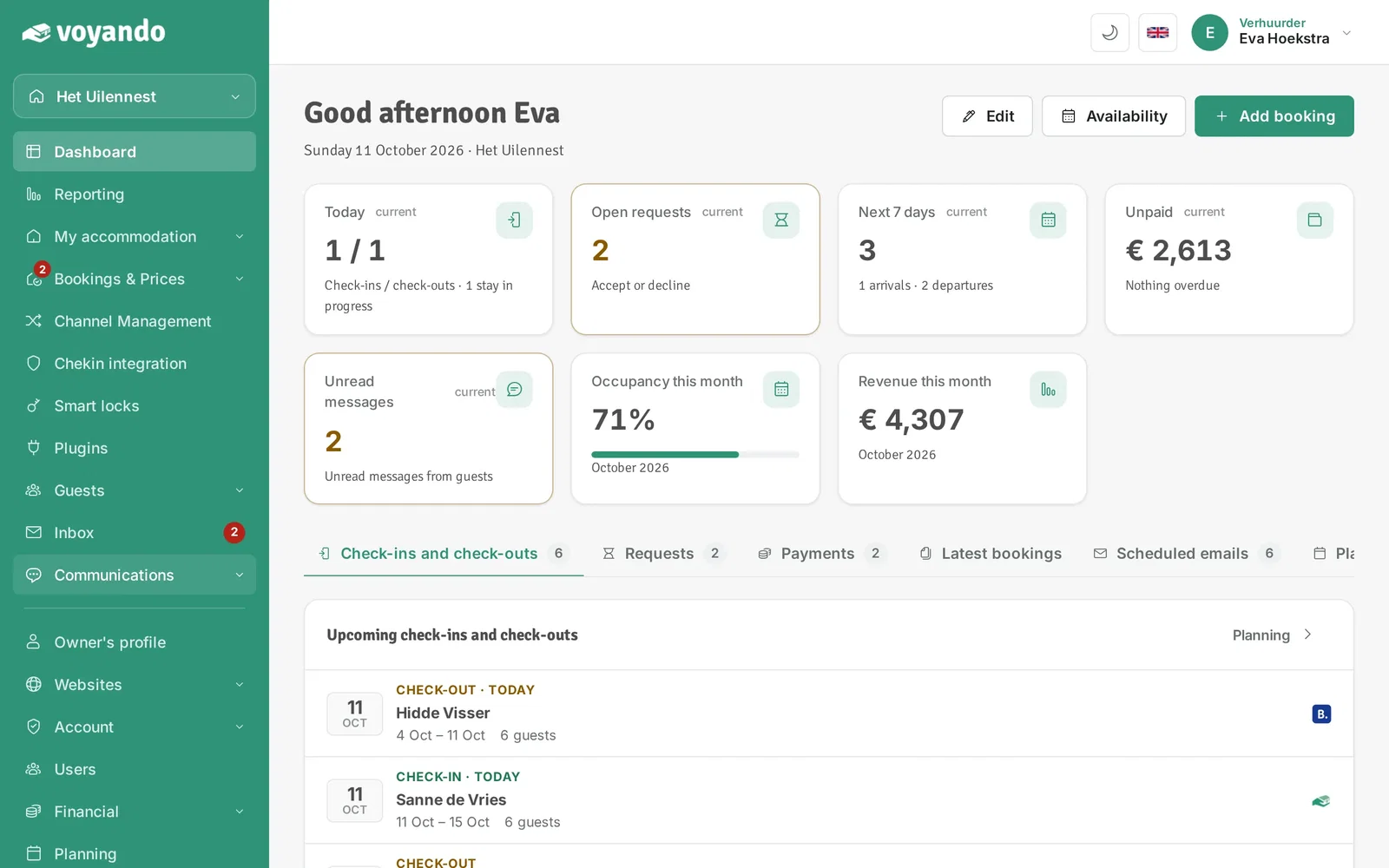
Step 1: Go to your dashboard.

-
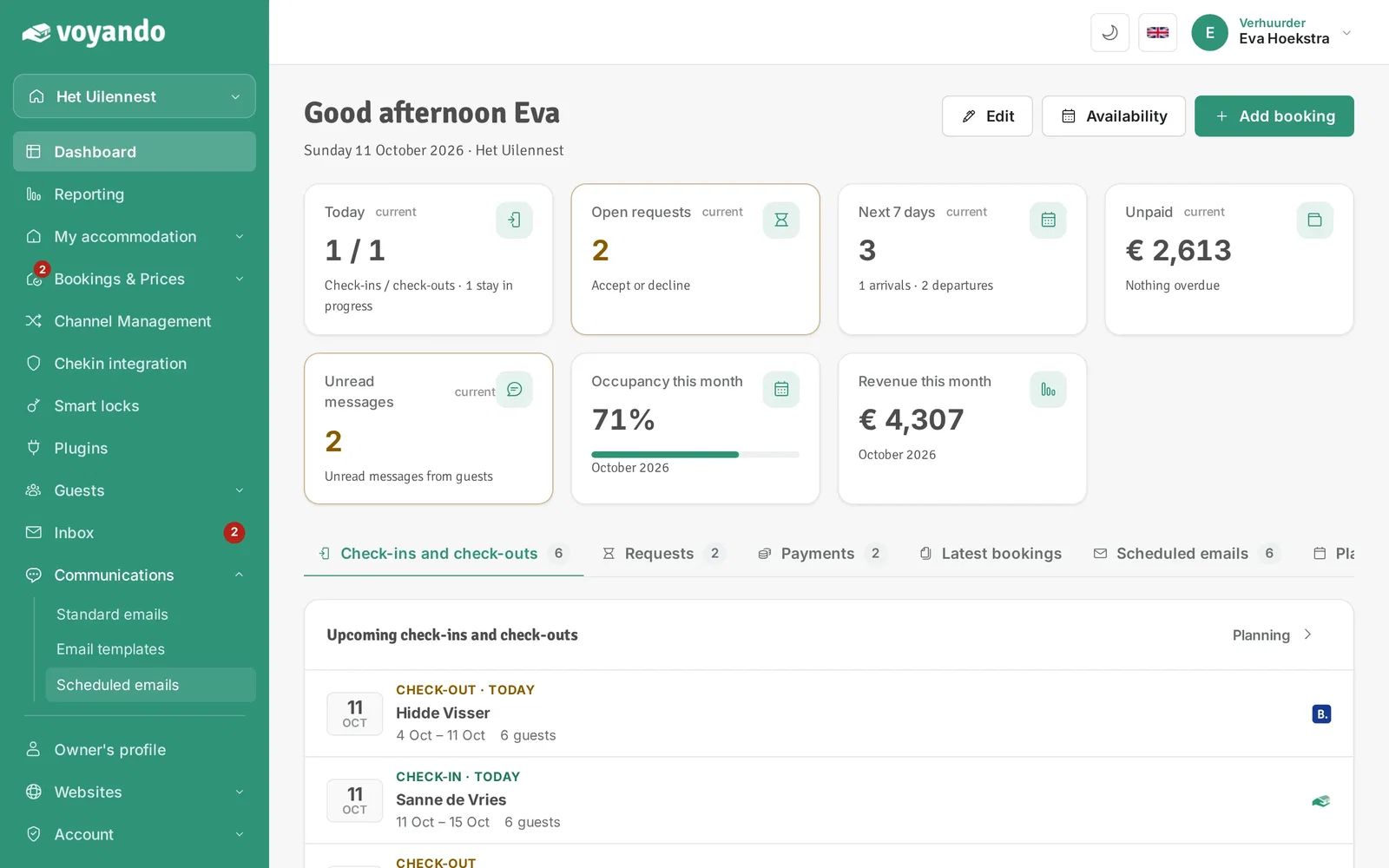
Step 2: Click Communications in the menu.
-
Step 3: Click Scheduled emails.
-
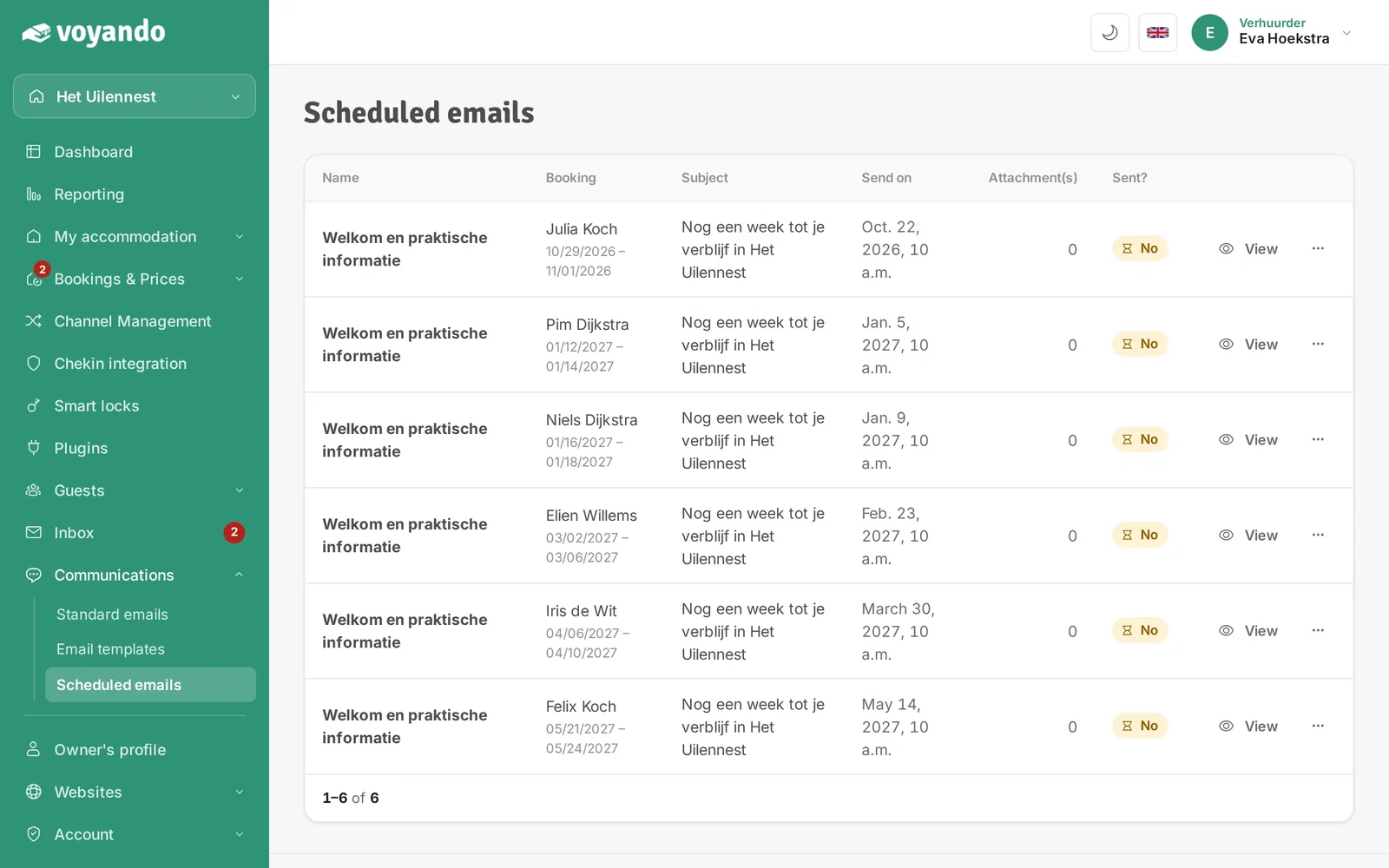
Step 4: Here is a list of all emails that are scheduled to be sent.
-
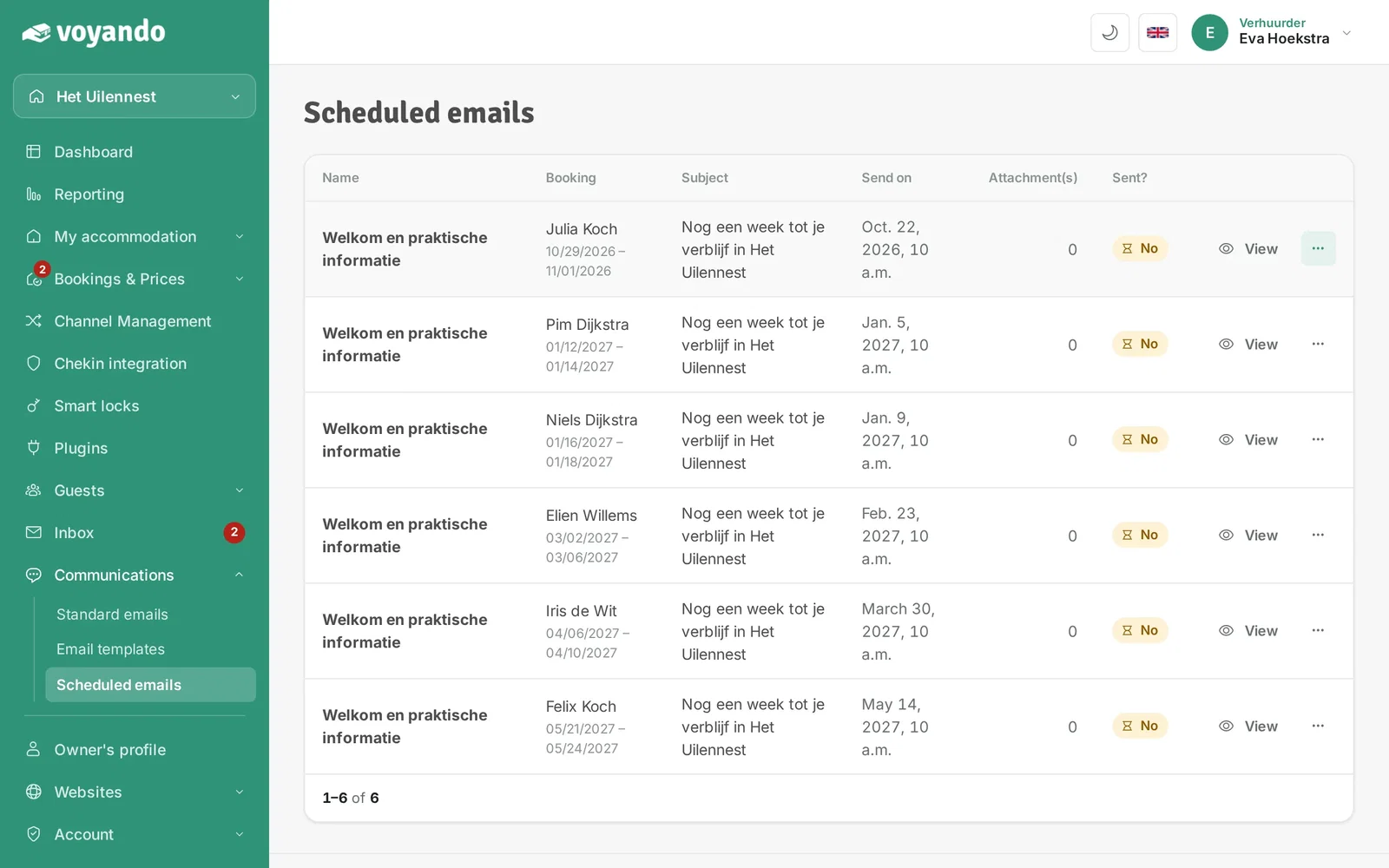
Step 5: Want to check or change an email? Click the three dots.
-
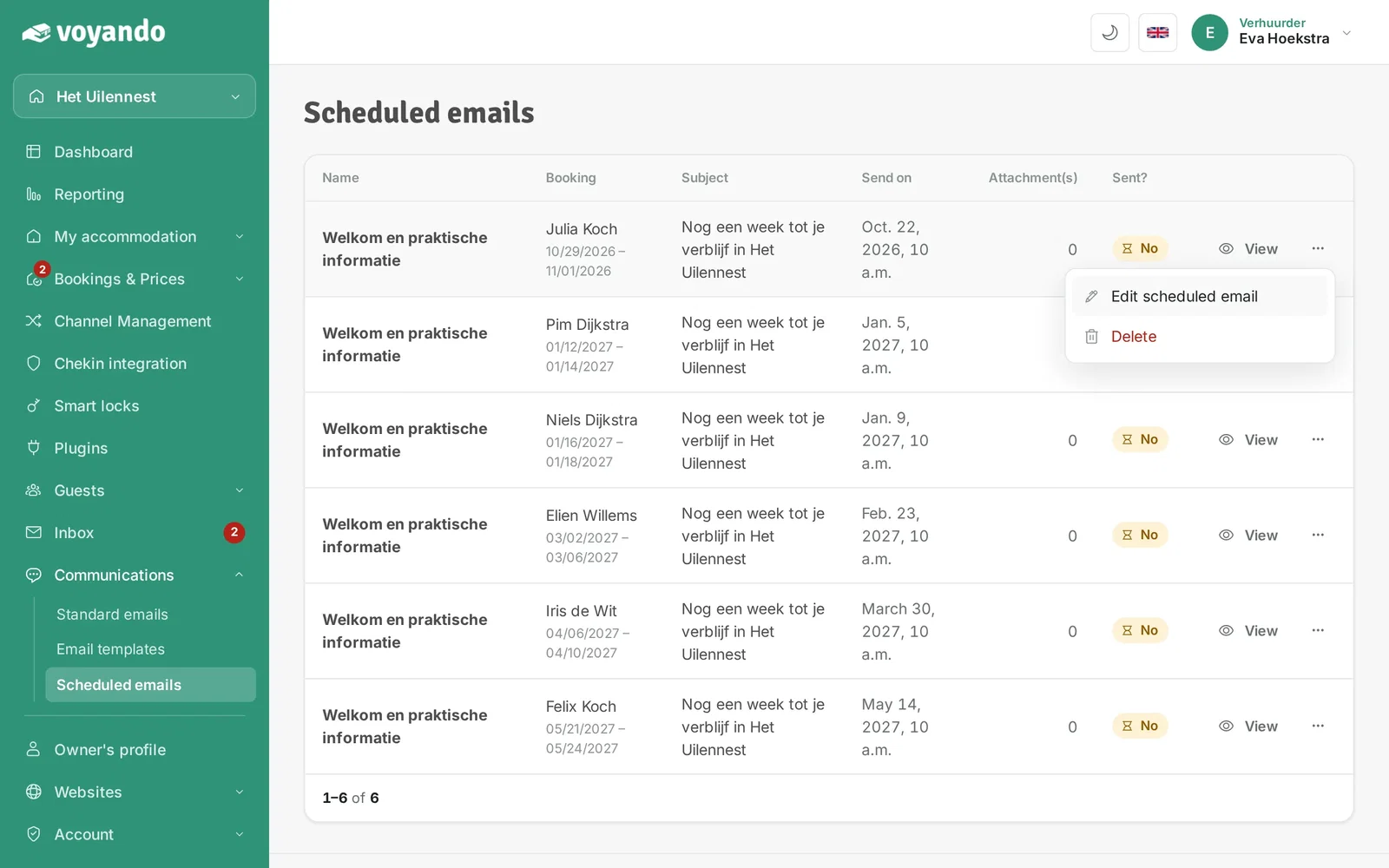
Step 6: Click Edit scheduled email.
-
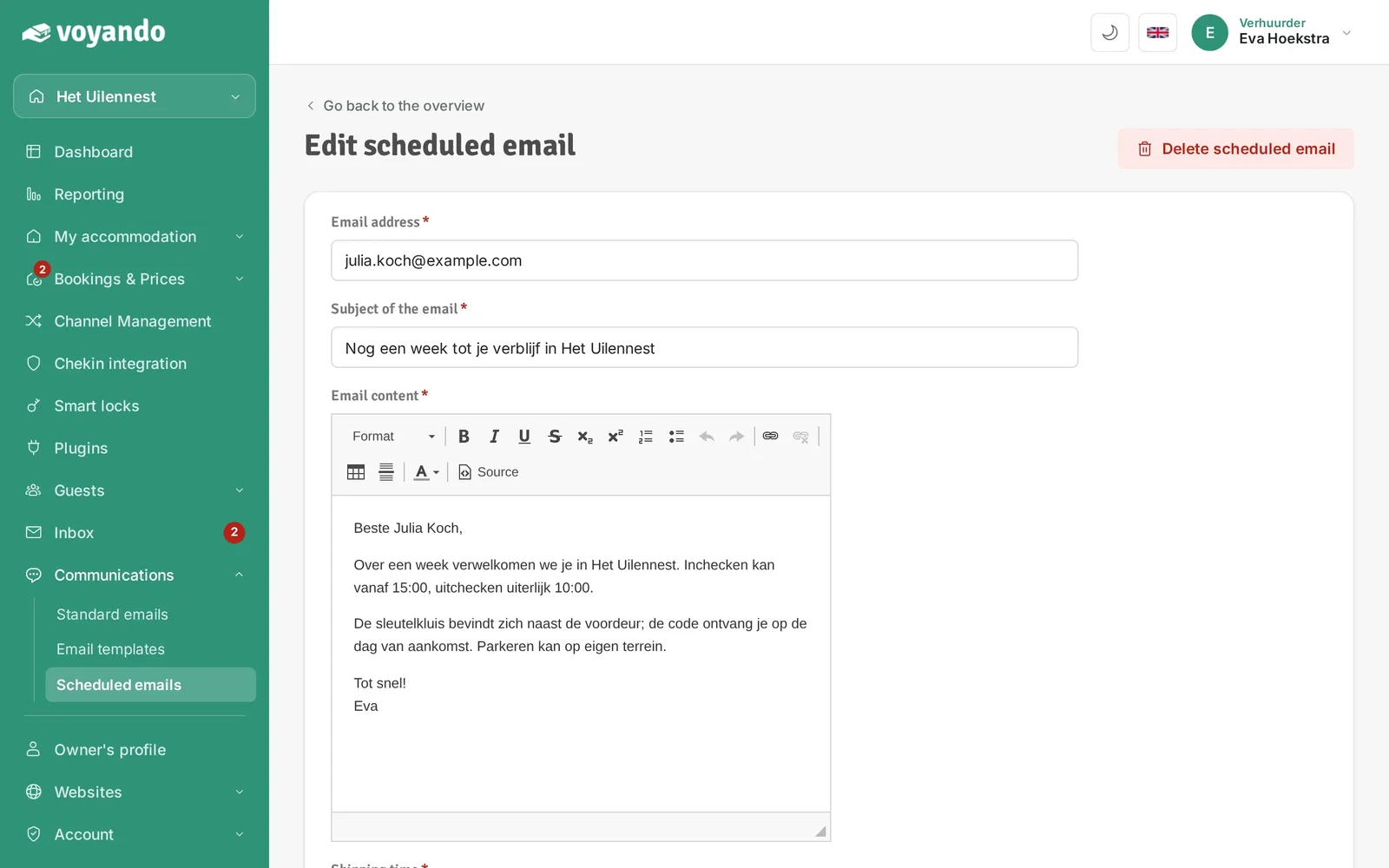
Step 7: Here you can review the scheduled email and change the subject, text or send time if needed.
-
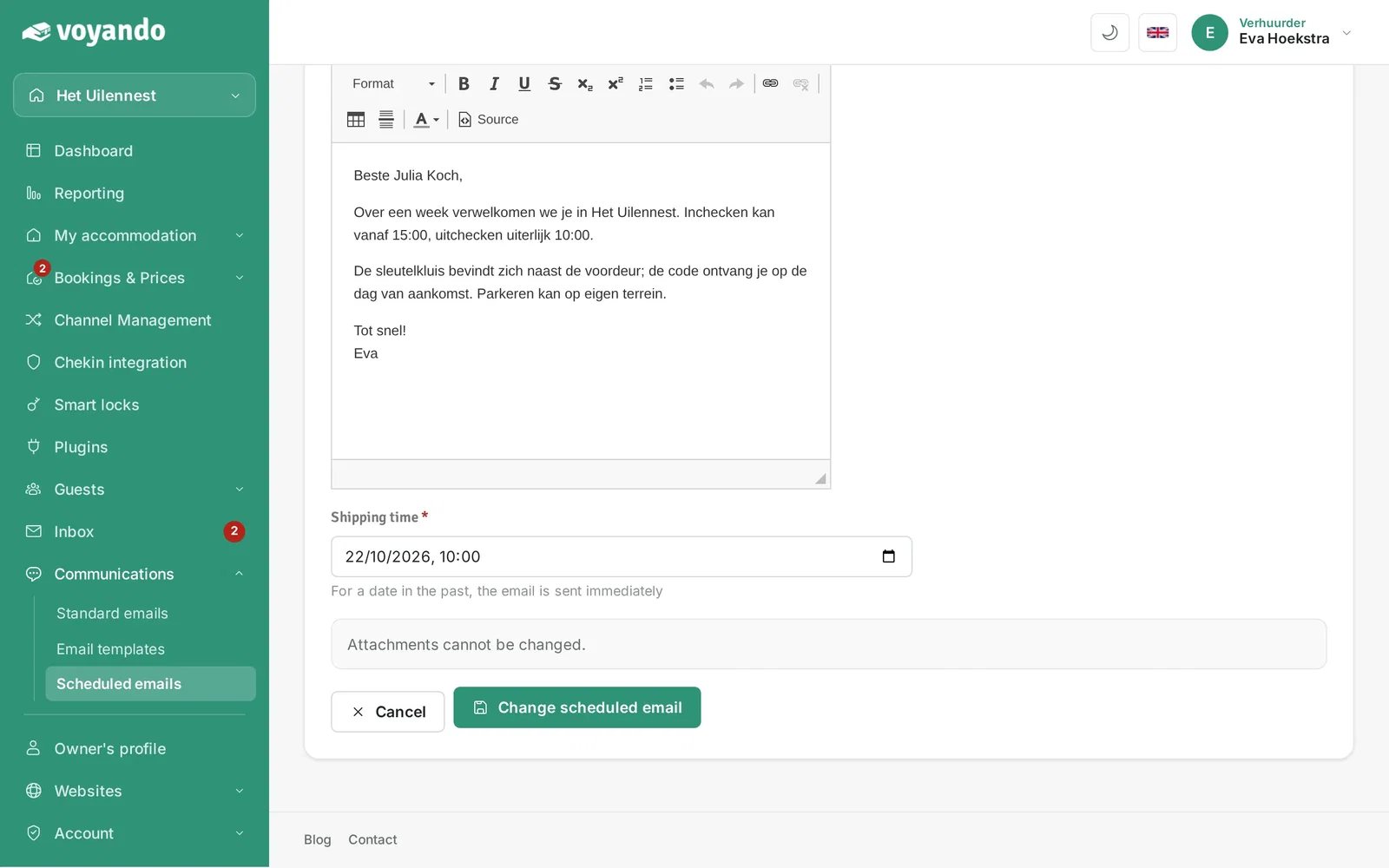
Step 8: Change the moment it is sent here.
-
Step 9: Click Change scheduled email to save your changes.